Which brands should you look at?
These brands can help you identify which features and parts to check; they don’t tell you everything about every model.
Rowenta
Worth a look if access to product information and model-specific parts is important when choosing a stick, robot or cylinder vacuum.
- Rowenta France offers a parts and accessories search by model reference for its robot vacuums.
- Check that the parts are compatible with the model you’re considering: a part being available for one model doesn’t guarantee it will be available for another.
Roborock
Worth a look if you want to use an app to schedule and adjust your robot vacuum.
- Roborock France explains how to use its app to schedule the time, mode and rooms to be cleaned.
- Check the features and network requirements for the exact model: Roborock France says the QV 35A supports 2.4 GHz Wi-Fi, not 5 GHz.
Dyson
A brand to consider if you’re comparing rechargeable stick vacuums for quick, manual clean-ups.
- UFC-Que Choisir includes Dyson stick vacuums among the models in its comparison.
- Compare the battery life at the setting you need, manoeuvrability, accessories and maintenance for the model you’re considering, rather than making assumptions about the whole range.
Vacuum cleaners for everyday floor cleaning
These Joybuy models include robot vacuums for scheduled cleaning and cordless stick vacuums for cleaning whenever you need to. For each one, compare the stated specifications with your floors, network and willingness to carry out maintenance.
 Image unavailable
Q8-Max with mopping function and self-emptying dock
For scheduled everyday cleaning, the product listing mentions mapping, no-go zones and a self-emptying dock. The product name also lists LiDAR navigation, 8 000 Pa suction and up to 200 minutes of runtime. These stated figures alone don’t tell you how well it will perform on your floors. Check that your network supports a 2.4 GHz Wi-Fi connection and that you can clear the floor and the area around the dock.
View on Joybuy
 Image unavailable
roborock Q7 L5+ with self-emptying dock
For scheduled regular cleaning, the product description mentions app-based scheduling and no-go zones. The product name also specifies LiDAR navigation, a mopping function, a self-emptying dock and stated suction of 8 000 Pa. Before relying on connected controls, check the required Wi-Fi band and the app’s update requirements. Also make sure the mopping function is suitable for your floors.
View on Joybuy
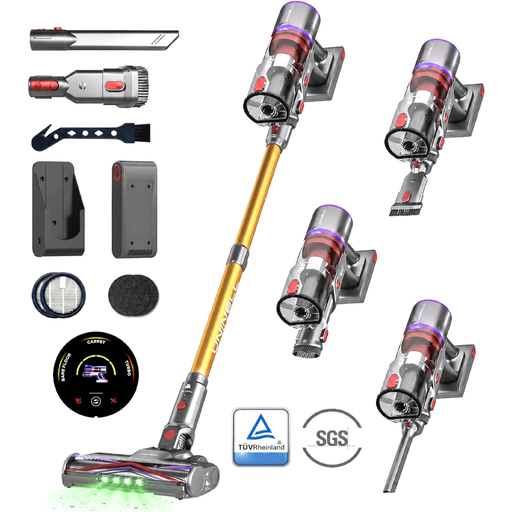 Image unavailable
MONSGA X UNINELLHOME UV5 cordless vacuum
This self-standing cordless stick vacuum is designed for cleaning up small messes as they happen. Its name claims up to 65 minutes of battery life, but that doesn’t indicate how long it will last on the most powerful setting. If you clean rugs, check the runtime at the setting you’ll need, and use the vacuum with its dustbin and filter fitted.
View on Joybuy
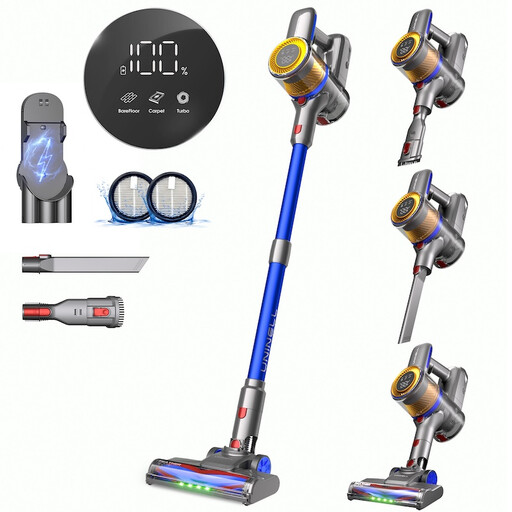 Image unavailable
UNINELL HOME UV1 450W with removable battery
Designed for cleaning whenever you need to, this self-standing cordless stick vacuum has a removable battery and can be converted into a handheld vacuum, according to its product description. Its name claims 60 minutes of battery life, but check the runtime at the setting you’ll need for your floors rather than relying on that figure alone. The product description advises against vacuuming liquids, fine building dust or hot and burning materials.
View on Joybuy
 Image unavailable
Eureka E20 Plus with self-emptying dock
For scheduled cleaning, the product listing mentions app control, mapping and a self-emptying dock. However, it gives different figures for suction power and the time before emptying, so ask for clarification on the exact configuration before comparing these figures with other robot vacuums. Also check that your network is compatible with the stated 2.4 GHz Wi-Fi requirement, and clear cables and small objects before each cycle.
View on Joybuy
Frequently asked questions
Can a stick vacuum replace your main vacuum?
Not necessarily: a stick vacuum is handy for quick clean-ups, but its battery life and power may limit its performance on more demanding jobs. UFC-Que Choisir describes a cylinder vacuum as an effective way to remove dust. Keep one as a back-up if rugs, carpets or a thorough clean are important in your home.
Why check a stick vacuum’s battery life at different power settings?
Because the maximum advertised runtime may not apply to the setting you need on a rug or a very dirty area. UFC-Que Choisir reports an average of around ten minutes at maximum power in its stick vacuum tests. Compare runtimes at the setting you’ll actually use.
Is a robot vacuum’s mopping function suitable for all floors?
No: compatibility and results depend on the model and the floor. In its tests of robot mops, UFC-Que Choisir reports that mopping results are often poor and advises against using them on wooden floors, particularly solid parquet. Check the care instructions for your floor and the robot before using this function.
Which Wi-Fi band do you need to schedule a robot vacuum?
Check the Wi-Fi band required for the exact model, and make sure its app is compatible with your phone. For example, Roborock France says the QV 35A supports 2.4 GHz Wi-Fi but not 5 GHz. This requirement doesn’t automatically apply to other robot vacuums.
How can you check which parts a robot vacuum needs before buying?
Search the manufacturer’s parts catalogue using the exact model reference, then check which brushes, filters, bags or mop pads it needs. Rowenta France, for example, lets you search for parts for its robot vacuums by model reference. A part compatible with one model won’t necessarily fit another.


