
Livraison le jour même ou le lendemain

Qualité garantie

Débloquez vos offres de bienvenue: Livraison GRATUITE | Jusqu'à -80 % | 30 jours d'essai gratuits à JoyPlus
Téléchargez l'application
Overheating is the sworn enemy of our electronic devices. A console lagging mid-game, a camera shutting down during a shoot, a car interior that feels like an oven in the summer... Sound familiar?? To solve these problems, the USB cooling fan has emerged as a simple, affordable, and incredibly effective solution.
Whether you're a gamer, a videographer, or simply behind the wheel, this guide is here to help you find the perfect model for your needs. We'll review the key criteria to consider and present our top picks of the moment.
To ensure you make the right choice, a few key features can help you differentiate between models. Here are the essential points to check to find the fan that will be a perfect fit for you.
The starting point is obviously your intended use. It makes sense?: a car fan will have neither the same shape nor the same mounting system as a PS5 cooler.
The cooling capacity is directly dependent on the blade rotation speed (in revolutions per minute, or RPM). Most models offer 3 speeds to adjust the airflow to your needs.
But be warned: power often means... noise. The noise level (in decibels, dB) is therefore a criterion that should not be overlooked, whether you need to stay focused at the office or want to avoid ruining your gaming immersion. A model operating around 30-35 dB can be considered quiet.
The vast majority of these fans connect via USB-A or USB-C. Be sure to check the ports on your device (console, PC, cigarette lighter adapter). Some clever models include an additional USB port?: handy for plugging in another accessory without sacrificing one of your device's ports. For on-the-go use or with video equipment, models with a built-in battery will offer you much greater freedom of movement.
Here are a few gems we've spotted, each tailored for a specific purpose.
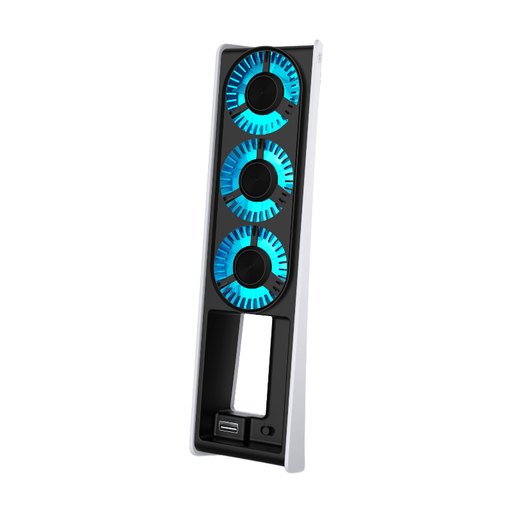
Why we love it?: Custom-fit for the PS5 Slim, this cooler perfectly matches the console's contours, whether it's positioned vertically or horizontally. It's ideal for dissipating heat during long gaming sessions and preventing performance drops.
Highlights?:
Who is it for?? For owners of the PS5 Slim (Standard and Digital editions) who want to keep their machine cool while adding a touch of style to their gaming setup.
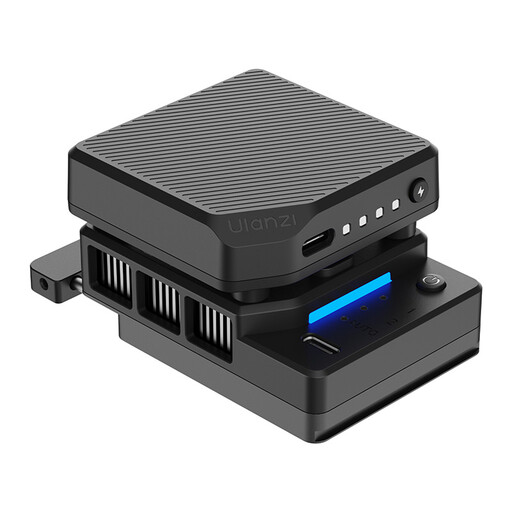
Why we love it?: Much more than a simple fan, the ULANZI CU01 features thermoelectric cooling technology. Its goal?: to actively lower the camera body's temperature, so you can say goodbye to overheating during high-resolution shoots.
Highlights?:
Who is it for?? For videographers and content creators who push their hybrid cameras (especially Sony models) to their limits, particularly when shooting in 4K. A piece of video equipment that can save a shoot.
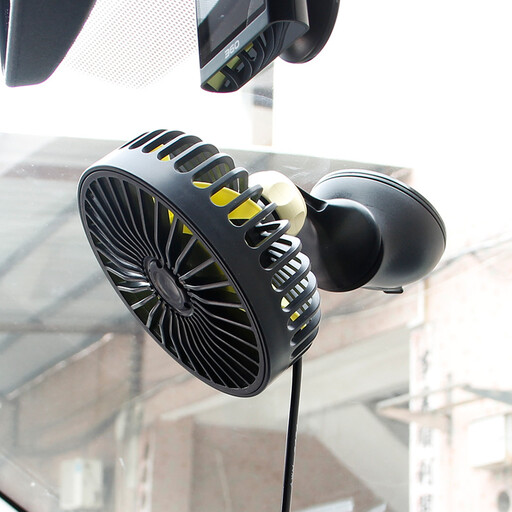
Why we love it?: Its key strength is flexibility. With 360° rotation and a powerful suction cup, this car fan can be placed wherever you want (dashboard, windshield) to target the driver or passengers.
Highlights?:
Who is it for?? For anyone without air conditioning in their car, or those looking for a targeted boost of cool air. An essential piece of car equipment for summer journeys or van trips.
Our selection focuses on very specific uses. But if you're looking for a portable mini fan for your desk, a pedestal model, or another type of cooler, know that the selection is vast.
To explore further, feel free to browse our complete collection of USB fans. You're sure to find a model that ticks all your boxes?: size, power, and budget.
Explore all USB fans on Joybuy.fr
In principle, no, as long as you follow a few basic rules. These fans are designed for low power consumption. We still recommend checking that the fan's voltage (V) and amperage (A) are compatible with your device's USB port specifications. Most importantly, make sure the fan does not block your equipment's main ventilation grilles.
A conventional fan simply circulates ambient air to dissipate heat through convection. In contrast, a thermoelectric cooler (based on the Peltier effect), like the ULANZI model, is an active cooling system. It uses an electric current to transfer heat from one side of the module to the other. This creates a cold surface that absorbs heat from the device upon contact. The technology is much more effective, but also more complex and power-intensive.
The noise level can vary greatly from one model to another. Manufacturers generally provide this information in decibels (dB). A fan is considered quiet when it operates below 35 dB at low speed. Models with multiple speeds allow you to find the right balance between efficiency and quiet operation.