
Livraison le jour même ou le lendemain

Qualité garantie

Débloquez vos offres de bienvenue: Livraison GRATUITE | Jusqu'à -80 % | 30 jours d'essai gratuits à JoyPlus
Téléchargez l'application
A frayed USB-C cable, frustratingly slow charging, a length that's all wrong for your desk… these are common frustrations for any modern device owner. Faced with a jungle of standards, power ratings, and materials, finding the right USB-C to USB-C cable can quickly become a headache.
This guide is here to help you make sense of it all. I'm the Head of Product Recommendations at Joybuy, and my mission is simple?: to give you the keys to making the right choice, without the unnecessary technical jargon. Together, we'll break down the essential criteria and present a selection of cables that meet specific, real-world needs, whether for your MacBook, smartphone, or gaming console.
Before diving into our selection, let's review the key points that will guide your choice.
The great advantage of USB-C is its ability to deliver high charging power thanks to Power Delivery (PD) technology. But be warned, not all cables are created equal in this regard.
A cable is an everyday accessory, constantly handled and mistreated. Its design, therefore, has a direct impact on its lifespan and user comfort.
Pay attention to this crucial point: most USB-C cables optimised for fast charging are limited to the USB 2.0 standard, with a transfer speed of 480 Mbps. This is more than enough for syncing photos or documents. However, if you regularly transfer very large files (4K videos, full backups) to an external SSD, a cable certified for USB 3.1, 3.2, or Thunderbolt becomes essential.
Here are a few models that meet very specific needs, from charging a laptop to comfortable gaming.
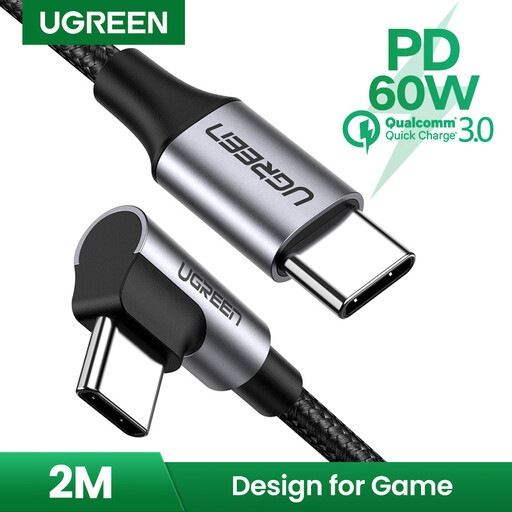
Why It Stands Out: its 90-degree connector is its main advantage. It reduces strain on your device's port and on the cable itself, while offering a much more comfortable grip when you're using it during charging.
Key Features:
Who Is It For? This gaming USB-C cable is an excellent choice for mobile or handheld console gamers. It's also perfect for those who plug their device in tight spaces (near a wall, in a car mount) where a straight cable would be under strain.
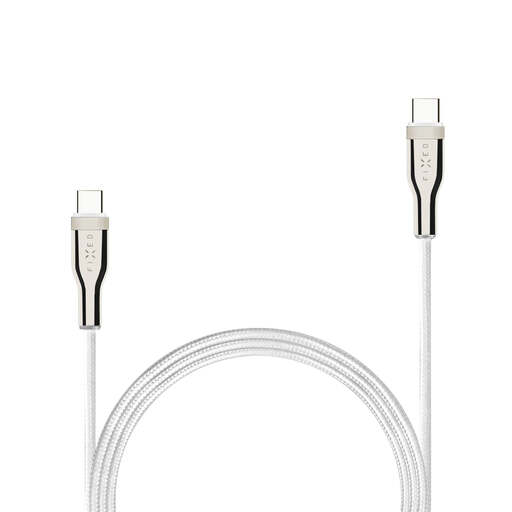
Why It Stands Out: its ability to handle up to 100W of power makes it the perfect ally for the most demanding devices. It is designed to harness the full potential of Power Delivery technology.
Key Features:
Who Is It For? This cable is aimed at professionals and "power users" who want to charge their USB-C laptop at top speed. If you have a 65W, 96W, or 100W PD charger, this 100W USB-C cable is the one you need to get the most out of it.
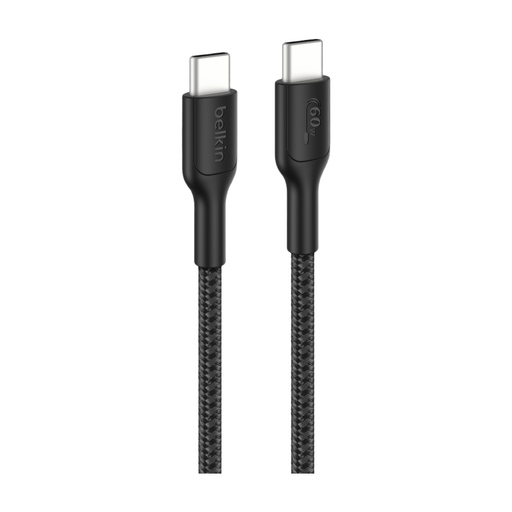
Why It Stands Out: Belkin stands out here with rock-solid durability and an eco-conscious approach. Its braided sheath, made of 95% post-consumer recycled (PCR) materials, is designed to withstand thousands of bends, according to the brand.
Key Features:
Who Is It For? This is the perfect all-rounder cable for heavy daily use. It will appeal to gamers as well as users concerned with the robustness of their accessories and their environmental impact. Its 2m length and 60W power make it a very balanced choice for a multitude of devices.
The cables in our selection are primarily optimised for charging and everyday data transfers. If your priority is transferring very large files between your computer and an external drive, then speed becomes the number one criterion.
For this purpose, take a look at our selection of USB-C cables for external SSDs, which brings together models designed for much higher speeds (USB 3.1 and beyond).
It's simply the maximum power the cable can safely deliver. A 60W cable is sufficient for most standard laptops (like a MacBook Air). A 100W cable, however, is essential to power more demanding machines (like a 16-inch MacBook Pro) at their optimal charging speed. Using a 60W cable on a device that requires 100W will result in slower charging, or even battery drain if you're using it intensively.
In general, yes. The braided sheath (nylon or other fibres) protects the internal wires much better against repeated bending, abrasion, and fraying than the basic plastic (PVC or TPE) of standard cables. The result: an extended lifespan, a real bonus for users on the go.
For charging, most USB-C to USB-C cables will work. However, to take advantage of fast charging, it's crucial that both the cable AND the charger are compatible with Power Delivery (PD) technology and deliver sufficient power. For a MacBook, opt for a 60W or higher cable. For an iPhone 15/16, a model supporting at least 20W is necessary to enable fast charging. In any case, choosing a certified cable (e.g., by the USB-IF) remains the best guarantee of safety and compatibility.