
Livraison le jour même ou le lendemain

Qualité garantie

Débloquez vos offres de bienvenue: Livraison GRATUITE | Jusqu'à -80 % | 30 jours d'essai gratuits à JoyPlus
Téléchargez l'application
A USB-C to USB-C cable might look the same as any other. Yet a model designed for charging a smartphone won't necessarily suit a laptop, a console or an external SSD. And just because a cable boasts high wattage doesn't mean it will deliver fast data transfers.
Before you place an order, three common pitfalls keep cropping up:
Power is measured in watts, while current is expressed in amps. A 25 W USB-C cable works well for many smartphones, but it won't replace a 60 W USB-C cable for a powerful tablet or certain laptops.
Here's how to read the main specifications:
So a 5 A USB-C cable won't automatically charge your phone faster. The actual power delivered depends on the whole chain: the device, the charger, the cable and the supported protocol.
A USB-C cable capable of charging a device and transferring data can show very different performance depending on its standard. USB 2.0 models top out at 480 Mbps. That's fine for syncing everyday files, photos or documents, but it's much less suited to frequent large transfers.
If you're mainly after a cable for charging, this limit may be perfectly adequate. However, if you're connecting a laptop to a storage drive or regularly moving video files, check the stated transfer standard carefully. The mere mention of "USB-C" doesn't tell you the speed.
The right length really depends on how you'll use it:
A braided sheath can reduce visible wear from friction and repeated bending, without making the cable indestructible. Get into the habit of unplugging the cable by pulling the connector, avoid sharp bends, and replace it at the first sign of cuts, deformation or a damaged connector.
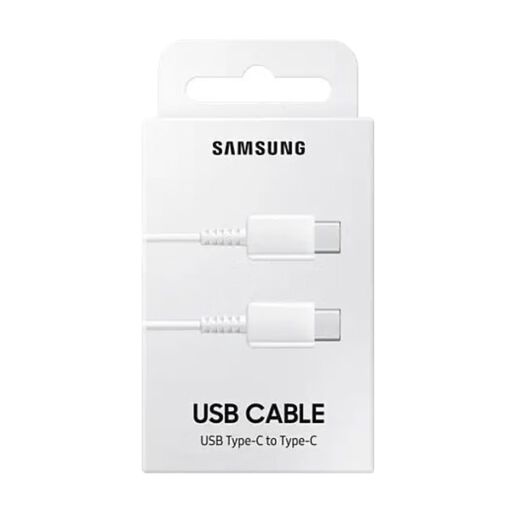
Why this choice suits this profile: with its 1 m length and stated power of up to 25 W, this cable is ideal for everyday use with a compatible smartphone or tablet, whether at home or on the go.
The product page clearly states a power rating of up to 25 W, a current of 3 A and support for syncing. This makes it easier to compare its capabilities with those of the charger you're using.
A lightweight design at 22.2 g, a 1 m length and support for both charging and data transfer on compatible devices.
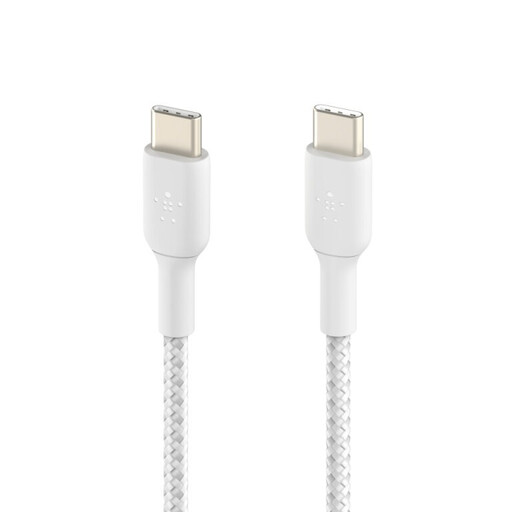
Why this choice suits this profile: users looking for a comfortable length and a braided design will find this cable equally at home on a desk, in a living room or in a workspace.
The 60 W power rating and USB 2.0 standard, limited to 480 Mbps, are clearly stated. You can therefore distinguish the charging capability from the data transfer speed.
A braided sheath, stated USB-IF certification, power of up to 60 W and a storage strap included.
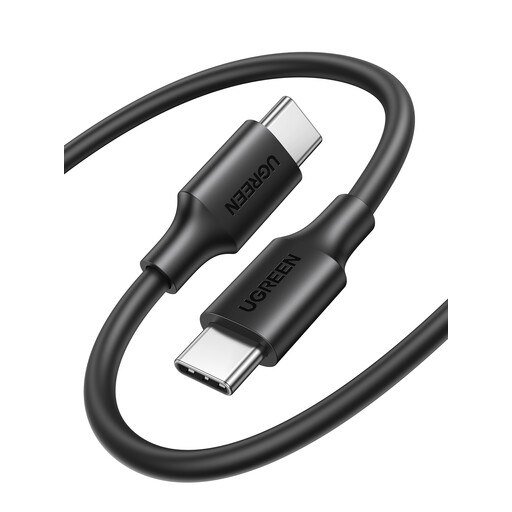
Why this choice suits this profile: its 3 m length makes it easy to use a device far from the socket, while its stated current of up to 3 A covers everyday charging needs.
The product page explicitly mentions USB 2.0, up to 480 Mbps, and the supported charging profiles. Its data transfer limitations are therefore perfectly clear.
A 3 m length, tinned copper conductor, foil and braid shielding, and a stated plugging durability of up to 10,000 cycles.
We've put together a comprehensive, real-time selection of products that meet these demanding criteria, while complying with European safety regulations.
To choose a USB-C cable for Samsung, check the power and current that are compatible with your smartphone and charger. Depending on the charging system used, some Samsung devices require a 3 A or 5 A cable.
Choosing a USB-C cable for iPhone depends on the generation of the device and how you intend to use it. For charging, it's the charger's power that matters most. For data transfers, look at the cable's data standard, not just the shape of its connector.
For a USB-C cable for a laptop, check the maximum power your machine requires. A 60 W model will suit some uses, while a more power-hungry laptop will need a cable and charger capable of delivering more.
Yes, provided the smartphone and charger both support the appropriate protocol. On its own, a 3 A USB-C cable isn't enough to activate fast charging. The actual power delivered depends on the compatibility of all the components.
A 1 m USB-C cable is perfect for a desk or a bag. The 2 m model gives you more freedom in a room. The 3 m USB-C cable is handy when the socket is far away, but you'll need to store it carefully to avoid tangles and kinks.
No. A cable can support high-power charging while still being limited to USB 2.0, i.e. 480 Mbps. For large files, always check the data transfer standard stated in the technical specifications.