
Livraison le jour même ou le lendemain

Qualité garantie

Débloquez vos offres de bienvenue: Livraison GRATUITE | Jusqu'à -80 % | 30 jours d'essai gratuits à JoyPlus
Téléchargez l'application
USB-C has established itself as the universal connector for everything from our smartphones to our laptops. And yet, choosing a simple USB-C to USB-C cable has become a real headache. Faced with a jungle of options, marketing traps are numerous, and disappointing purchases are common. A cable that charges at a crawl, frays after a few months, or refuses to transfer your files? It's more than just a frustration: it's money down the drain.
This guide is here to clear things up. Our mission: to help you decode spec sheets, spot the features that truly matter, and avoid rookie mistakes to make the right choice, on the first try.
The market is flooded with marketing promises that are rarely kept. Here are the three most common pitfalls that can turn your purchase into a complete disaster.
To make the right choice, forget the marketing and focus on three objective criteria. These are what define the real-world performance and lifespan of your cable.
Power, expressed in watts (W), is the number one criterion for fast charging worthy of the name.
Check that the cable explicitly mentions its compatibility with the Power Delivery (PD) protocol. Above 60W, the presence of an E-Marker security chip is mandatory. This chip communicates with the charger and the device to deliver the correct amount of power, without any risk of overheating.
When it comes to file transfers, not all USB-C cables are created equal.
A cable's lifespan comes down to the details of its construction.
Rather than a random laundry list, we've selected products for three distinct user profiles. It's up to you to find the one that fits.
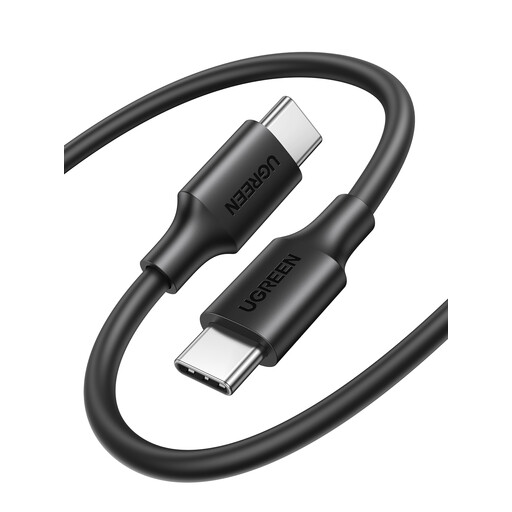
Why we chose it: Perfect for the user looking for a reliable cable for daily charging of their smartphone, tablet, or headphones. Its 1.5m length is an excellent compromise between comfort and portability, both at home and in the office.
This cable doesn't promise the moon. It's upfront about what it does: a 3A power rating (up to 60W) and USB 2.0 speeds, which is perfect for its primary use, charging. Its simple but sturdy construction helps it avoid the trap of budget models that give up the ghost in a few weeks.
Unbeatable value for money for reliable and safe daily charging.
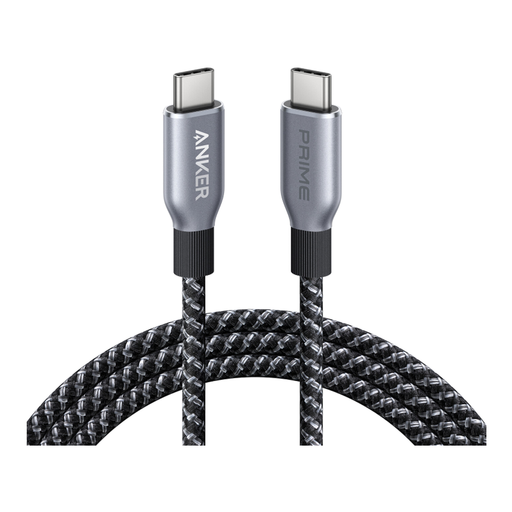
Why we chose it: For those whose laptop is their primary work tool and who accept no compromises on power and reliability. This cable is built for the latest and most power-hungry devices.
It smashes the "fake fast charging" trap with its 240W power (PD 3.1 standard), guaranteeing rock-solid compatibility. As for the fragility trap, it's sidestepped by a braided sheath made from recycled materials and a design tested to withstand over 35,000 bends, according to the manufacturer.
A charging power of 240W and durability that's built to last for intensive use.
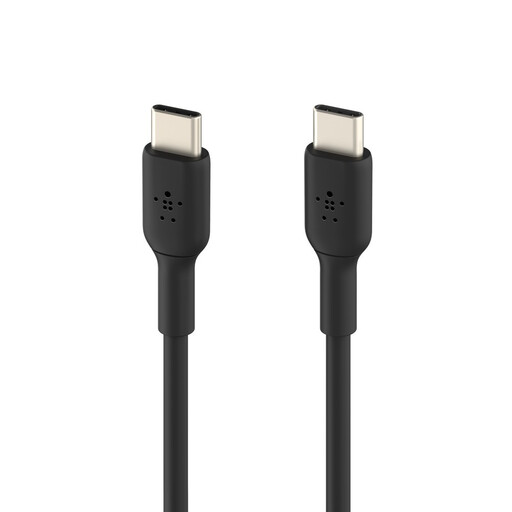
Why we chose it: For remote work enthusiasts and digital nomads who need flexibility. At 2 metres, this USB-C cable lets you plug in comfortably anywhere, even when the outlet is across the room, whether you're in a café, an airport, or a meeting room.
It plays it straight with a 60W power rating, ideal for most mobile devices and ultra-portables. It counters the fragility trap with a reinforced design, tested to withstand over 25,000 bends according to Belkin—a real guarantee of peace of mind for on-the-go use.
Its generous length of 2 metres for maximum flexibility, combined with a robust design.
Discover our complete selection of products that meet our demanding selection criteria and European safety standards.
A 60W cable is sufficient for smartphones, tablets, and most ultra-portables. However, a 100W USB-C cable (or higher) is essential to power high-performance laptops (15/16-inch MacBook Pros, gaming PCs, etc.) at full speed. Using a 60W cable on such a machine will result in extremely slow charging, and the battery may even continue to drain during use.
This is a persistent myth. In theory, a tiny amount of power loss can occur over very long distances, but in practice, over typical lengths (up to 2 or 3 metres), a high-quality cable is designed so that this has no noticeable impact. The quality of the materials and internal shielding is far more important than the length.
A braided USB-C cable is often more resistant to friction and knots than a basic plastic cable. However, it's not an absolute guarantee. True durability also depends on the quality of the braiding and, most importantly, the reinforcement at the connectors. This joint remains the weak point, even on braided cables. So, always look for a model with a strong and flexible strain relief.