
Livraison le jour même ou le lendemain

Qualité garantie

Débloquez vos offres de bienvenue: Livraison GRATUITE | Jusqu'à -80 % | 30 jours d'essai gratuits à JoyPlus
Téléchargez l'application
Has your charging cable given up the ghost?? Are you looking for a longer or more robust USB-C to USB-C cable for your laptop, smartphone, or console?? Between the different standards (Power Delivery, Quick Charge) and the advertised power ratings (60?W, 100?W, 240?W), it's easy to get lost.
As the Head of Product Recommendations at Joybuy, my role is to help you make sense of it all. This guide is designed to demystify the technical specifications and offer you a selection of reliable cables for every need, all without the unnecessary marketing jargon.
Before diving into our selection, let's review the essential criteria for making an informed choice that's perfectly suited to your devices and your daily routine.
The main reason to get a USB-C to USB-C cable is to take advantage of fast charging. The technology at the heart of this promise is Power Delivery (PD). It allows the cable and the charger to "communicate" to deliver the optimal power to your device—no more, no less.
Always remember to check the maximum power accepted by your device and your power adapter to choose a cable that won't bottleneck the charge.
The standard 1-meter length is often just too short. A 2m USB-C cable is a daily game-changer: it offers much more convenience for using your device in bed, on the couch, or at a desk that's a bit far from an outlet.
In terms of durability, a braided nylon USB-C cable is a guarantee of sturdiness. Its sheath protects the internal wires from fraying and repeated twisting, which significantly extends its lifespan. It's a real bonus if you're always on the go.
Be aware that not all USB-C cables are created equal for file transfers. Most charging-focused models are limited to the USB 2.0 (480 Mbit/s) standard. This is more than enough for syncing a few photos or documents from time to time. However, if you regularly transfer very large files (4K videos, full backups), you'll need to look for specific cables (USB 3.1, USB4, or Thunderbolt), which are in a category of their own. For charging-centric use, USB 2.0 remains the norm.
After testing and comparing dozens of models, here are the ones that caught our attention for their reliability and performance-to-price ratio.
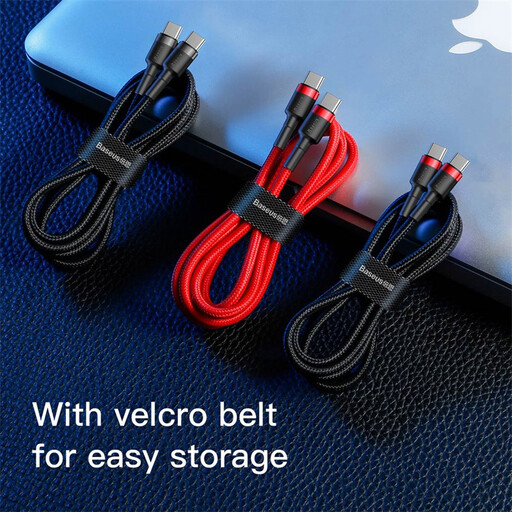
Why it stands out?? The Baseus Cafule checks all the boxes: it offers an excellent performance-to-price ratio without sacrificing durability. Its compatibility with Power Delivery 2.0 and Quick Charge 3.0 makes it a versatile solution for many devices.
Advantages:
Who is it for?? For anyone looking for a reliable and robust replacement or second cable for daily use, without needing extreme charging power.
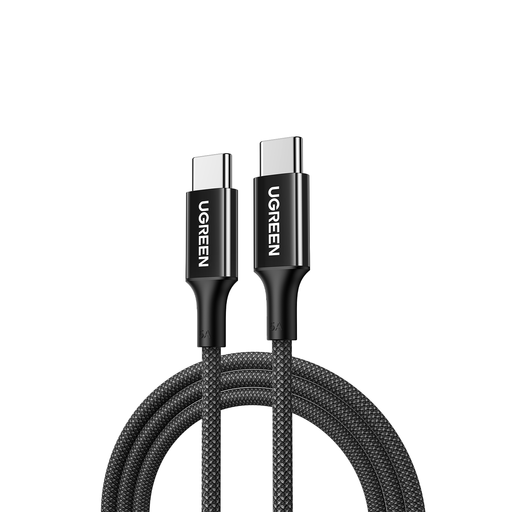
Why it stands out?? Built for power and longevity, this UGREEN cable can deliver up to 100?W. It integrates an E-Marker chip that intelligently negotiates the power required by the device, ensuring fast and safe charging for the most demanding equipment.
Advantages:
Who is it for?? This is the ideal cable for professionals, creatives, and students who use a power-hungry USB-C laptop cable (e.g., MacBook Pro, Dell XPS 15) and demand a fast and perfectly reliable charging solution.
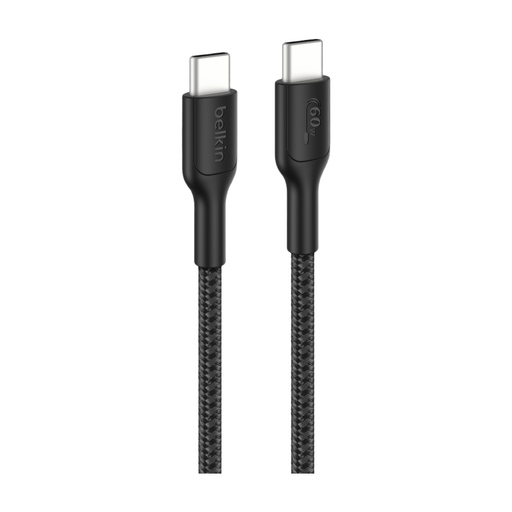
Why it stands out?? This Belkin cable is designed for intensive use like gaming, while also incorporating an eco-friendly aspect. Its sheath is made from recycled materials (PCR) and it is USB-IF certified, a guarantee of safety and compatibility.
Advantages:
Who is it for?? For gamers, of course, but also for nomadic and environmentally conscious users who want a cable that's built to last.
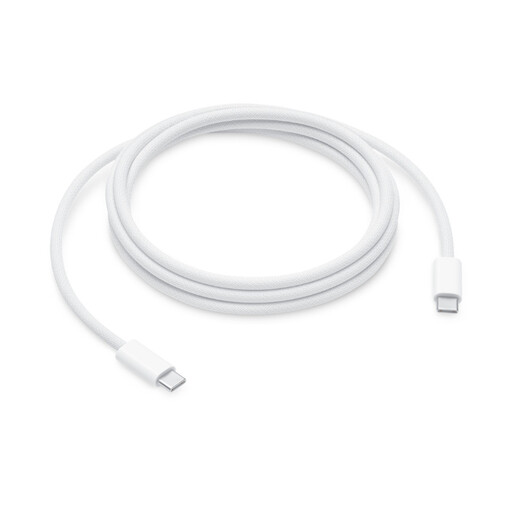
Why it stands out?? This is the gold standard for ultra-fast charging in the Apple ecosystem and beyond. Capable of supporting up to 240?W, this cable is ready for the most demanding current and future devices, while featuring the braided design of recent Apple accessories.
Advantages:
Who is it for?? For owners of recent MacBook Pro models or other high-end laptops who want the maximum possible charging speed with their compatible charger. It's a future-proof choice.
If none of these models check all your boxes (length, color, specifications...), feel free to explore the rest of our catalog. You'll find a wide range of solutions for all devices and budgets.
Discover our full range of cables
For most ultraportables (like a MacBook Air or a Dell XPS 13), a 60?W cable is sufficient. For more powerful models (MacBook Pro 15/16-inch, gaming laptops), opt for a 100?W cable or higher to ensure efficient charging, even when the computer is under heavy load.
Yes, generally. The braided sheath made of nylon or other synthetic fibers provides superior mechanical protection against bends, abrasion, and fraying. It's therefore a real plus for those who often carry their cable or use it in demanding conditions.
Yes, technically, you can plug any USB-C cable into a MacBook. However, to get the optimal charging speed, it's essential that the cable can support a power rating at least equal to that of your Apple charger. Using a 30?W cable with a 96?W charger will throttle the charging speed. A cable like Apple's (240?W) or UGREEN's (100?W) is therefore a safe bet for a MacBook USB-C cable.