
Livraison le jour même ou le lendemain

Qualité garantie

Débloquez vos offres de bienvenue: Livraison GRATUITE | Jusqu'à -80 % | 30 jours d'essai gratuits à JoyPlus
Téléchargez l'application
By our product experts, published July 28, 2026.
Your new smartphone, whether it's an iPhone 15 or a Samsung S24, sports a brand-new USB-C port. The problem? Your wall charger, computer, or power bank is still living in the classic USB-A era. It's a familiar scenario that makes one simple yet essential accessory indispensable: the USB-C to USB-A cable.
But with the overwhelming number of options available, how can you distinguish a reliable, durable cable from a low-quality product that could damage your devices? This guide is here to give you all the key information you need to make the right choice with complete peace of mind.
Before you buy, keep in mind that a few technical specifications make all the difference in everyday use. Here are the points to check to ensure the performance, longevity, and safety of your purchase.
A cable leads a rough life: bent at the bottom of a bag, hastily coiled, pulled without care... A braided USB-C cable made of nylon offers far superior resistance compared to standard plastic models. This protective sheath shields the internal wires from fraying and repeated twisting, which significantly extends its lifespan. Some manufacturers even state the number of bends the cable can withstand—an excellent indicator of its robustness.
A USB-IF certified cable (from the USB Implementers Forum) is a true seal of quality and safety. This certification guarantees that the product has passed a series of rigorous tests and strictly adheres to all USB standard regulations. Using a non-certified cable exposes you to unstable charging speeds, unreliable data transfers, and, in the worst-case scenario, irreversible damage to your device's battery. For a smartphone charger or a tablet, this is an absolutely non-negotiable criterion.
A good cable must be effective on two fronts: charging your devices and transferring your data. A standard USB sync cable (USB 2.0 standard) offers a transfer rate of up to 480 Mbit/s, which is more than enough for syncing photos, music, and other files. Most importantly, verify that the cable is compatible with your charger's power output to take advantage of the maximum charging speed. This is a crucial point, whether you're using an iPhone 15 charger or a Samsung S24 cable.
To help you see things more clearly, we've selected three cables that meet specific needs, all renowned for their performance and reliability.
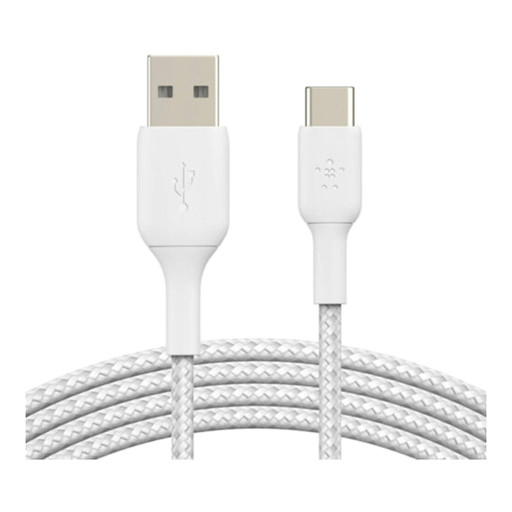
Why it stands out: This Belkin USB-C cable is an excellent choice, both versatile and robust for daily use. It checks all the important boxes: an ultra-durable braided sheath, USB-IF certification for flawless safety, and broad compatibility.
The manufacturer claims its nylon sheath can withstand over 30,000 bends, proof of a design truly built to last. The USB-IF certification ensures reliable charging and syncing for all your compatible devices.
Advantages:
For whom? Perfect for anyone looking for a reliable and durable solution to connect their new USB-C devices to older chargers, computers, or power banks still using USB-A. It's the perfect companion for heavy use, whether at home, in the office, or in the car.
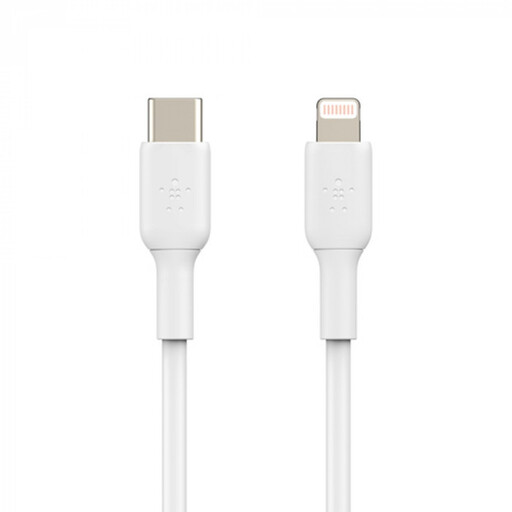
Why it stands out: Do you have an iPhone older than the 15 (with a Lightning port) and a recent charger or Mac with USB-C? This cable is for you. It's MFi (Made for iPhone/iPad) certified, which guarantees perfect compatibility and safety with Apple devices.
Paired with a USB-PD charger of 18W or more, it unlocks fast charging. According to Belkin, it can charge an iPhone 8 or later from 0 to 50% in 30 minutes.
Advantages:
For whom? For all owners of iPhones (models 8 to 14) or iPads with a Lightning port who want to connect to modern chargers and computers equipped with USB-C ports.
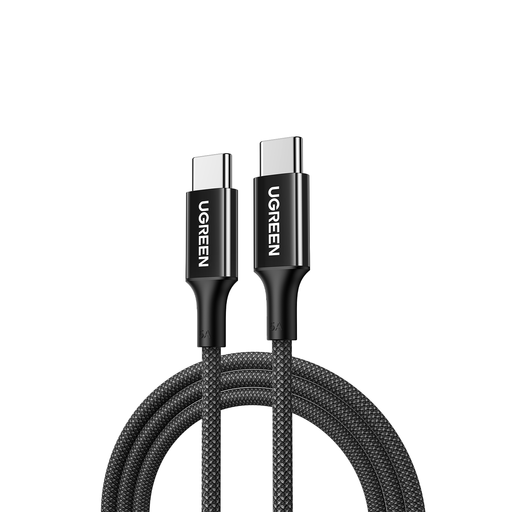
Why it stands out: Designed for 100% USB-C connections, this cable has a key advantage: it can handle a charging power of up to 100W. Perfect for the most power-hungry devices! It includes an E-Marker chip that communicates with the charger and the device to adjust the power delivery and ensure optimal safety. Its braided construction and reinforced connectors also guarantee excellent longevity.
Advantages:
For whom? This cable is perfect for those who need to connect two USB-C devices, especially for fast-charging a laptop from a powerful wall charger or connecting a smartphone to a MacBook.
Do the models presented not quite match your needs? Are you curious to discover other technologies or connector types? Take a look at our complete selection.
? Discover our full selection of OFC cables and other connectors
The USB-A port is the rectangular connector everyone knows, found on our computers and chargers for decades. The USB-C port, on the other hand, is smaller, oval-shaped, and, most importantly, reversible—no more fumbling to plug it in the right way! It has become the new standard on modern devices because it allows for much higher charging speeds and data transfer rates.
Yes, without a doubt. The braided nylon sheath acts as armour against the bends, twists, and wear of daily use. It prevents the cable from fraying near the connectors, which is the usual weak point of most models. It's a small extra cost that often pays for itself, especially for mobile or intensive use.
In theory, yes, most cables will work for a simple charge. In practice, to ensure your device's safety and optimal performance, it is highly recommended to choose a USB-IF certified cable. A poor-quality cable doesn't just charge slowly; in the long run, it can also damage the battery of your precious smartphone.