
Livraison le jour même ou le lendemain

Qualité garantie

Débloquez vos offres de bienvenue: Livraison GRATUITE | Jusqu'à -80 % | 30 jours d'essai gratuits à JoyPlus
Téléchargez l'application
By our Joybuy product experts, July 28, 2026
Your new laptop has it all: it's thin, fast, and lightweight. The only drawback? It comes with just one or two USB-C ports. This trendy minimalism quickly becomes a headache when you need to connect an external display, a USB drive, an Ethernet cable, or simply charge your machine while you work. This raises a critical question: which accessory can you turn to for proper connectivity?
The solution, of course, is a USB-C multiport adapter. But with a plethora of options available, from simple portable hubs to fully-featured docking stations, it's hard to know where to start. This guide is designed to give you all the information you need to make the right choice—one that truly fits your needs.
Before you jump on the first model you see, a few technical criteria deserve your attention. Your choice will depend entirely on how you use your computer day-to-day.
The first step is to list the peripherals you use every day.
Taking stock of the ports you need will prevent you from splurging on an over-equipped (and more expensive) model or, conversely, ending up with an incomplete adapter.
If connecting one or more displays is your priority, the video specifications are crucial. A 4K USB-C hub has become the standard today, but the devil is in the details:
The Power Delivery (PD) feature is a real game-changer. It allows the adapter to charge your laptop through its USB-C port while you use the other ports. No more choosing between charging your machine and connecting your peripherals. Make sure the charging power (measured in watts) is sufficient for your laptop model.
To help you see things more clearly, we've selected three models that cater to very distinct user profiles.
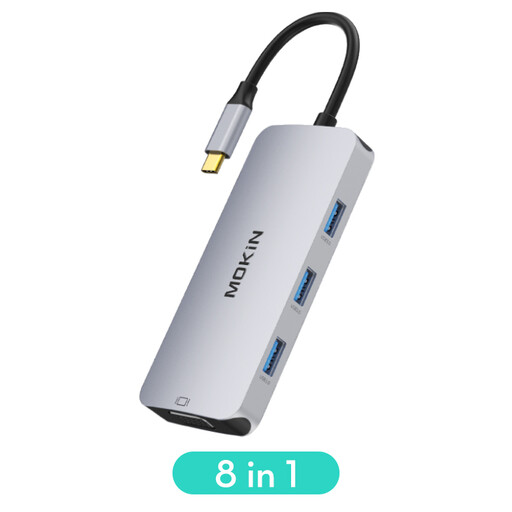
Key Feature: This hub is an excellent compromise between versatility and portability. It covers most common needs, including modern (HDMI) and legacy (VGA) video ports, making it ideal for travel.
Advantages:
Who is it for? Mobile professionals, students, and anyone who needs to connect their laptop to a wide variety of displays and projectors, whether at the office, at university, or at home.
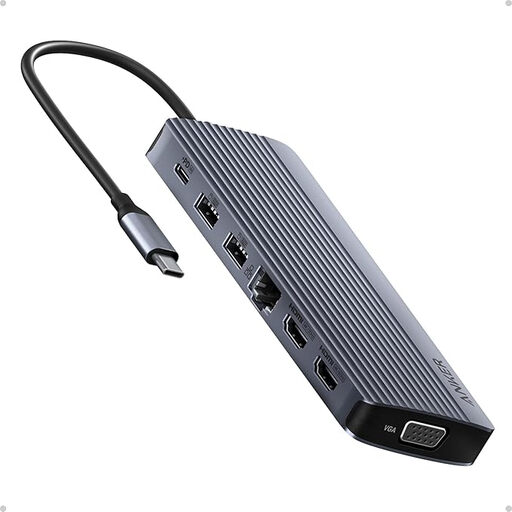
Key Feature: More than just a hub, this Anker model is a true USB-C docking station. With its 14 ports, it's designed to turn a laptop into a genuine command centre.
Advantages:
Who is it for? Remote workers, content creators (videographers, graphic designers), and power-users who manage complex multi-monitor setups and demand connectivity without compromise.
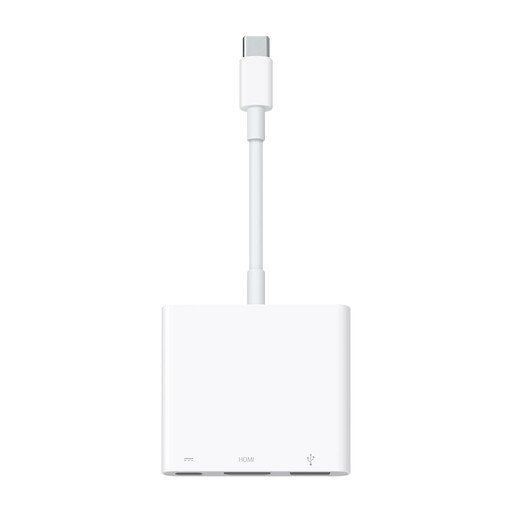
Key Feature: This official MacBook Pro adapter focuses on simplicity, build quality, and video performance optimized for the Apple ecosystem. Its main asset: the ability to deliver a 4K at 60Hz signal on compatible devices for impeccable motion smoothness.
Advantages:
Who is it for? Users of Apple devices (MacBook, iPad, iPhone) looking for a simple, reliable, and portable solution to connect a 4K display while enjoying an ultra-smooth picture, without being burdened by a myriad of extra ports.
This selection is just a glimpse of the available solutions. If you haven't found what you're looking for or simply want to compare other models, know that there is a multitude of alternatives. From more compact adapters to even more comprehensive docking stations, there's no shortage of choice.
? Explore our full range of USB PC connectors to find the perfect model for you.
A USB-C hub is generally compact, portable, and powered by the computer's port. A USB-C docking station, which is more stationary and bulkier, often has its own external power supply, allowing it to handle more power-hungry peripherals and offer more advanced features.
Not necessarily. For video output, the USB-C port on your computer, tablet, or smartphone must support "DisplayPort Alternate Mode". For charging through the adapter, it must be compatible with the "Power Delivery" standard. It is therefore crucial to check the technical specifications of your devices before making a purchase.