
Livraison le jour même ou le lendemain

Qualité garantie

Débloquez vos offres de bienvenue: Livraison GRATUITE | Jusqu'à -80 % | 30 jours d'essai gratuits à JoyPlus
Téléchargez l'application
The charger that came with your laptop is often bulky, proprietary, or has simply gone missing. Whether you need to replace a faulty adapter, get a second one for the office, or finally consolidate to a single power brick for all your devices, choosing the right USB-C laptop charger has become a real challenge. Faced with a jungle of wattages, standards, and technologies, it's easy to get lost.
This guide is here to provide clear benchmarks and help you find the perfect model by focusing on three pillars: compatibility, performance, and safety.
Before diving into our selection, let's review the three essential points to check to ensure you make the right choice.
Power, measured in watts (W), is the number one criterion. The golden rule: your new charger must deliver a wattage at least equal to that of your original adapter for your machine to operate and charge normally.
The risk of an underpowered charger? Painfully slow charging, or worse, seeing your battery drain even while your laptop is plugged in!
The acronym GaN stands for gallium nitride, a revolutionary semiconductor that is gradually replacing silicon in modern chargers. A GaN charger offers several major advantages:
If you're often on the go or simply want to declutter your power strip, a multi-port USB-C charger is the ideal solution. It allows you to charge your computer, smartphone, and tablet simultaneously with a single power brick. However, pay attention to one crucial point: power distribution. When multiple devices are plugged in, the total wattage is split among the different ports.
Here is our selection of the best models currently available, chosen for their technical specifications and real-world usability.
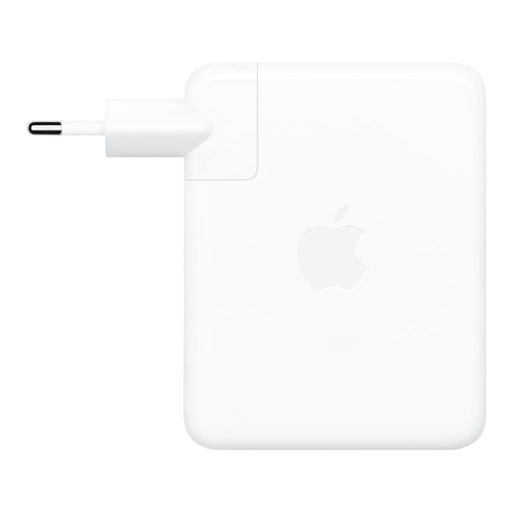
Why it stands out: It's the peace-of-mind choice for the Apple ecosystem. Designed by Apple, it guarantees perfect compatibility and optimal performance with the most demanding devices.
Key features:
Who is it for? Owners of a 16-inch MacBook Pro who want the Apple-recommended charging performance, whether to replace the original charger or to have a second one at the office.
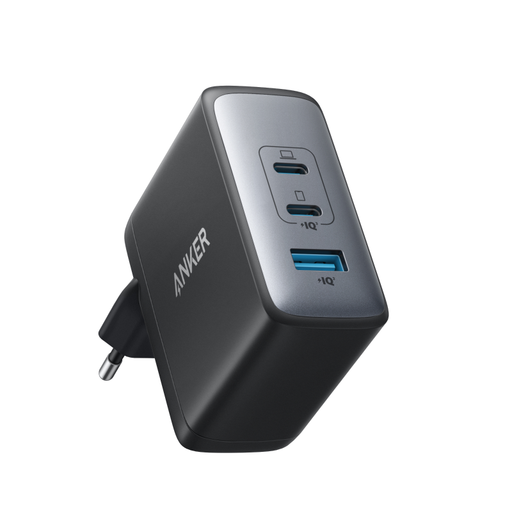
Why it stands out: It's the ultimate Swiss Army knife, offering a perfect balance of power, versatility, and compactness thanks to GaN II technology.
Key features:
Who is it for? The mobile professional or user who wants a single power brick for their computer, phone, and headphones, without sacrificing speed or adding bulk.
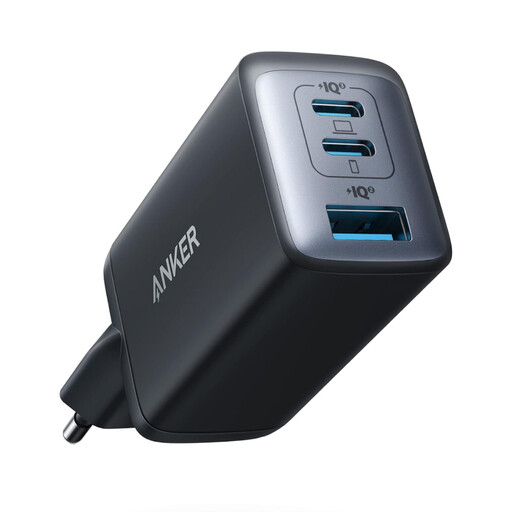
Why it stands out: This is the champion of compactness. Its size, barely larger than an AirPods Pro case, makes it an ultra-portable charging solution.
Key features:
Who is it for? Those for whom portability is the top priority. An excellent choice for traveling light, for a handbag, or as a backup charger that makes no compromises on performance.
A good charger is essential. But a complete setup sometimes requires other accessories. If your audio gear could also use an upgrade, check out our selection of Jack Adapters to connect all your devices.
The golden rule: check the wattage (W) of your original charger and choose a replacement model with an equal or higher wattage. For an ultra-portable laptop, 65W is often enough. For a more powerful machine (gaming, creative work), aim for 100W or more to avoid performance throttling.
In a word: no. Most smartphone chargers do not deliver enough power (typically between 15W and 30W). At best, charging will be so slow that it won't even keep up with the power your laptop uses while running. At worst, nothing will happen at all. You must use a USB-C Power Delivery (PD) compatible charger with a wattage appropriate for your machine.
To put it simply, a GaN charger (gallium nitride) is smaller, lighter, and more efficient than a traditional silicon-based charger. It generates less heat, which allows for the creation of chargers that are simultaneously very powerful, compact, and equipped with multiple ports. It's the technology of choice for digital nomads and anyone looking to lighten their bag.