
Livraison le jour même ou le lendemain

Qualité garantie

Débloquez vos offres de bienvenue: Livraison GRATUITE | Jusqu'à -80 % | 30 jours d'essai gratuits à JoyPlus
Téléchargez l'application
By the Joybuy Editorial Team, July 28, 2026
Modern laptops, whether a MacBook or a PC, prioritise slim designs and portability, often at the expense of connectivity. Finding yourself with only one or two USB-C ports to connect an external display, a mouse, a keyboard, and charge your device is a real challenge for many professionals, creatives, and students.
A USB-C hub is the solution to transform a single port into a true Swiss Army knife of connectivity. However, the market is flooded with models offering a wide variety of features. This guide is here to help you see things more clearly and choose the adapter that will precisely meet your needs, without drowning you in technical jargon.
Before you take the plunge, let's review a few key points to ensure you choose a hub that is compatible with your hardware and perfectly suited to your use case.
The first question to ask is simple: what ports do you need?
The Power Delivery (PD) feature allows the hub to charge your laptop while powering your other peripherals. A dedicated USB-C PD port on the hub receives power from your original charger and redistributes it to your computer. This is a critical factor if your machine has only one USB-C port. Make sure the hub's power output (expressed in watts, W) is sufficient for your device, especially for more power-hungry machines like the MacBook Pro.
Although the terms are often used interchangeably, there is a nuance. A USB-C hub is generally compact, powered by the computer, and designed for portability. A USB-C docking station is more comprehensive, often has its own AC power supply, and is intended for a stationary workstation with multiple displays and peripherals. The choice will therefore depend on your use case: mobile or stationary.
To get you started, here are three models that meet different needs, from the most comprehensive to the most portable.
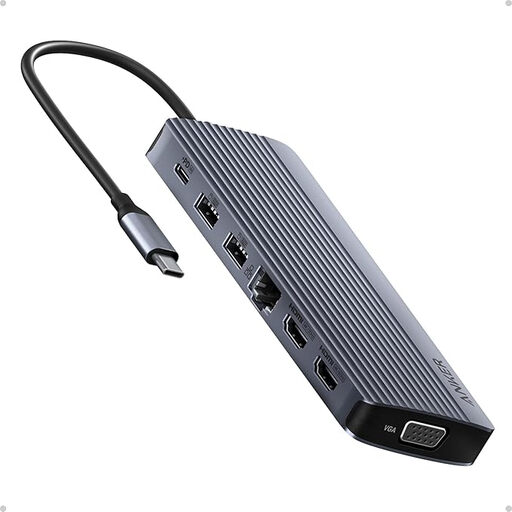
What sets it apart: An extensive array of ports to turn a laptop into a true multi-screen workstation. With its 14 ports, it covers almost every possible use case.
Highlights:
Who is it for? Stationary or remote professionals and creatives who need to connect a myriad of peripherals and multiple screens simultaneously. It blurs the line with a true USB-C docking station.
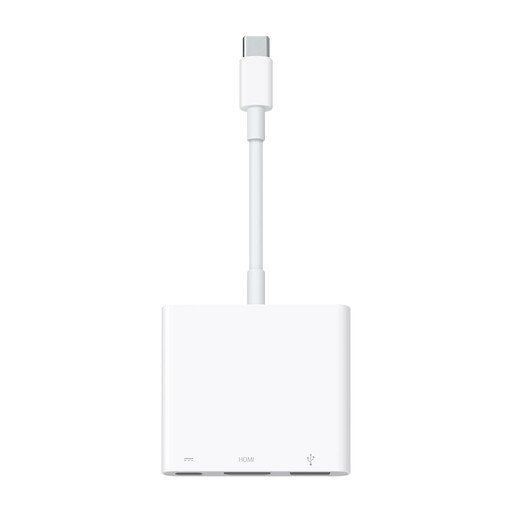
What sets it apart: Perfect integration and simplicity for fans of the Apple ecosystem. It focuses on the three most essential connections: video, data, and charging.
Highlights:
Who is it for? Users of Apple devices (MacBook, iPad Pro) looking for an official, simple, and reliable solution to connect an HDMI display and a USB-A peripheral while charging their device.
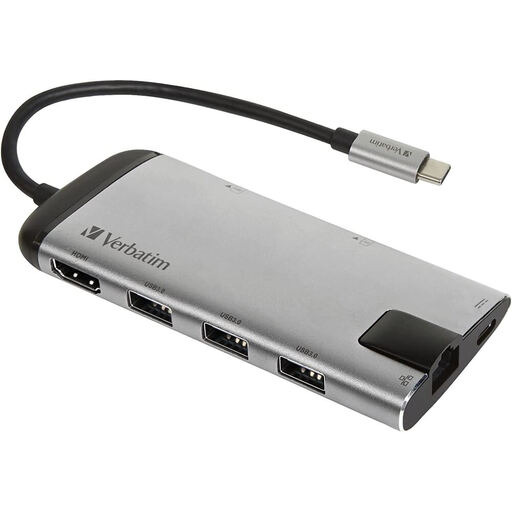
What sets it apart: An excellent balance of versatility, portability, and design. It offers the most useful ports in a compact and elegant form factor.
Highlights:
Who is it for? Mobile professionals and remote workers looking for a versatile and easy-to-carry solution to connect essential peripherals (display, wired network, external storage) wherever they are.
Don't see a model that fits your needs? Looking for a very specific combination of ports?
Explore our full range of USB hubs and adapters to find the perfect model for your setup.
To put it simply, a USB-C hub is a compact, portable accessory powered directly by the computer's port. It's designed to expand connectivity on the go. A USB-C docking station, on the other hand, is larger, often has its own external power supply, and offers many more ports. It's intended for creating a stationary workstation.
It's normal for a USB-C hub to get slightly warm during use, especially when it's simultaneously handling charging (Power Delivery), a 4K display, and data transfers. This heat simply comes from energy conversion. However, excessive heat to the point where you can't touch it could be a sign of a malfunction. Be sure to use it in a well-ventilated area.