
Livraison le jour même ou le lendemain

Qualité garantie

Débloquez vos offres de bienvenue: Livraison GRATUITE | Jusqu'à -80 % | 30 jours d'essai gratuits à JoyPlus
Téléchargez l'application
MacBook Pros, Dell XPS... our laptops have become marvels of slim design and power. The trade-off? Connectivity has been stripped down to the bare essentials, often leaving us with just one or two lonely USB-C ports for all our peripherals. To turn your machine into a true workstation without all the hassle, the multiport USB-C hub is the essential accessory.
Whether you're a creative professional juggling 4K video files, a remote work pro who loves a multi-monitor setup, or simply looking for a tidier desk, this guide will help you find the perfect model.
Before diving into our top picks, let's review the key technical specs to help you make the right choice.
The first instinct is often to connect one or more external monitors. Pay close attention to the video output specifications:
A good hub should make your life easier, not harder.
Depending on your workflow, certain ports can go from being nice-to-haves to absolute necessities.
We've selected several models that excel in their category, catering to a variety of needs and budgets.
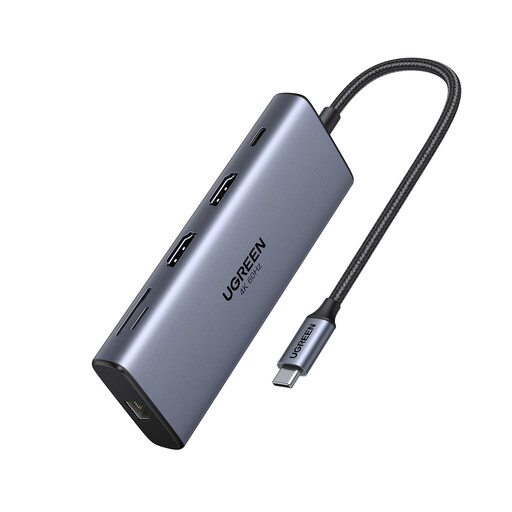
Why it stands out: This is a true USB-C docking station in a pocket-sized format. Its main advantage? It supports dual 4K at 60 Hz displays on both macOS and Windows—a rare and highly sought-after feature for creatives. Its 10 Gbps USB-C and USB-A ports also ensure lightning-fast data transfers.
Pros:
Who is it for? Demanding professionals and creatives who want a no-compromise multi-monitor setup and near-instant file transfers. The perfect all-in-one solution for a MacBook USB-C dock or a powerful PC.
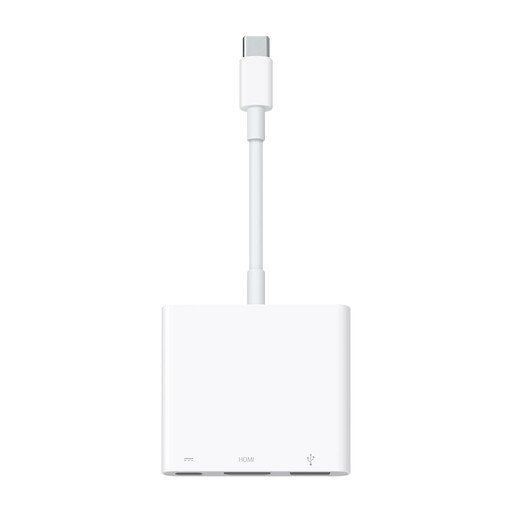
Why it stands out: Simplicity and seamless integration with the Apple ecosystem. As the official adapter, it works flawlessly with Macs, iPads, and even iPhones equipped with a USB-C port. It gets straight to the point, providing three key connections in an ultra-compact design.
Pros:
Who is it for? The Apple purist looking for a reliable, simple, and portable solution for everyday needs: connecting a display, a USB peripheral, and charging their device simultaneously.
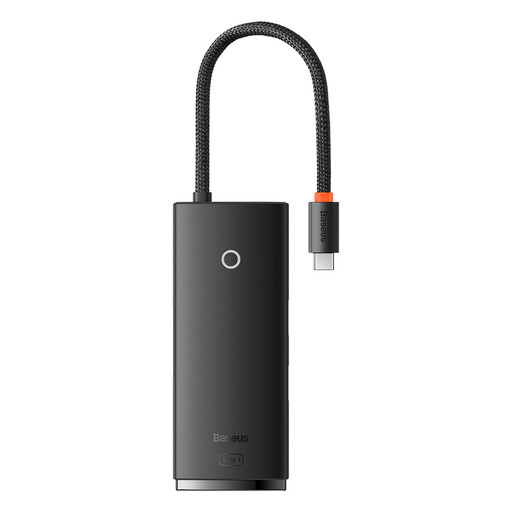
Why it stands out: The perfect balance of essentials and portability. This 5-in-1 hub meets the most common needs (external display, multiple USB peripherals, charging) in a mini format and at a very attractive price.
Pros:
Who is it for? Students, digital nomads, or remote workers looking for a simple, effective, and versatile solution to expand their laptop's connectivity without breaking the bank or adding bulk.
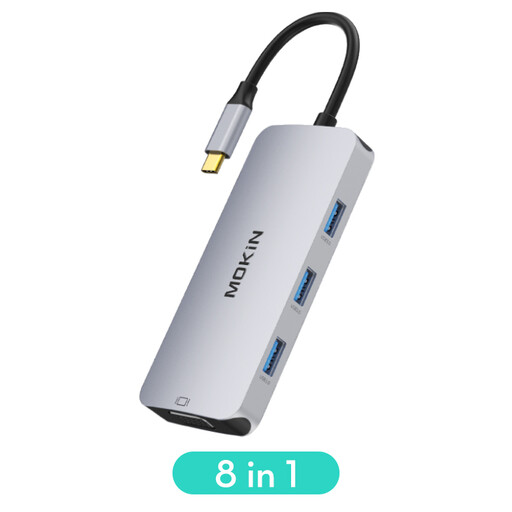
Why it stands out: Its secret weapon? Dual video connectivity with both an HDMI and a VGA port. This is a major asset for connecting to any display or projector, including older models still found in many meeting rooms and classrooms.
Pros:
Who is it for? The mobile professional, presenter, or anyone who frequently gives presentations. It's the Swiss Army knife of connectivity, ensuring maximum compatibility with any display setup.
Our selection highlights a few gems, but your setup is unique. If your ideal hub isn't here or if you have more specific needs, explore our full range of adapters.
Although the terms are often used interchangeably, the distinction is simple. A USB-C hub is compact, portable, and powered by the computer's port. A docking station (or dock) is more stationary, stays on your desk, has its own AC power adapter, and generally offers far more ports and power.
No, and this is a common pitfall to avoid! To output a video signal, your computer's USB-C port must support "DisplayPort Alternate Mode" (DP Alt Mode) or be a Thunderbolt 3 or 4 port. This is the case for most modern laptops, but it's essential to check your machine's technical specifications before making a purchase.
The risk is virtually zero if you choose a hub from a reputable brand and use a certified charger for Power Delivery. Quality models include all the necessary protections (over-voltage, overheating). The golden rule: stick to quality products and ensure the charger's wattage is appropriate for your computer.
By the Joybuy expert team