
Livraison le jour même ou le lendemain

Qualité garantie

Débloquez vos offres de bienvenue: Livraison GRATUITE | Jusqu'à -80 % | 30 jours d'essai gratuits à JoyPlus
Téléchargez l'application
USB-C has established itself as the universal standard, with the promise of faster charging and unified connectivity. However, buying a new charger or cable can quickly become a headache. Between advertised wattages, obscure protocols, and marketing promises of durability, it's easy to end up with an accessory that's inefficient or even dangerous for your devices. As a product expert at Joybuy, my role is to help you cut through the confusion. Let's break down the most common pitfalls together to help you make a truly informed choice.
Marketing often highlights impressive features that can hide critical flaws. Here are the three most common mistakes that end up costing users dearly.
To avoid these pitfalls, focus on a few key technical specifications. These are what make the real difference in performance.
Power, measured in watts (W), determines charging speed. Here are a few benchmarks:
But wattage isn't everything; the protocol is just as crucial. Power Delivery (PD) is the standard used by Apple, Google, Samsung, and the majority of laptop manufacturers. Ensure both the charger and the cable are PD-compatible to enjoy true fast charging.
A good cable is essential for delivering power safely and without loss.
Rather than an endless list, here is our curated selection, designed for specific needs and based on objective technical criteria.
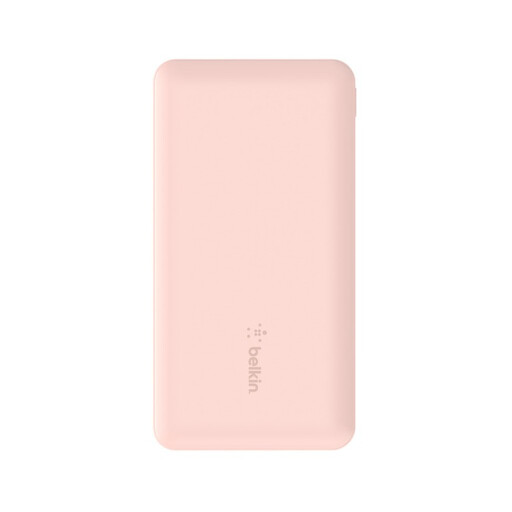
Why we chose it: For those who work on the go, commute, or pull long days, this 10000mAh power bank offers reliable extra battery life for a smartphone, tablet, and headphones, all in a compact form factor.
Unlike generic batteries with often-overstated capacities, Belkin provides clear specifications and built-in protections against overcharging and overheating for peace of mind.
Three ports for simultaneous charging (1x USB-C, 2x USB-A) and a 2-year warranty, including a connected equipment warranty.
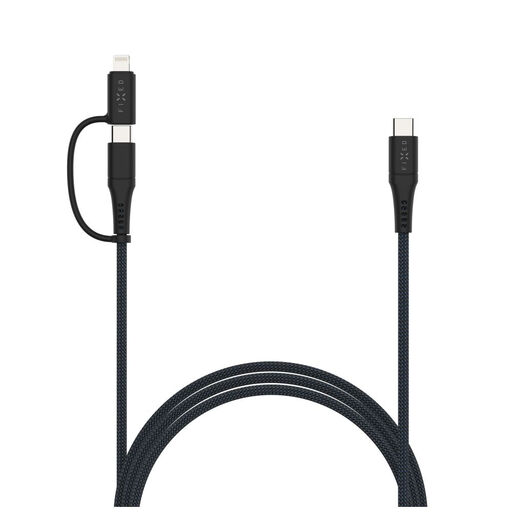
Why we chose it: One cable to charge everything. It's the perfect solution for those who juggle Apple devices (iPhone, older iPads) and Android/USB-C devices, helping them lighten their bag and simplify their day.
The MFi certification ensures the USB-C to Lightning cable adapter will work flawlessly, even after Apple's software updates—the Achilles' heel of uncertified cables.
Up to 60W PD fast charging, an ultra-durable 2-meter braided sheath, and MFi certification for seamless compatibility.
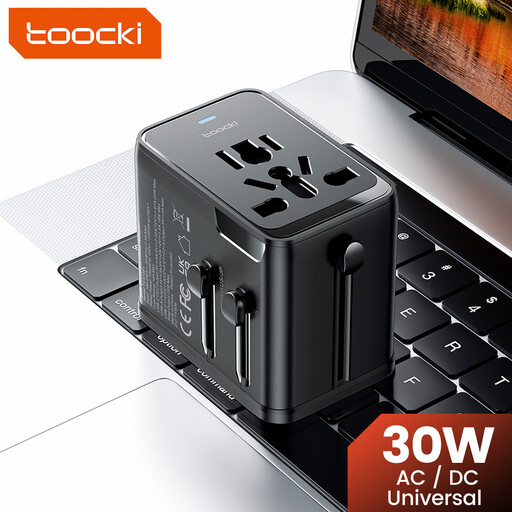
Why we chose it: For globetrotters, this single adapter replaces an entire pouch of converters. It covers EU, UK, US, and AUS outlets and can charge up to three devices at once, wherever you are.
More than just a simple plug converter, this is a true universal travel adapter with a built-in 30W PD charger. No need to pack an extra charging brick.
All-in-one solution with 3 ports (2x USB-C, 1x USB-A), worldwide compatibility, and PD fast-charging support.
Explore our full selection of tested and approved products that meet the strictest safety standards.
It all depends on your devices. For a smartphone alone, 20W to 30W is enough. For an ultrabook, aim for a 65W charger for efficient charging. For a more powerful laptop, 100W or more may be necessary. The golden rule: always check the recommended input wattage from your device's manufacturer.
Not necessarily. The braided sheath improves resistance to abrasion and twisting, but it doesn't guarantee the quality of the internal components. Make sure the cable is rated for the wattage you need (e.g., 60W or 100W) and, for Apple devices, that it has MFi certification. The quality of the connectors is just as crucial for its longevity.
No, not at all. Modern chargers and devices communicate with each other using protocols like Power Delivery (PD). A device that only requires 20W will only "draw" 20W from a 65W charger. Using a more powerful charger is therefore safe and ensures future compatibility with more power-hungry devices.