
Livraison le jour même ou le lendemain

Qualité garantie

Débloquez vos offres de bienvenue: Livraison GRATUITE | Jusqu'à -80 % | 30 jours d'essai gratuits à JoyPlus
Téléchargez l'application
Diving into the world of USB-C chargers can quickly become a headache. Between promises of "ultra-fast" charging and technical jargon, it's easy to make a mistake and regret your purchase. The wrong USB-C fast charger isn't just slow?— it can be bulky or even incompatible with your devices. To help you avoid disappointment, we're breaking down the common pitfalls and the criteria that truly matter.
Marketing claims are often designed to mislead you. Here are three things to check so you don't throw your money away.
To ensure you choose a USB-C power adapter that meets your needs, here are the three essential points to inspect.
Power, measured in watts (W), determines charging speed. Different devices have specific needs?:
It's crucial to check for compatibility with the Power Delivery (PD) standard. This is the protocol that allows the charger and your device to "communicate" to deliver the optimal and safest amount of power.
A multi-port USB charger is very convenient, but the port configuration is crucial. USB-C has become the standard for fast charging, while USB-A ports remain useful for older devices or small accessories. Pay close attention to how power is distributed when multiple ports are in use. A good charger will clearly detail the maximum output for each port, both individually and simultaneously.
If compactness is your top priority, a GaN charger is a must. Thanks to its superior energy efficiency, it generates less heat and can therefore be housed in a much smaller casing. It's the ultimate choice for a travel charger, minimising bulk without sacrificing power.
To guide you, here is our selection of reliable and high-performance products, suited for different types of users.
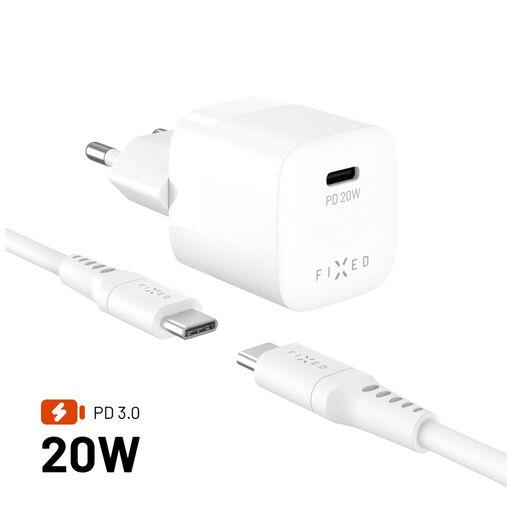
Why we chose it : For those who travel light, this charger is the ultimate all-in-one solution. Its pocket-sized form factor and feather-light weight make it the perfect companion for quickly charging a smartphone or tablet.
It comes with its own USB-C cable, eliminating the risk of incompatibility. Its 20W output is perfectly calibrated for fast-charging a single device, with no misleading claims.
An ultra-compact, all-in-one solution that's ready to use out of the box. Bonus : it's made from GRS-certified recycled materials.
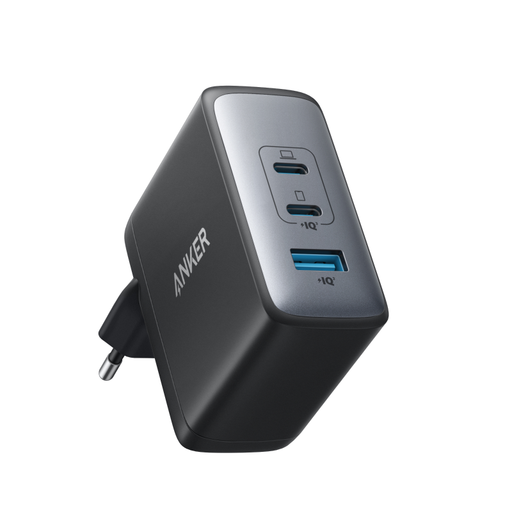
Why we chose it : Perfect for those who juggle a laptop, a smartphone, and other accessories. This Anker charger delivers a massive power output, enough for a MacBook Pro, while simultaneously powering other devices.
It truly delivers 100W from a single USB-C port, sidestepping the "shared power" pitfall. Its GaN II technology makes it significantly more compact than a stock charger of the same wattage.
True 100W output for the most demanding laptops and 3 ports (2 USB-C, 1 USB-A) for total versatility.
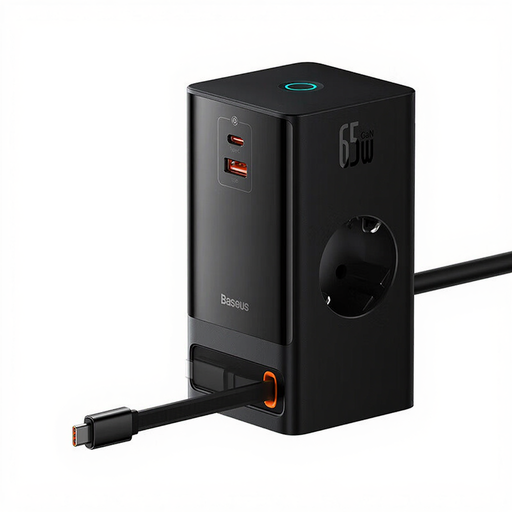
Why we chose it : More than just a charger, this is a true desktop power station. It centralises charging for all your devices (including those with AC plugs) and puts an end to the cable chaos under your desk.
It doesn't just charge — it organises. With its retractable cable and AC outlets, it tackles the entire problem of cable management at a fixed workstation.
An all-in-one station with 2 AC outlets, 3 USB ports (one of which is retractable), and a 65W output, which is more than enough for a laptop.
We have curated a full range of products that meet our demanding selection criteria and European safety standards.
It all depends on the most power-hungry device you need to charge. For a smartphone, 20-30W is sufficient for fast charging. For a laptop, aim for at least 65W. In any case, it's best to check the recommended input power specified by your device's manufacturer.
Yes, in more ways than one. GaN (gallium nitride) technology offers greater efficiency: the chargers are smaller, lighter, and generate less heat than a traditional model with the same power output. This is what makes them perfect for travel and for charging multiple devices without the risk of overheating.
Absolutely not—that's a classic mistake! To take full advantage of your charger's power, the cable must be rated for the same wattage. For example, a 100W charger requires a 100W-compatible (or 5A) cable. Using a low-quality or old cable will throttle the charging speed, guaranteed.