
Livraison le jour même ou le lendemain

Qualité garantie

Débloquez vos offres de bienvenue: Livraison GRATUITE | Jusqu'à -80 % | 30 jours d'essai gratuits à JoyPlus
Téléchargez l'application
With the growing number of electronic devices we own, finding the right USB-C fast charger has become increasingly complex. Between power claims, technical jargon, and marketing buzz, it's easy to make the wrong choice. This guide breaks down the essentials to help you choose a charger that's perfectly suited to your needs—without overspending.
The charger market is saturated with options that don't always live up to their claims. Here are the two most common pitfalls to avoid to make an informed purchase.
100W charger with multiple ports will rarely deliver 100W to a single port if other devices are plugged in. The power is almost always split between the active ports. For example, a 100W charger might allocate 65W to a laptop and 30W to a smartphone, but not 100W to each simultaneously. Always check how the power is distributed based on the number of connected devices.To ensure you make the right choice, here are the three technical criteria to examine closely.
Power, measured in Watts (W), determines how fast your device charges. Needs vary:
Beyond raw wattage, protocols are essential. The Power Delivery (PD) standard is the benchmark for fast charging over USB-C. For recent Samsung devices, support for the PPS protocol is a must-have to get optimised, ultra-fast charging. Always check your device's compatibility with the protocols supported by the wall charger.
The GaN (Gallium Nitride) label on a charger isn't just a marketing gimmick. This technology replaces traditional silicon components. The result? A GaN charger is significantly more compact, lighter, and generates less heat than a conventional charger of the same wattage. This is a huge advantage for portability and safety, as better thermal management extends the charger's lifespan and protects your devices.
A multi-port USB charger is a practical solution for reducing outlet and cable clutter. Analyse your needs:
A good multi-port charger offers a balance between both connector types and clearly indicates how power is distributed when multiple ports are in use simultaneously.
To put theory into practice, here are our charger selections for three typical user profiles.
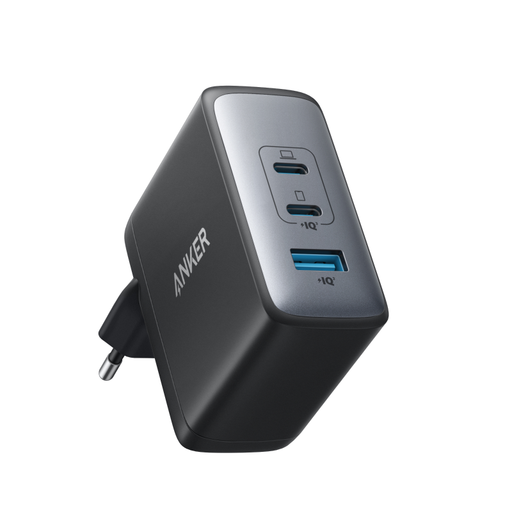
Why this model? Ideal for professionals or tech enthusiasts juggling a laptop, smartphone, and headphones. This single charger replaces three separate adapters, whether at the office, at home, or on the go.
It offers a total output of 100W with smart power distribution. It can deliver up to 100W from a single USB-C port, enough for most laptops, and dynamically splits the power when multiple devices are connected.
GaN II Technology: Very compact for its power output. Versatility: 2 USB-C ports and 1 USB-A port for maximum compatibility.
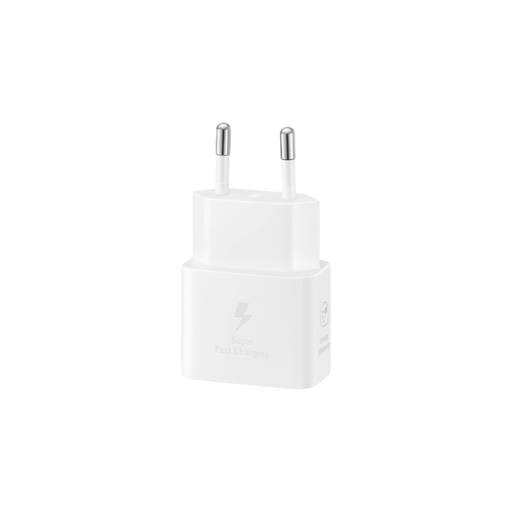
Why this model? Perfect for Samsung Galaxy smartphone owners who want to guarantee the fastest possible charging speed, as certified by their device's manufacturer.
It bypasses the limited compatibility pitfall. As an official product, it supports the PPS (Super Fast Charging) protocol, ensuring optimal charging speed and safety for compatible Samsung devices.
GaN Technology: Very compact and energy-efficient. PPS Compatibility: Enables "Super Fast Charging" for eligible Galaxy devices.
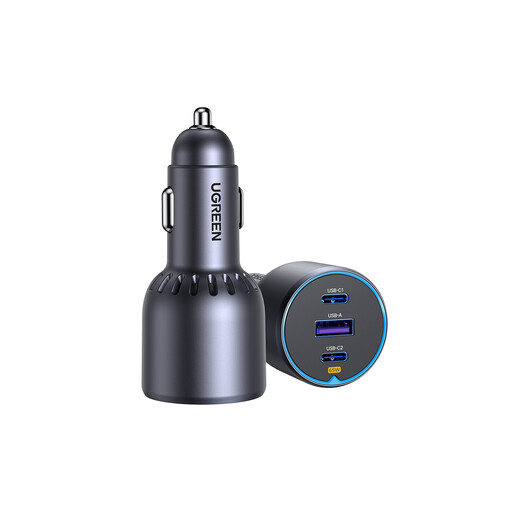
Why this model? Designed for those who spend a lot of time on the road and need to quickly charge multiple devices, including a laptop, between appointments.
This `car charger` doesn't settle for trivial power output. It delivers high wattage (up to 65W on one USB-C port) with clear power distribution, allowing it to efficiently charge a laptop—something most basic car chargers can't do.
High Power in the Car: Up to 75W total to quickly charge even the most power-hungry devices. Triple Port: 2 USB-C ports and 1 USB-A port for maximum flexibility.
We have selected a full range of products for you that meet these quality criteria and European safety standards.
No, a certified charger will not damage your device. Modern smartphones and laptops are equipped with power management systems that communicate with the charger. The device "requests" only the amount of power it can safely handle, and the charger adapts accordingly. Therefore, using a 100W charger for a phone designed for 25W is not a problem.
USB-C is the modern connector: it's smaller, reversible (you can plug it in either way), and capable of carrying much more power thanks to protocols like Power Delivery. USB-A is the older, rectangular port that is larger, not reversible, and generally limited to slower charging speeds.
Yes, and this is a crucial, often-overlooked point. To take full advantage of fast charging, especially above 60W, it is essential to use a cable designed to handle that power. A standard, non-certified cable can not only limit the charging speed but also pose a risk of overheating. Options like the PAVAREAL Q51CTC 100W cable are designed to ensure both performance and safety.