
Livraison le jour même ou le lendemain

Qualité garantie

Débloquez vos offres de bienvenue: Livraison GRATUITE | Jusqu'à -80 % | 30 jours d'essai gratuits à JoyPlus
Téléchargez l'application
A single USB-C port can sometimes replace much of a laptop’s connectivity. With a USB-C docking station, you can connect a monitor, keyboard, mouse, external drive, network cable or memory card without stacking up adapters. You just need to choose a model that suits your needs.
Before ordering a USB-C hub, keep these three potential pitfalls in mind.
To use a USB-C to HDMI adapter, your computer must support video output via USB-C, generally through DisplayPort Alt Mode. Simply having a USB-C port therefore does not guarantee compatibility with a monitor.
If you are considering a docking station for two monitors, also check:
On macOS, support for multiple monitors varies depending on the chip and Mac model. A product listing that states support for two monitors should therefore be checked against your computer’s exact specifications.
A USB 3.0 port rated at up to 5 Gb/s is sufficient for a USB stick, keyboard, mouse and most external drives. For quickly transferring large volumes of photos or videos, USB-C 3.2 ports capable of reaching 10 Gb/s are a better choice.
At home or in the office, a USB-C Ethernet dock fitted with a Gigabit RJ45 port provides a stable wired connection, with theoretical speeds of up to 1,000 Mb/s depending on the network, cable and equipment being used. A port limited to 100 Mb/s is still sufficient for browsing the web, but it will be noticeably less capable when handling local transfers and certain multimedia tasks.
Photographers and content creators should also check for an SD TF card reader. Some models can read both formats at the same time, while others require you to use only one slot at a time.
A USB-C with Power Delivery port lets you connect the charger to the docking station, then charge the computer while using connected peripherals. However, the charger’s power must remain compatible with the laptop’s requirements and the docking station’s limits.
A compact model may become warm when several ports are being used simultaneously. Place it on a clear surface and avoid covering it with paper, fabric or any object that could obstruct ventilation. For a more transparent purchase, also look for information relating to applicable European requirements, particularly RoHS, REACH and WEEE collection at the end of the product’s life. These details do not replace checking technical compatibility, but they provide a useful additional checkpoint.
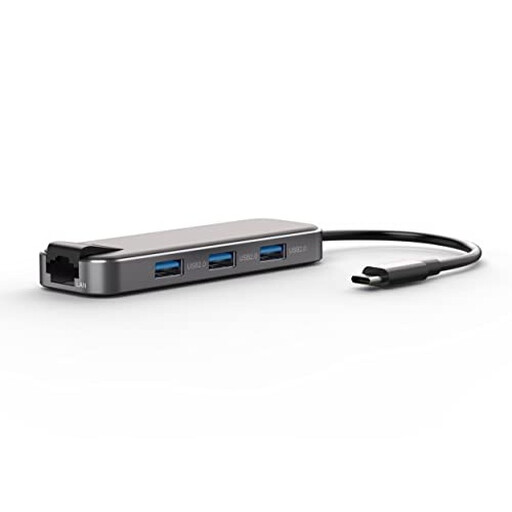
Why this choice suits this profile : This 6-in-1 model is aimed at home workers who want to connect an HDMI monitor, a few USB accessories and a charger without cluttering their desk with a bulky docking station.
The listing specifies six independent ports, video output and PD pass-through charging. Nevertheless, check that your computer supports video output before placing your order.
A compact design, driver-free operation as advertised, and a housing combining aluminium with engineered plastic.
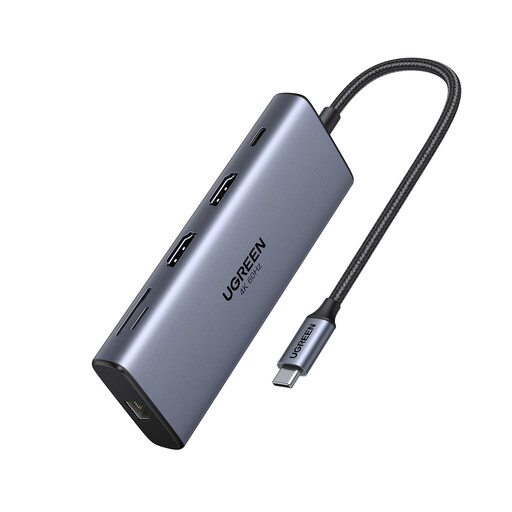
Why this choice suits this profile : This docking station is designed for desks with two monitors, a wired network connection, external drives and memory cards.
The listing distinguishes between the HDMI outputs, high-speed USB ports, Gigabit RJ45 and SD/TF card readers. However, compatibility with two monitors must be confirmed on the computer side.
Two HDMI outputs advertised at up to 4K at 60 Hz, two USB-C ports offering up to 10 Gb/s and a PD input of up to 100 W according to the product listing.
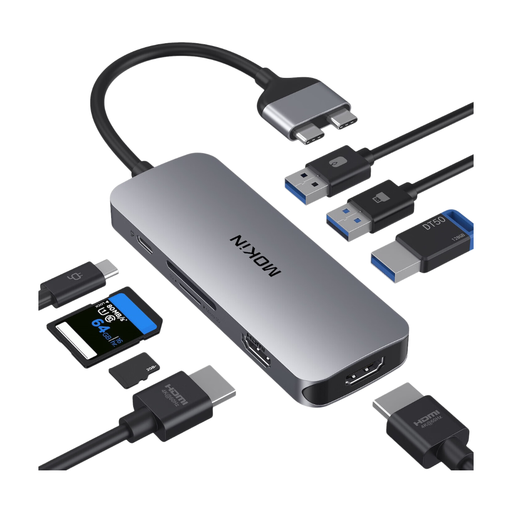
Why this choice suits this profile : It is designed for users with a busy workstation, featuring two monitors, several USB accessories, a wired connection and memory cards.
The listing reminds you that the host device must support DisplayPort Alt Mode and explains that display modes depend on it.
Three USB 3.0 ports offering up to 5 Gb/s, one USB 2.0 port, Gigabit RJ45 and PD pass-through charging advertised at up to approximately 100 W.
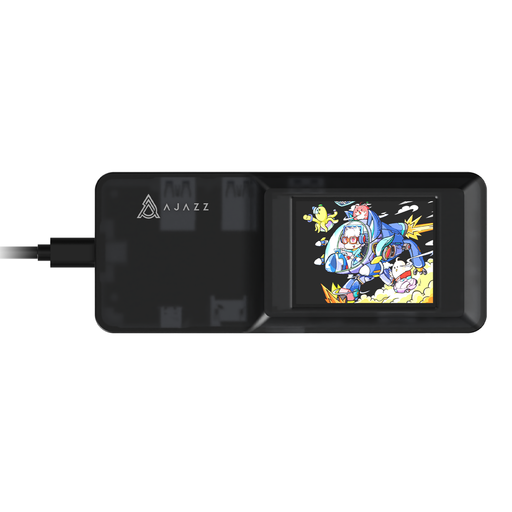
Why this choice suits this profile : Its dual SD and TF card reader makes it easy to transfer files from a camera, drone or camcorder using different card formats.
The listing states that the SD and TF slots cannot be used simultaneously. It is worth knowing this before sorting files from several cards.
An HDMI output advertised at up to 4K, three USB 3.0 ports and a PD input of up to 100 W according to the product information.
We have selected a complete range, updated in real time, of products that meet these exacting criteria as well as European safety requirements.
No. The computer must have a USB-C port that supports the features you need. For display output, check support for DisplayPort Alt Mode. For charging, also make sure that the computer and charger are compatible with Power Delivery and that the available power is sufficient.
It depends on the docking station, operating system, graphics card and computer’s USB-C port. Check the supported modes in the technical specifications: duplication, extension, resolution and refresh rate may vary between Windows and macOS.
When no charger is connected, the docking station is generally powered through the computer’s USB-C port. Its power consumption increases with the number of connected peripherals, particularly external drives and devices benefiting from PD charging. To limit disconnections and avoid placing too much strain on the laptop, use a suitable charger and avoid connecting several high-power devices without an external power supply.