
Livraison le jour même ou le lendemain

Qualité garantie

Débloquez vos offres de bienvenue: Livraison GRATUITE | Jusqu'à -80 % | 30 jours d'essai gratuits à JoyPlus
Téléchargez l'application
A cable that frays after three months, a charge that takes forever, a length that tethers you to the wall outlet… We've all been there. USB-C has established itself as the universal connector for most of our devices, from the iPhone 16 and Samsung S25 to laptops and the upcoming Nintendo Switch 2. But be warned: not all cables are created equal.
Our mission as product experts at Joybuy is to help you make sense of it all. This guide breaks down the key criteria for finding a reliable, high-performance USB-C charging cable that's perfectly suited to your needs.
Before diving into our selection, let's review a few technical points to help you make the right choice.
It all depends on your charger (the famous "power brick") or the power source you're using.
A cable's charging power is measured in watts (W). A basic cable will top out at 15?W, while high-performance models can reach 60?W, 100?W, and even higher.
To take advantage of fast charging, your cable and charger must speak the same language, like the Power Delivery (PD) protocol. A 60?W cable, for example, can quickly charge a smartphone, a tablet, and even most laptops.
The standard 1-metre length is often a bit short. A long 2m or 3m cable offers much more welcome freedom of movement, whether you're on your sofa, at your desk, or in bed.
In terms of durability, opt for a braided USB-C cable. Its nylon or recycled material sheath stands up much better to wear, twists, and tangles than standard plastic. Brands like Belkin are known for their particularly robust models.
Here are our recommendations, chosen for their reliability, performance, and everyday relevance.
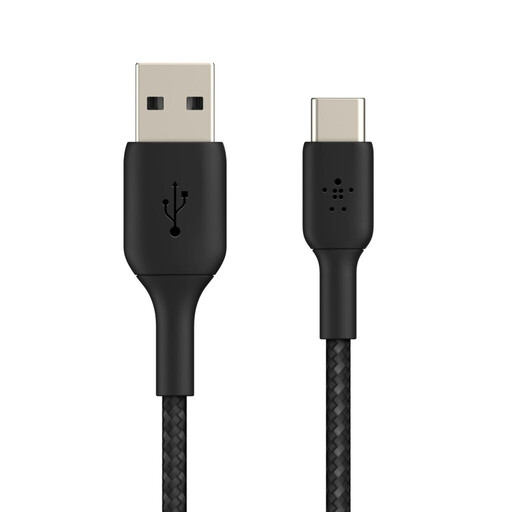
Why we love it?: It combines a very convenient 3-metre length with a robust design. It's the ideal solution for home or the office if you still use USB-A chargers.
The pros?:
Who is it for?? For those who still have chargers or computers with USB-A ports and are looking for a cable that is both long and ultra-durable to charge their iPhone 16, Samsung S25, or other USB-C device.
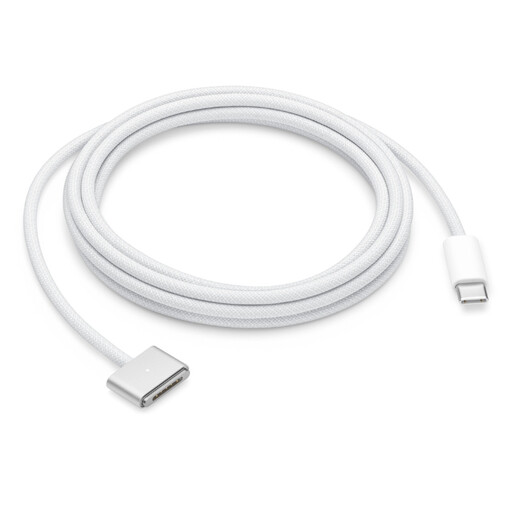
Why we love it?: Tailor-made for the Apple ecosystem, this MagSafe 3 cable provides a secure and intuitive charging experience for recent MacBooks.
The pros?:
Who is it for?? Exclusively for owners of recent MacBook Air or MacBook Pro models equipped with a MagSafe 3 charging port.
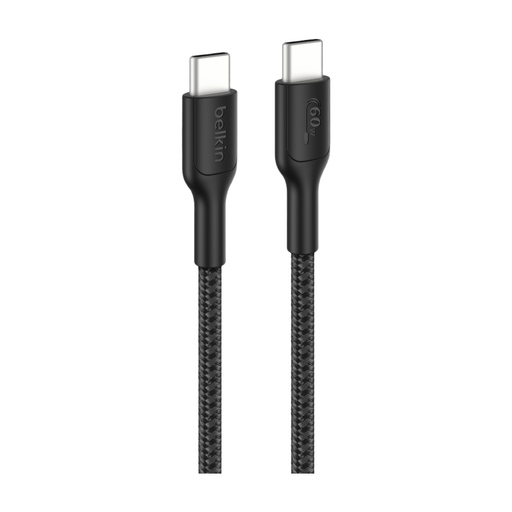
Why we love it?: This cable is built for the most intensive use. With its 60?W power output and extreme durability, it's perfect for gaming, working on a laptop, and fast-charging all your modern devices.
The pros?:
Who is it for?? For gamers, remote workers, and anyone looking for a single, ultra-rugged and powerful USB-C to USB-C cable to power all their devices, including the most power-hungry ones.
Our selection covers the most common needs, but if you can't find what you're looking for, feel free to explore our full catalogue. Other lengths, colours, or specifications may be waiting for you there.
Discover our full range of USB to USB-C Cables to find the perfect model for you.
The differences come down to several factors: charging power (watts), data transfer speed (Mbit/s or Gbit/s), materials (plastic vs. braided), and certifications (like USB-IF), which guarantee safety and performance. A cable designed for a laptop will support higher power than a basic cable for a smartphone.
In theory, yes, a very long length can cause a tiny loss of power. But with quality 2 or 3-metre cables, this difference is unnoticeable in practice. Reputable manufacturers design their long cables to compensate for this loss and maintain optimal charging performance.
It's simple: check its technical specifications. Look for the Power Delivery (PD) mention and the maximum supported wattage (e.g., 60?W or 100?W). Be aware that for the magic to happen, your device (smartphone, computer) and your power brick must also be compatible with the same protocol.