
Livraison le jour même ou le lendemain

Qualité garantie

Débloquez vos offres de bienvenue: Livraison GRATUITE | Jusqu'à -80 % | 30 jours d'essai gratuits à JoyPlus
Téléchargez l'application
A fast USB-C charger makes charging simpler at home, in the office and on the go. But high wattage alone isn't always enough to charge an iPhone, Samsung Galaxy, tablet or MacBook quickly. Charging speed also depends on compatibility between the charger, the cable and the device.
Two mistakes are common when buying a USB-C mains charger:
The power you need depends mainly on your devices and how you use them:
The advertised power usually refers to the maximum output of a single port. With a multi-port charger, that power can be shared between the devices you plug in.
The USB Power Delivery protocol lets the charger and device negotiate the right voltage and current. The charger doesn't automatically send its maximum power.
PPS technology adjusts the voltage even more precisely on compatible devices. It can be especially useful with certain Samsung Galaxy phones that support adaptive fast charging. For a charger intended for an iPhone, check mainly for PD protocol compatibility and choose a USB-C to USB-C or USB-C to Lightning cable suited to the specific model.
For a MacBook charger, also check the power recommended by your computer and the cable's compatibility. A more powerful USB-C mains adapter can work with a less demanding device, but it won't allow that device to exceed the power it accepts.
A GaN charger uses gallium nitride in its power components. This technology lets manufacturers offer more compact blocks, especially on 65 to 100 W models. However, it doesn't replace the need to check the essential features:
Finally, check whether you need a USB-C charger with cable. A model supplied with its cable lets you use it straight away, whereas an adapter sold on its own may require an additional purchase.
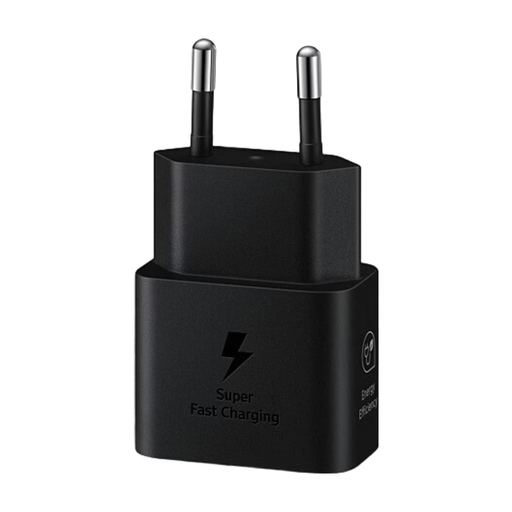
Why this suits this profile: this 25 W USB-C charger offers a simple solution for a compatible smartphone or tablet, and comes with a USB-C to USB-C cable.
The advertised power is clearly defined and the included cable saves you from buying a separate, unsuitable accessory.
25 W, stated PD/PPS compatibility and USB-C to USB-C cable included.
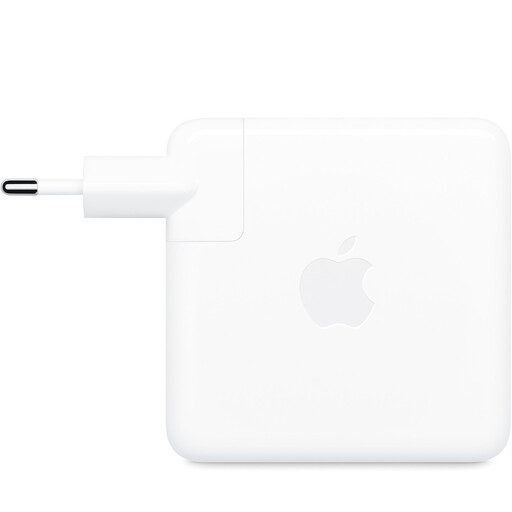
Why this suits this profile: with 96 W, it's aimed at MacBook users looking for a USB-C mains adapter capable of powering a demanding laptop.
The product page states that the USB-C cable is sold separately, so you can check its power rating before buying rather than assuming it's included.
96 W, one USB-C port and stated compatibility with USB-C devices.
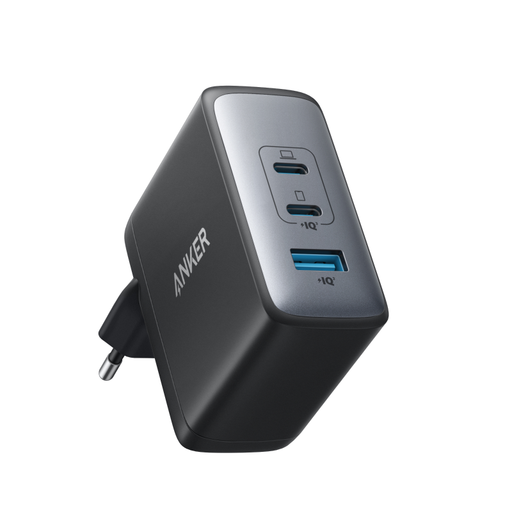
Why this suits this profile: its two USB-C ports and one USB-A port let you power a laptop, a phone and an accessory without needing multiple mains adapters.
The power distribution between the three ports is stated, but do check the available power when several devices are plugged in at once.
100 W maximum, stated GaN II technology and three output ports.
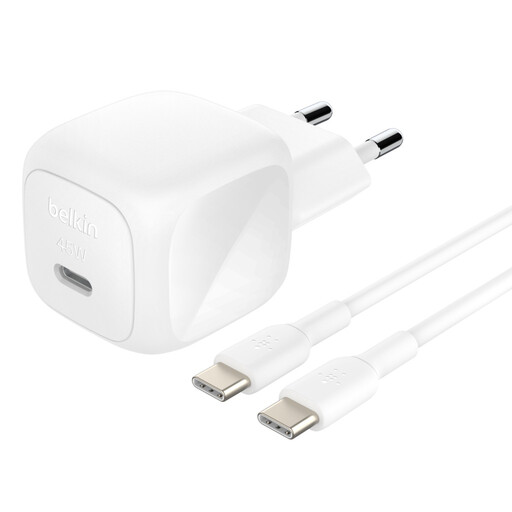
Why this suits this profile: this USB-C charger, supplied with a one-metre cable, is ideal for travelling with a smartphone, tablet or compatible USB-C laptop.
The power rating, PD/PPS profiles and included cable are all documented, so there are no unexpected extra purchases.
45 W, USB-C to USB-C cable included, stated compact design and 100–240 V input.
We've put together a complete, real-time updated selection of products that meet these demanding criteria, as well as European safety regulations.
To protect both your devices and your electrical installation, use a cable rated for the power required. Avoid covering the charger while it's in use and unplug it if you notice an unusual smell, smoke or excessive heat. A damaged, cracked charger or one with bent pins should no longer be used.
High wattage doesn't necessarily speed up charging for all devices. Your phone or laptop automatically limits the power it receives based on its own specifications and the protocol it supports.
A model compatible with USB Power Delivery and rated at 20 to 30 W is a common choice for an iPhone that supports fast charging. You'll also need a suitable cable, either USB-C to USB-C or USB-C to Lightning, depending on your device's connector.
Not necessarily. If the charger supports the right protocols, the device will generally negotiate the power it can accept. However, do check the product's compliance, the condition of the cable and the manufacturer's recommendations before using it.
Its lifespan depends on build quality, how often it's used, ventilation and transport conditions. To keep it longer, protect it from moisture, knocks and high temperatures, and replace any damaged cables.