
Livraison le jour même ou le lendemain

Qualité garantie

Débloquez vos offres de bienvenue: Livraison GRATUITE | Jusqu'à -80 % | 30 jours d'essai gratuits à JoyPlus
Téléchargez l'application
By Joybuy, your high-tech shopping guide
Your new smartphone has finally arrived, but... surprise, there's no charger in the box? Or maybe your old adapter takes forever to charge your laptop and tablet? Look no further. Upgrading to a fast USB-C charger seems straightforward. Yet, the market is a jungle of marketing promises and confusing spec sheets.
Before you buy, it's best to know the common pitfalls to avoid buyer's remorse:
To get a clearer picture and make the right choice, let's break down the essential criteria.
Choosing the right USB-C power adapter isn't just about picking the highest wattage. Here are the three key points to master for a successful purchase.
Power, measured in watts (W), determines charging speed. However, more power isn't necessarily better; it must be suited to your devices.
On a multi-port charger, always check how the power is distributed. For example, a 100W charger might provide 65W on one port and 30W on another simultaneously.
Compatibility is the crucial factor, and it's handled by charging protocols. The most important one is Power Delivery (PD).
You'll often come across the term GaN charger. GaN (gallium nitride) is a semiconductor that is replacing silicon in modern chargers. For you, the advantages are clear:
Instead of an endless list, here are three products that meet specific needs, based on the criteria we've just covered.
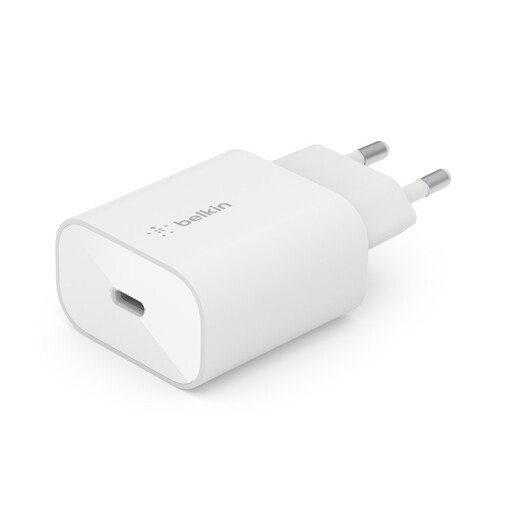
Why we chose it: For the user looking for a simple, reliable solution for their main smartphone. Its compact design is ideal for home, the office, or a travel bag.
It integrates the PPS protocol, ensuring optimal charging speed for compatible Samsung smartphones, in addition to universal PD 3.0 compatibility for iPhones and other devices.
USB-C PD 3.0 certification with PPS for dynamic and safe charging. Compact and portable design.
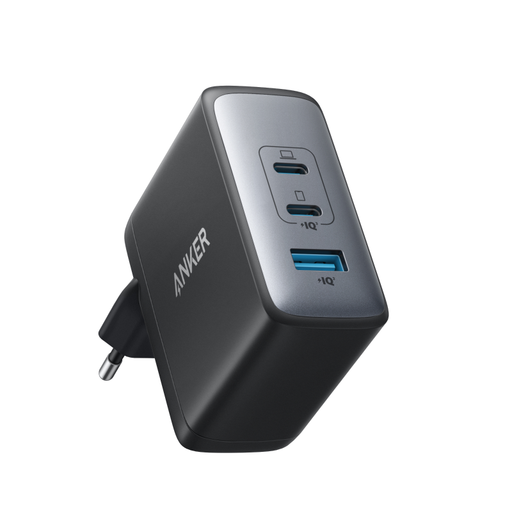
Why we chose it: For those juggling a laptop, a smartphone, and earbuds. It's the all-in-one solution to declutter your bag and your power strip.
It solves the shared power problem by offering a total capacity of 100W, enough to power a laptop at full speed (up to 100W on a single port) or multiple devices at once without faltering.
GaN II technology for maximum power in a compact form factor. Three ports (2 USB-C, 1 USB-A) for ultimate versatility.
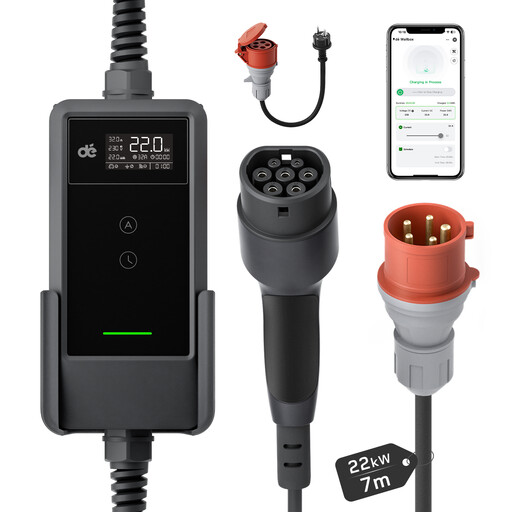
Why we chose it: For electric vehicle drivers looking for a powerful, connected home charging solution without the fixed installation of a traditional wall-mounted unit.
This is in a different category, offering a specialised solution. It delivers a dedicated 22kW of power for vehicle charging, a need that is completely different from the constraints of portable chargers.
Ultra-fast three-phase charging (22kW wallbox), remote control via an app to schedule and monitor charging, and a mobile design for greater flexibility.
Discover our full selection of chargers that meet our quality criteria and European safety standards.
Yes, and the benefits are tangible. A GaN charger is more compact and lighter than a silicon-based charger of the same wattage. It's also more energy-efficient, which means it generates less heat. This improves its lifespan and charging safety. For portable use or for decluttering a power strip, it's a clear winner.
Absolutely. It's often the bottleneck in a slow-charging setup. For anything over 60W, you need a USB-C cable rated to handle 100W (marked "100W" or "5A"). Using a standard cable with a 100W charger will throttle the power transfer and significantly slow down your laptop's charging. To be safe, always choose USB-IF certified cables.