
Livraison le jour même ou le lendemain

Qualité garantie

Débloquez vos offres de bienvenue: Livraison GRATUITE | Jusqu'à -80 % | 30 jours d'essai gratuits à JoyPlus
Téléchargez l'application
USB-C has established itself as the universal connector for all our devices, from smartphones to laptops. Yet, behind this apparent simplicity lies a confusing maze of standards and specifications. Have you misplaced your cable? Does your device seem to take forever to charge? Do you want to connect an external monitor without sacrificing image quality?
Choosing the right USB-C to USB-C cable is anything but straightforward. Make the wrong choice, and you're in for a disappointment: reduced charging speeds, sluggish data transfers, or even complete incompatibility with features like video display. This guide is here to help you demystify the options and find the cable that perfectly meets your needs.
Before diving into our selection, here are the three essential criteria to consider to make the right choice.
A cable's charging power, expressed in watts (W), is the number one criterion. And on this point, not all USB-C cables are created equal.
If you regularly juggle large files (4K videos, RAW photos, full backups), transfer speed becomes a decisive factor.
The length and sturdiness of the cable directly impact your daily convenience and its lifespan.
We have selected a few gems for you, designed for different uses and budgets.
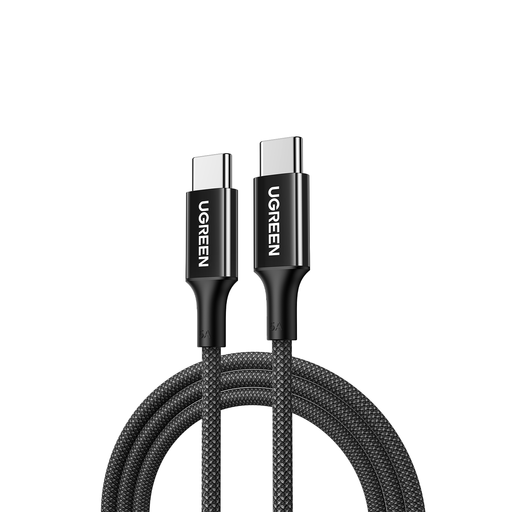
Why we love it
This UGREEN cable is the perfect balance of power, durability, and length. Its mission is simple and clear: to provide fast, reliable charging for all your devices, including power-hungry ones like a laptop.
Highlights
Who is it for? For anyone looking for a long, sturdy primary charging cable to power their laptop, tablet, and smartphone. If transfer speed (limited to USB 2.0) isn't your priority, this one is for you.
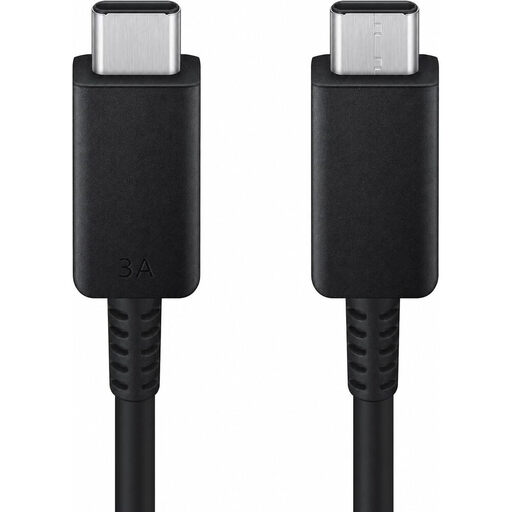
Why we love it
As an official accessory, this Samsung USB-C cable is a safe bet. Designed to integrate perfectly into the brand's ecosystem, it is also universally compatible thanks to its USB-IF certification—a guarantee of safety and performance.
Highlights
Who is it for? The peace-of-mind choice for owners of Samsung devices. It's also a reassuring option for anyone seeking a certified and reliable cable for charging and syncing their smartphone or tablet.
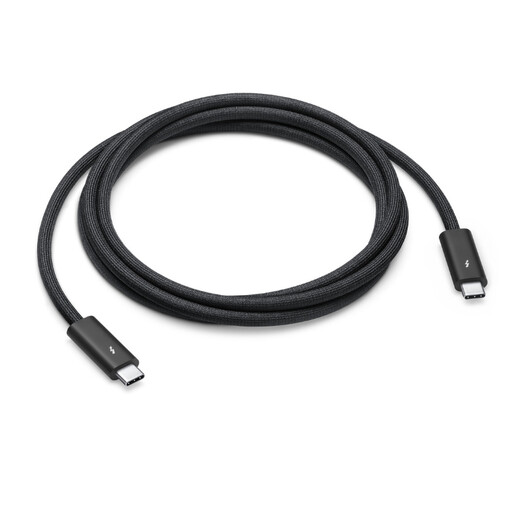
Why we love it
Now we're entering the big leagues. Designed for the most demanding users, this cable combines maximum charging power, blazing-fast data transfer rates, and support for professional video workflows. It is the ultimate USB-C cable for Mac and other Pro devices.
Highlights
Who is it for? Essential for creative pros, developers, and tech enthusiasts equipped with Thunderbolt docks, ultra-fast external SSDs, or 4K/5K/6K monitors. It's an investment, but it's the price of uncompromising performance.
If none of these models tick all your boxes, or if you're looking for a specific length or feature, the selection is still vast.
? Discover our full range of USB-C to USB-C cables to find the perfect model for your setup.
No, there's no risk at all. Thanks to the Power Delivery (PD) protocol, the charger and the device are constantly "talking" to each other. Your phone will only request and receive the power it needs, and never more. Using a 100W cable with a 25W smartphone is therefore perfectly safe.
Although they share the same connector, their internal technology is radically different. The major difference lies in the transfer speed: a standard USB-C cable (based on USB 2.0 or 3.x) maxes out between 480 Mbps and 20 Gbps, whereas a Thunderbolt 4 cable reaches 40 Gbps. Most importantly, a Thunderbolt 4 cable always guarantees support for video and high charging power, which is far from being the case for all USB-C cables.
Yes, but with one crucial condition: the cable, your computer's port, and the monitor's port must all support DisplayPort Alternate Mode (DP Alt Mode) or Thunderbolt technology. A simple USB-C charging cable (often USB 2.0) will not be able to transmit a video signal. For this purpose, you will need to turn to explicitly compatible cables, like the Apple Thunderbolt 4 model.
By the Joybuy Team