
Livraison le jour même ou le lendemain

Qualité garantie

Débloquez vos offres de bienvenue: Livraison GRATUITE | Jusqu'à -80 % | 30 jours d'essai gratuits à JoyPlus
Téléchargez l'application
Frayed cables, endless charging, a different connector for every device... it's a familiar story. With USB-C becoming standard and the arrival of the iPhone 16, navigating the cable jungle has become a real headache.
This guide is here to help you make sense of it all. As the Head of Product Recommendations at Joybuy, my mission is simple: to give you the keys to choosing the right USB-C cable for your needs, cutting through the marketing jargon and empty promises.
Before diving into our top picks, let's review the key factors to consider to ensure you make the right choice.
Power, measured in watts (W), is the number one criterion for taking advantage of fast charging. A standard cable often maxes out at 15W: enough for small accessories, but far too low for a modern smartphone or laptop.
Always remember to check the maximum power supported by your device and your charger. It's the only way to get the most out of your cable.
We all know that the cables included with devices often wear out quickly, especially at the base of the connectors. For a long-lasting solution, a braided cable is an excellent choice. Its nylon or recycled material sheath offers much better resistance to bending and the wear and tear of daily use. A good indicator of durability? The number of bends the cable can withstand, a figure sometimes provided by manufacturers.
Your device ecosystem will dictate the type of cable you need.
We've selected a few models that stand out for their performance, durability, and versatility, whether you're an Apple or Android user.
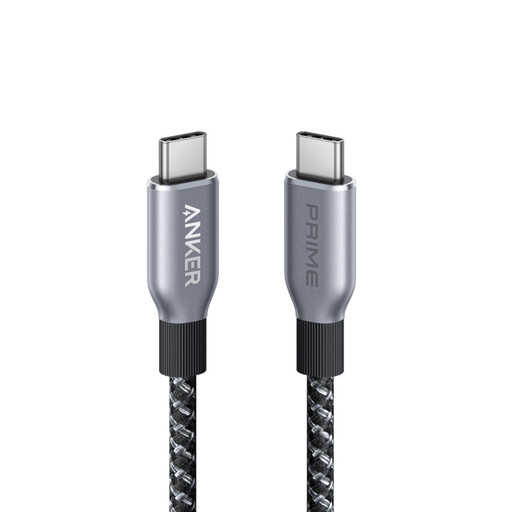
Why it stands out: With its 240W power delivery, this cable is aimed at the most demanding users. It's built to power the most energy-hungry devices at maximum speed.
Pros:
Who is it for? For pros and creatives working on powerful machines like the MacBook Pro, as well as for owners of the latest smartphones (iPhone 16, Galaxy S24) who want the absolute fastest charging speeds.
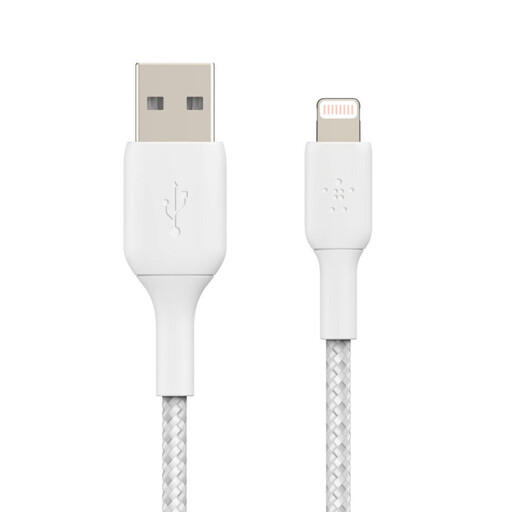
Why it stands out: This Lightning cable is a reliable choice for the Apple ecosystem. MFi certified and featuring a convenient 2-meter length, it's the ideal replacement for the original cable, offering greater reliability and practicality.
Pros:
Who is it for? For all owners of iPhones (up to the 14), iPads, or AirPods looking for a sturdy, certified replacement for their original cable, or who simply want extra length and flexibility.
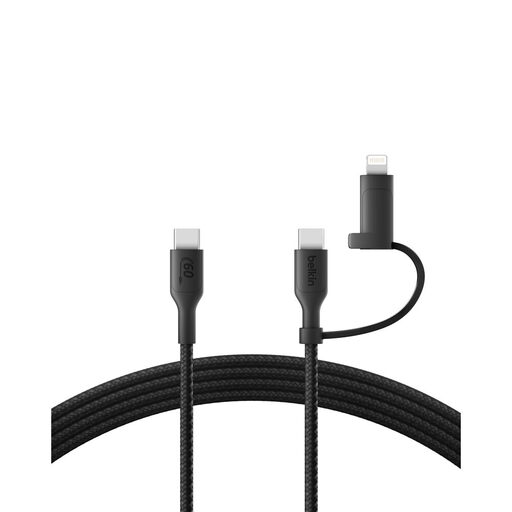
Why it stands out: This is the ultimate all-in-one solution. This 2-in-1 cable lets you charge an iPhone 14, an iPhone 16, or a Samsung smartphone with a single cable. No more hassle!
Pros:
Who is it for? For those who juggle between Apple (old and new) and Android devices, or for families who share chargers. It's the ideal cable for travelling light and saying goodbye to a tangled mess.
Our selection focuses on highly versatile models, but your needs might be more specific (length, colour, material...). If the durability of braided cables has won you over, feel free to explore the rest of our collection.
? Explore our full collection of braided nylon cables
The USB-C cable is the new universal standard: it's reversible, more powerful, and has been adopted by nearly all manufacturers, including Apple for its latest devices (iPhone 15/16, Mac, iPad). The Lightning cable is Apple's older proprietary connector, found on iPhones up to model 14 and certain accessories. As a general rule, USB-C offers faster data transfer and charging speeds.
No. Even if the connector looks the same, a USB-C cable's ability to deliver a fast charge depends on its internal design and the power (in watts) it can handle. A low-quality cable simply won't be able to manage the power required by an iPhone 16 or MacBook Pro charger. It is therefore crucial to always check the power rating on the packaging (e.g., 60W, 100W, 240W) before you buy.
In theory, yes, a slight power loss can occur over very long distances. In practice, for high-quality cables between 1 and 3 meters, the difference is imperceptible. A well-designed and certified model will maintain a stable charging speed, even at 2 or 3 meters. Ultimately, build quality is more important than length for ensuring efficient charging.