
Livraison le jour même ou le lendemain

Qualité garantie

Débloquez vos offres de bienvenue: Livraison GRATUITE | Jusqu'à -80 % | 30 jours d'essai gratuits à JoyPlus
Téléchargez l'application
USB-C has become the standard for nearly all our devices, from smartphones to laptops. Yet, choosing a new USB-C cable can quickly become a headache. Between promises of "ultra-fast charging" and designs that all look the same, it's easy to end up with a cable that charges at a snail's pace, frays after a few weeks, or worse, refuses to work with your device.
Before you pull out your credit card, let's break down the common pitfalls to avoid so you won't regret your purchase.
fast charging without specifying the power (in watts) or the supported protocol. An unsuitable cable will always bottleneck your charger, even a high-powered one, and will never deliver its full potential.To avoid being fooled by marketing, focus on the few technical specifications that truly matter.
The effectiveness of fast charging depends on the power the cable can carry, measured in watts (W). This capability is governed by the USB Power Delivery (PD) protocol.
Always check the maximum supported wattage, indicated in watts (W) on the spec sheet. A USB-C to USB-C cable is often essential to take advantage of the highest power levels of the PD protocol.
A cable's longevity depends on its construction. A braided nylon cable offers far superior durability compared to standard plastic (PVC) ones. Some brands, like Belkin, advertise their cables' resistance in terms of bend count (e.g., tested to withstand over 10,000 or 30,000 bends), a reliable indicator of sturdiness. Reinforced connectors are also a sure sign of quality.
Certifications are your best guarantee of safety and performance.
USB-C cable meets all safety and performance standards. It's a non-negotiable feature for protecting your devices.Instead of an endless list, here is our curated selection, designed for specific use cases and based on objective performance and durability criteria.
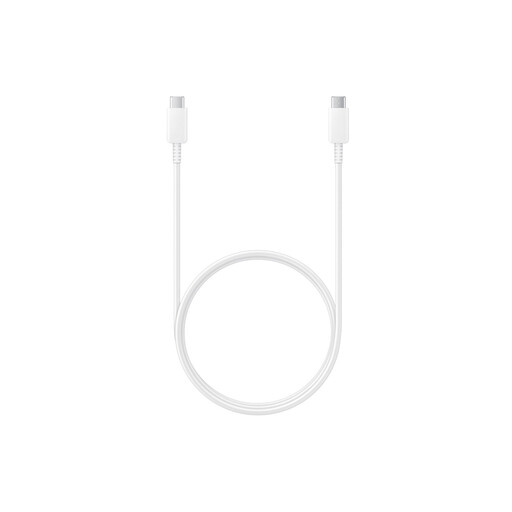
Why we chose it: For Samsung device owners, choosing an official Samsung cable is the sensible choice. It guarantees perfect compatibility to take full advantage of the brand's "Super Fast Charging" technology.
No more guessing about "fake fast charging"! Designed for Samsung's 25W and 45W chargers, it delivers the necessary 5A current, something a generic cable can't guarantee.
Optimised compatibility and performance for the Samsung ecosystem. The reliability of an original product for both charging and data transfer (USB 2.0).
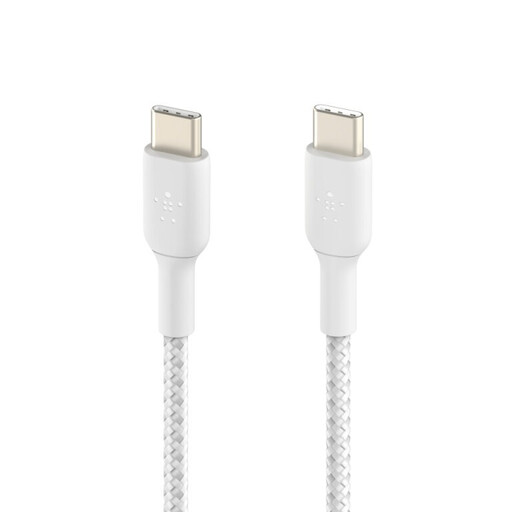
Why we chose it: This Belkin cable checks all the boxes for the demanding user: a generous 2m length, 60W power delivery compatible with numerous devices (including MacBooks), and rock-solid durability.
It sidesteps the fragility trap. Its braided nylon sheath is tested to withstand over 30,000 bends, where a standard cable would quickly fail. Its USB-IF certification guarantees total safety.
Exceptional durability and versatility. Its 2m length and 60W power make it the perfect companion for home, the office, and travel.
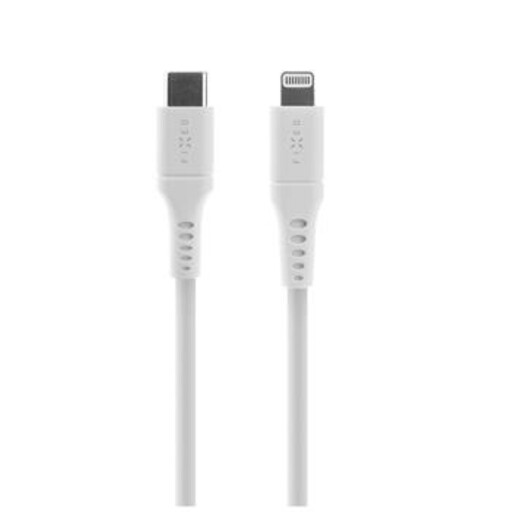
Why we chose it: This Lightning to USB-C cable is designed for Apple users who want to take advantage of fast charging with a modern PD charger. Its liquid silicone jacket is soft, ultra-flexible, and never tangles.
Its MFi (Made for iPhone) certification is the ultimate shield against the compatibility trap. It guarantees flawless and safe operation with all Apple devices, even after software updates.
MFi certification for complete peace of mind. A pleasant-to-the-touch, tangle-free liquid silicone material, with practical accessories included (cable strap and organiser).
We have curated a full range of products for you that meet our demanding selection criteria and safety regulations.
The main difference lies in data transfer speed. A USB 2.0 cable tops out at 480 Mbps, while a USB 3.1 cable (or higher) can reach 5 Gbps, 10 Gbps, or even more. For charging, this distinction is less critical: a high-quality USB 2.0 cable can easily support high-power fast charging if it's designed to do so. For daily use focused on charging, a USB 2.0 cable is therefore often sufficient.
In theory, a slight power loss can occur over longer distances due to electrical resistance. However, with quality 2- or 3-metre cables from reputable brands, this effect is practically unnoticeable when charging a smartphone or tablet. The quality of the internal wiring and connectors plays a much more significant role in performance than length alone.
Look for the official logos on the packaging or product page. For USB-C cables, the USB-IF logo is the seal of compliance. For cables intended for Apple devices, the MFi (Made for iPhone/iPad/iPod) mark is essential. These certifications ensure the cable has passed rigorous tests for safety, durability, and performance, giving you peace of mind.