
Livraison le jour même ou le lendemain

Qualité garantie

Débloquez vos offres de bienvenue: Livraison GRATUITE | Jusqu'à -80 % | 30 jours d'essai gratuits à JoyPlus
Téléchargez l'application
USB-C has become the standard for nearly all our devices, from the iPhone 16 to the MacBook Pro and the latest Samsung Galaxy models. Yet, choosing a simple replacement USB-C to USB-C cable can quickly become a headache. The packaging promises the world, from fast charging to unbeatable durability, but the reality is often quite different. A poor choice can not only throttle your charging speed but also outright damage your precious devices.
As the Head of Product Selection at Joybuy, my role is to help you make sense of it all. Let's set aside the marketing jargon and focus on what truly matters. Here are the most common pitfalls to avoid and the essential criteria to ensure you never make the wrong choice again.
Before even looking at the technical specs, it's crucial to know how to spot the most blatant scams. Two problems come up time and time again:
To avoid these disappointments, focus on three objective characteristics that are a sure sign of a quality USB-C to USB-C cable.
This is THE number-one criterion. It determines how fast your device will charge.
Warning: The cable isn't everything! To deliver its full power, it must be paired with a wall charger of equivalent capacity.
Investing in a durable USB-C cable buys you peace of mind. To do so, look for two key elements:
The ideal length depends on your habits. One metre is standard for desk use, but a 2m USB-C cable offers much more flexibility for charging your device from the sofa or bed.
As for data transfer, the majority of charging cables are limited to the USB 2.0 (480 Mbps) standard. This is more than enough for syncing photos or music. If you regularly transfer large video files, you'll need to look for a cable compatible with USB 3.1 (5 Gbps) or higher, but the price will not be the same.
To put theory into practice, here are a few options that meet specific needs, all chosen according to the criteria we've just established.
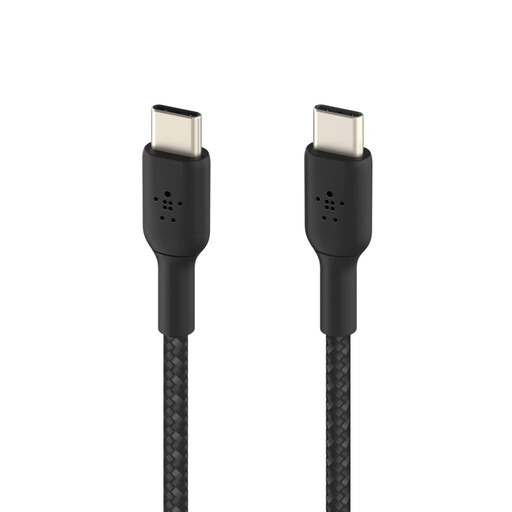
Why we chose it: This is the perfect all-rounder for daily use. It fast-charges smartphones, tablets, and ultra-portable laptops, while offering excellent durability thanks to its braided sheath and eco-friendly design.
Its USB-IF certification guarantees an effective and safe 60W power delivery. Its braided sheath is designed to withstand over 30,000 bends, preventing premature wear and tear.
The reliability of a certification and superior durability, with the added bonus of a design made from recycled plastics.
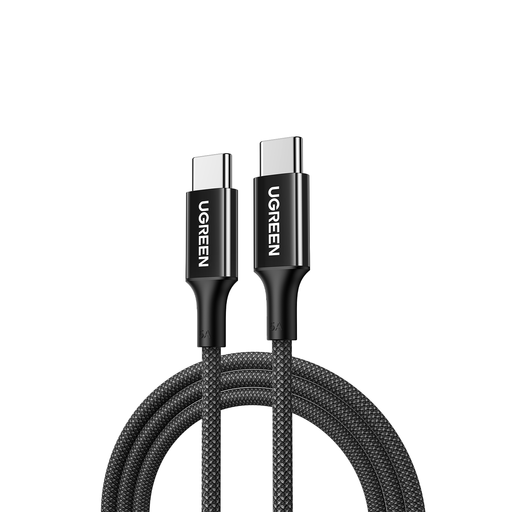
Why we chose it: Ideal for owners of MacBook Pros, Dell XPS, or other power-hungry laptops. It provides the necessary power for fast and efficient charging, even during heavy use, with a comfortable length of 2 metres.
It is specifically designed for 100W power thanks to its E-Marker chip, which prevents any throttling on demanding devices. Its braided design makes it perfectly suited for intensive mobile use.
High-power 100W delivery for laptops and a 2-metre length for maximum flexibility at the office or on the go.
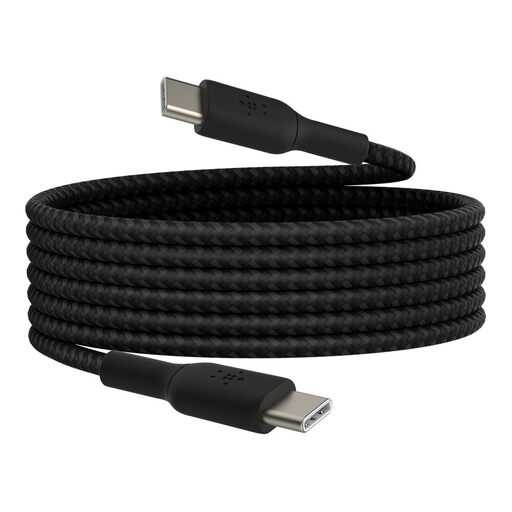
Why we chose it: Perfect for those who like to use their tablet or smartphone comfortably on the sofa or in bed, far from the wall outlet. The 2-metre length offers a very welcome freedom of movement.
The combination of a long length (2m) and a braided sheath tested for over 30,000 bends prevents premature wear, a classic pitfall for long, frequently handled cables.
A generous 2-metre length without compromising on durability or charging performance (60W).
We have compiled a complete and up-to-date list of products that meet our strict selection criteria as well as European safety regulations.
Can a 100W USB-C cable damage my phone? Absolutely not. USB Power Delivery (PD) technology allows the charger, cable, and device to communicate to negotiate the ideal charging power. Your phone will only "draw" the maximum power it can accept (usually between 20W and 45W), even with a 100W cable and charger. So there is no risk.
Is USB-IF certification essential? It's not mandatory, but it is an extremely reliable seal of approval. A USB-IF certified cable has passed rigorous tests to ensure it complies with safety and performance standards. This minimises the risk of overheating, short-circuiting, or degrading your devices' batteries.
What's the difference between USB 2.0 and USB 3.1 on a USB-C cable? The difference lies solely in the data transfer speed. USB 2.0 offers a speed of 480 Mbps, which is more than enough for basic syncing. USB 3.1 (or higher) reaches 5 Gbps or more, a much more comfortable speed for transferring large files like 4K videos. If your primary use is charging, a USB 2.0 cable will do the job perfectly.