
Livraison le jour même ou le lendemain

Qualité garantie

Débloquez vos offres de bienvenue: Livraison GRATUITE | Jusqu'à -80 % | 30 jours d'essai gratuits à JoyPlus
Téléchargez l'application
A cable that frays after just three months? Fast charging that's fast in name only? Choosing a simple USB-C cable for fast charging can quickly become a headache. The market is saturated with marketing promises that don't hold up in daily use. As the head of product selection at Joybuy, I'm here to demystify this opaque market for you.
Before you check out, beware of these three common pitfalls:
To make the right choice, focus on these three technical criteria. They are what guarantee your cable's performance, safety, and longevity.
Power, measured in watts (W), determines the charging speed. A standard cable caps out at around 15W. For truly fast charging, you need to aim higher:
It is imperative to check that the cable is compatible with the Power Delivery (PD) standard. This is the protocol that allows the charger, cable, and device to communicate to safely adjust to the maximum power output.
The connector type is the first thing to check.
A cable's robustness comes down to its construction. A braided nylon cable offers much better resistance to wear and twisting than a standard plastic (PVC) cable. Pay close attention to the reinforcement at the base of the connectors, the usual point of failure.
Regarding length, a 2m cable offers more flexibility at home or in the office, while a shorter model (1m or less) is more convenient for travel or with a power bank.
Rather than an endless list, we've matched specific products to clear user profiles, based on the technical criteria we've just covered.
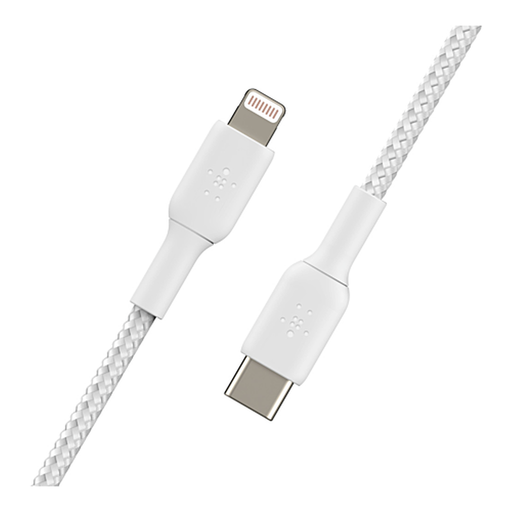
Why we chose it: This cable is for Apple users who accept no compromises on safety and performance. It enables fast charging on compatible iPhones (iPhone 8 and later) with a USB-C PD charger.
Its MFi certification guarantees perfect communication with your iPhone, preventing error messages and overheating risks. Its reinforced braided nylon sheath addresses the durability issue.
Charges an iPhone 8 or newer up to 50% in 30 minutes (with an 18W or higher charger). The Belkin brand is a benchmark for the reliability of its Apple accessories.
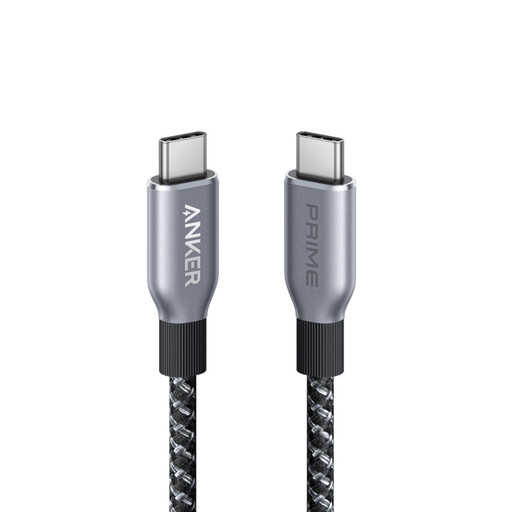
Why we chose it: For those who juggle a laptop, tablet, and smartphone—all using USB-C. This cable delivers maximum power to cover all needs, both current and future, with a single cable.
It sidesteps the power trap by supporting 240W, the maximum allowed by the USB-C PD 3.1 standard. Anker claims it can withstand over 300,000 bends, a direct answer to the fragility problem.
A 240W power rating for universal compatibility with all USB-C devices, from the smallest to the most power-hungry. The Anker brand reputation is a guarantee of quality and standards compliance.
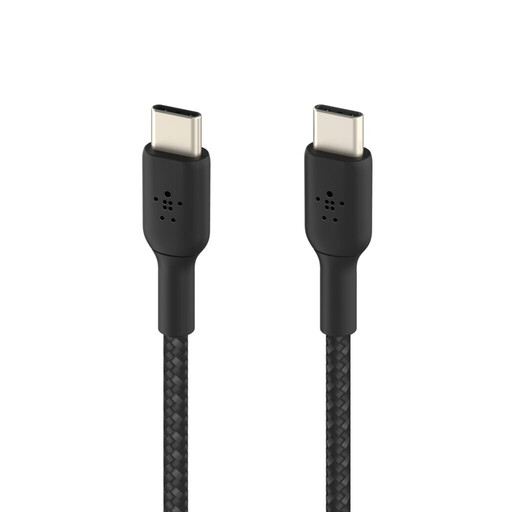
Why we chose it: Ideal for those who are always on the go. Its short 15cm length is perfect for connecting a smartphone to a power bank or laptop without the clutter of unnecessary cable length.
Its USB-IF certification guarantees compliance and safety. Its braided sheath and short length make it inherently more durable and less likely to tangle or break at the bottom of a bag.
Ultra-compact for maximum portability. Its 60W power rating is more than enough for fast-charging all smartphones and tablets on the market.
We have selected a full range of products that meet our quality criteria and current safety standards.
Absolutely not. Thanks to the Power Delivery (PD) standard, a certified cable will never deliver more power than your device can accept. The cable, charger, and device communicate to negotiate the fastest and safest charging power. Using an overpowered cable is not dangerous; it's actually good practice to ensure compatibility with your future devices.
There could be several reasons. For fast charging to work, the entire charging chain must be compatible:
If just one of these three links is weak, the charging speed will drop to the standard, much slower, level.
The Lightning cable is Apple's proprietary connector, used on iPhones (up to the 14 series), some iPads, and AirPods. The USB-C cable is a universal, reversible standard adopted by most other manufacturers (Samsung, Google, etc.) and now by Apple on its recent Macs, iPads, and the latest iPhone generations. A USB-C to Lightning cable is therefore necessary to connect an older-generation iPhone to a modern charger or computer equipped with USB-C ports.