
Livraison le jour même ou le lendemain

Qualité garantie

Débloquez vos offres de bienvenue: Livraison GRATUITE | Jusqu'à -80 % | 30 jours d'essai gratuits à JoyPlus
Téléchargez l'application
USB-C has become the universal connector for nearly all our devices, from the iPhone 16 and Samsung S24 to laptops and gaming consoles. Yet, choosing the right USB-C cable and charger can be a real minefield. Between promises of ultra-fast charging and cables that fray within weeks, the risk of making the wrong choice is high.
This guide is here to clear things up. We'll break down the 3 most common pitfalls and give you the keys to deciphering tech specs, so your next purchase is finally the right one.
Marketing is often misleading. Here are the most common mistakes that cost consumers dearly, both in time and money.
To avoid these setbacks, here are the three technical criteria you must check before you buy.
Power, measured in watts (W), determines charging speed. But be warned: raw power isn't everything. The Power Delivery (PD) protocol is a smart charging standard that allows the charger and device to "communicate" to deliver the optimal power safely.
To enjoy truly fast and safe charging, make sure the charger, cable, and device are all Power Delivery compatible.
The type of connector at each end of the cable is crucial depending on your needs.
Durability and safety are not optional!
Rather than an endless list, here is our curated selection for three user profiles, based on the criteria we've just covered.
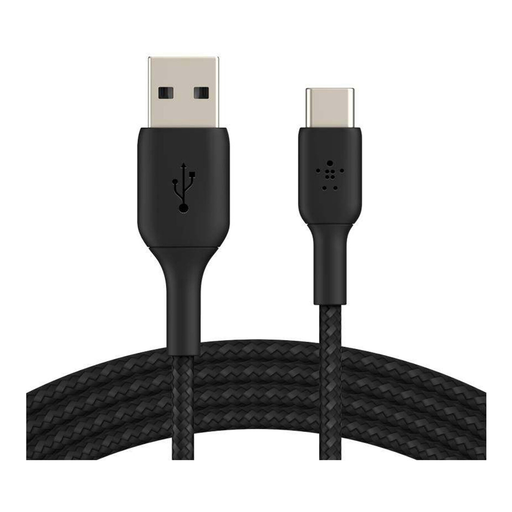
Why we chose it: The perfect companion for daily charging of a USB-C smartphone (like a Samsung Galaxy S24) from a standard USB-A port (computer, car, power bank).
Its braided nylon jacket, tested by Belkin to withstand over 30,000 bends, tackles the "illusion of durability" problem head-on. The USB-IF certification settles the debate by guaranteeing performance and safety.
The perfect balance of durability, safety, and compatibility for a hassle-free daily routine.
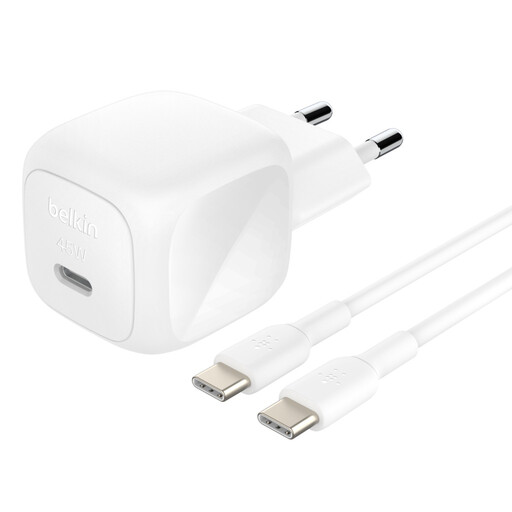
Why we chose it: The go-to for professionals on the move. It can quickly charge a smartphone, tablet, and even an ultraportable laptop (like a MacBook Air) with a single compact block.
It sidesteps the "fake fast charging" trap with its USB-C PD 3.1 certification and 45W power output. It's enough to power a wide range of devices, even the most demanding ones, without breaking a sweat.
A powerful and compact all-in-one solution. The survival kit for universal fast charging.
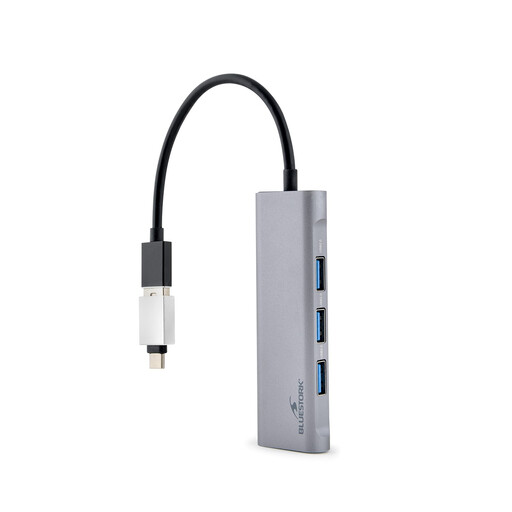
Why we chose it: The solution for those whose minimalist laptop has only one or two USB-C ports. It lets you connect an external monitor, USB drives, and other peripherals while still charging the machine.
It tackles the limited connectivity pitfall. No more collecting dongles! This USB-C hub centralizes everything (HDMI, USB-A) and even integrates Power Delivery (pass-through) for a clean, functional desk.
It transforms a single USB-C port into a versatile and compact workstation.
Explore our complete, up-to-date selection of products that meet our demanding selection criteria and current safety standards.
In theory, yes. But to get fast charging, that's another story. You need a charger that is compatible with your smartphone's protocol. For an iPhone 16, a Power Delivery (PD) certified charger of at least 20W is the minimum requirement. For a Samsung S24, a charger compatible with Super Fast Charging (based on PD/PPS) of 25W or more is ideal. In all other cases, charging will be painfully slow.
It's all about data transfer speed. A USB 2.0 cable is limited to 480 Mbps, which is fine for charging but not for large file transfers. A USB 3.1 (or higher) cable skyrockets with much higher speeds (5 Gbps or more), which is essential for transferring large files like 4K videos or connecting external displays via a USB-C hub. For charging alone, a USB 2.0 standard cable is perfectly adequate.
In theory, yes, an excessive length can cause a tiny loss of power, but over standard lengths (1, 2, or 3 meters), the difference is imperceptible if the cable is well-made. A good 2-meter USB-IF certified cable from a reputable brand will charge just as fast, or nearly as fast, as a 1-meter cable. The bottom line: build quality is far more important than length for ensuring efficient charging.