
Livraison le jour même ou le lendemain

Qualité garantie

Débloquez vos offres de bienvenue: Livraison GRATUITE | Jusqu'à -80 % | 30 jours d'essai gratuits à JoyPlus
Téléchargez l'application
USB-C has established itself as the universal connector for virtually all our devices, from the iPhone 17 and MacBook to gaming consoles and tablets. Yet, choosing a simple USB-C cable can quickly become a headache. Between promises of "ultra-fast charging" and cables that fray after just a few weeks, it's easy to make the wrong choice and regret your purchase.
As a Product Expert at Joybuy, I'm here to help you see things more clearly. Let's cut through the marketing jargon and focus on the facts. Together, we'll break down the three most common pitfalls and the criteria that truly matter to find the perfect cable for you.
To avoid these pitfalls, you just need to keep an eye on three essential characteristics. These are what define the performance, durability, and compatibility of your future cable.
Power, measured in watts (W), indicates how much energy the cable can carry.
Check for the Power Delivery (PD) cable logo. This technology allows the cable, charger, and device to "communicate" to negotiate the fastest and safest charging power.
If you frequently transfer large files, this criterion is crucial.
The outer jacket is the first clue to its longevity. A braided cable made of nylon, for example, handles daily twists and bends much better than a simple plastic cable. Reinforced connectors are also a sign of durability.
Rather than searching for a one-size-fits-all cable that doesn't exist, it's better to choose a model tailored to your needs. Here are a few recommended options for specific use cases.
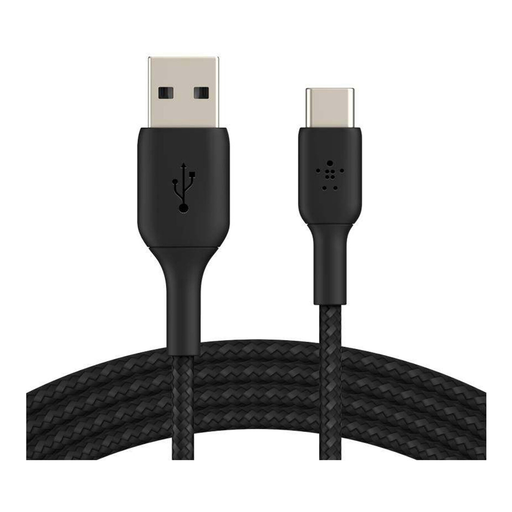
Why this one? Perfect for charging your smartphone from a computer, power bank, or wall charger with a standard USB-A port. Its robust design makes it a reliable daily companion.
Its braided nylon jacket is designed to withstand over 30,000 bends according to Belkin, helping you avoid the pitfall of a fragile cable that wears out after a few weeks.
USB-IF certification ensures optimal compatibility and safety with your devices, providing peace of mind.
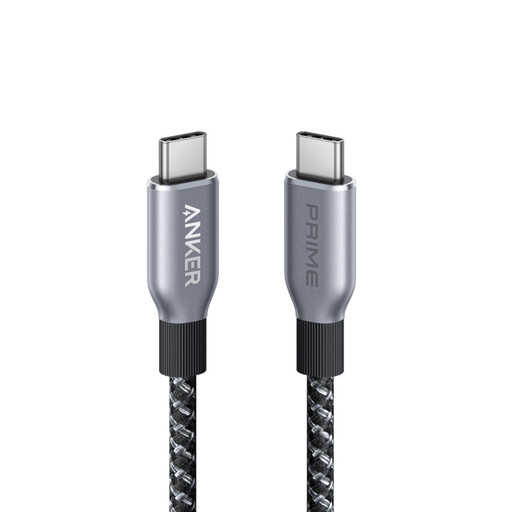
Why this one? For those who juggle a powerful laptop, a tablet, and a smartphone. This cable is designed to deliver maximum power to all Power Delivery compatible devices.
With its 240W capacity, it eliminates any risk of underpowering a laptop. No more dealing with a cable that struggles to charge your machine.
Its 240W power rating makes it compatible with the most demanding devices, including future models. It's a long-term investment.
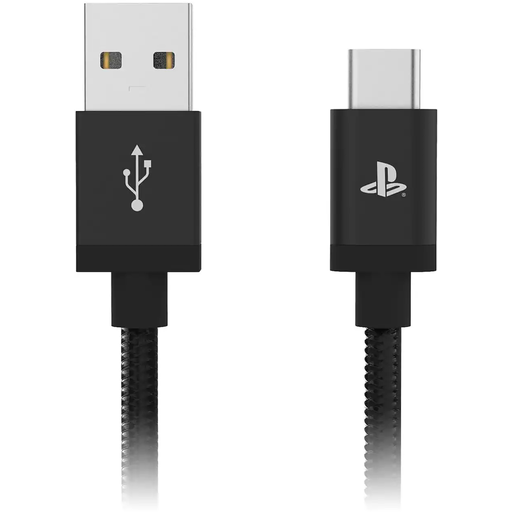
Why this one? Designed for gamers who don't want to be interrupted by a low battery. Its long length allows you to play comfortably on your couch while charging the controller.
It solves the classic problem of stock cables being too short to play and charge at the same time without being glued to your screen.
Its 3-meter length offers welcome freedom of movement. The official Sony license ensures compatibility and safe charging for the DualSense controller.
Discover our full selection of cables that meet our criteria for performance, durability, and current safety standards.
Most USB-C cables are designed for charging and use the USB 2.0 standard (480 Mbps), a sufficient speed for everyday use. Cables focused on data transfer (USB 3.1, 3.2, or Thunderbolt standards) offer much higher speeds (5 Gbps and up) but are logically more expensive. If your priority is charging, a USB 2.0 cable is usually the best compromise.
In theory, a longer length can cause a slight power loss. In practice, with quality 2 or 3-meter cables, this loss is completely negligible and unnoticeable in daily use. Manufacturers compensate for this length with an appropriate internal design. Therefore, the choice of length should primarily depend on your comfort and convenience.
Yes, but to benefit from fast charging, it's best to pair your cable with a charger that has a power rating equal to or greater than what your device requires. Using a 20W charger with a 100W cable to charge a 20W-compatible smartphone will work perfectly. The reverse (a 100W charger with a cable limited to 20W) will throttle the charging speed and, in rare cases with non-certified products, may pose a risk. The golden rule: always prioritize certified accessories that comply with safety standards.