
Livraison le jour même ou le lendemain

Qualité garantie

Débloquez vos offres de bienvenue: Livraison GRATUITE | Jusqu'à -80 % | 30 jours d'essai gratuits à JoyPlus
Téléchargez l'application
A USB-C cable that charges at a snail's pace, refuses to transfer your files, or frays after just a few months? It's a scenario many of us know all too well. While the arrival of the USB-C connector on our smartphones, computers, and consoles has simplified our daily lives, it has also turned choosing the right cable into a real headache. Because while all USB-C cables may look the same, their performance can be worlds apart.
At Joybuy, our mission is simple: to help you cut through the confusion. This guide is here to decode the technical jargon and point you toward the perfect USB-C cable for your devices and needs—whether you're looking for sheer performance, rock-solid durability, or simply an efficient charge.
Choosing the right USB-C cable isn't just about colour or brand. To make the right choice, you need to scrutinise three technical criteria: charging power, data transfer speed, and the cable's construction.
The speed at which your cable recharges your devices depends directly on the power (in watts) it can handle. This is the crucial factor for anyone looking for a fast-charging USB-C cable.
Always remember to check the maximum power supported by your device and charger to choose a compatible cable and create a winning combination.
If you regularly juggle large files (4K videos, professional projects, full backups), transfer speed becomes a non-negotiable criterion.
A cable gets used, bent, and tangled in a bag... in short, it takes a beating. Its construction is therefore a guarantee of its longevity.
After scouring the market, we've selected three models that meet clear and well-defined needs. Here is our selection.
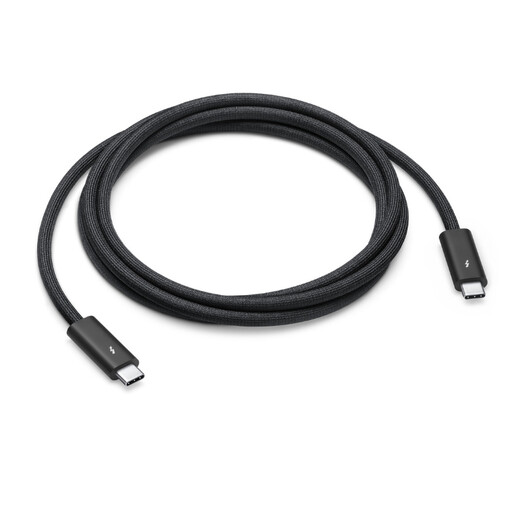
Why we chose it: This cable is for those who demand the best, with zero compromise on performance. It ticks all the boxes: top-tier transfer speeds, maximum charging power, and professional video workflow management, all wrapped in a design that's as robust as it is elegant.
Highlights:
Who is it for? Creatives (videographers, photographers, designers), Apple ecosystem power users, and anyone who needs a USB-C cable for Mac that can do it all: massive data transfers, fast charging, and external display support.
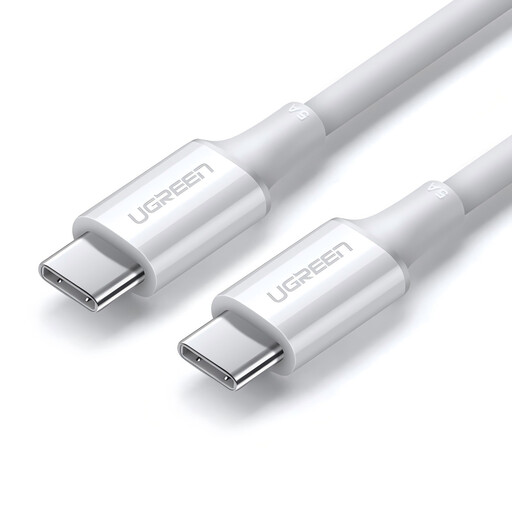
Why we chose it: This cable gets straight to the point and does its job exceptionally well: delivering maximum charging power at an unbeatable price. It's the ultimate pragmatic solution for those whose sole priority is to charge all their devices quickly and efficiently, including the most power-hungry ones.
Highlights:
Who is it for? Anyone looking for an effective and affordable 100W USB-C cable for their laptop, tablet, or smartphone, and for whom transfer speed (limited here to USB 2.0 at 480?Mbps) is a secondary concern.
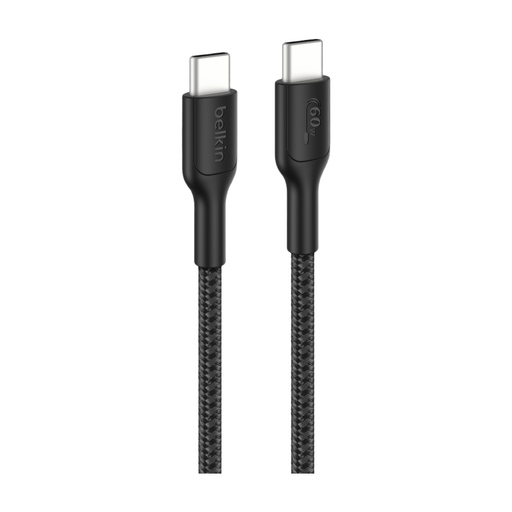
Why we chose it: Built for adventure and heavy use, this cable combines rock-solid durability, a practical length, and versatile charging power, making it ideal for gaming consoles. Its special feature? A more environmentally friendly design made from recycled materials.
Highlights:
Who is it for? Gamers, families, adventurers, and anyone tired of flimsy cables who is looking for an ultra-durable braided USB-C cable for everyday use.
Our selection covers the most common needs, but the world of USB-C cables is much broader. There are models with right-angled connectors (perfect for gaming), different lengths, or specific functions like OTG (On-The-Go) for directly connecting a USB drive or a controller to your smartphone.
To discover other models and specific adapters, feel free to explore our full category of USB-C OTG Cables.
While they share the same connector, their capabilities are completely different. A standard USB-C cable is primarily designed for charging and basic data transfers (often limited to 480?Mbps, the speed of USB 2.0). A Thunderbolt 4 cable is the supercharged version: it offers massive bandwidth (40?Gbps) that enables lightning-fast file transfers, the connection of multiple 4K displays, and power delivery up to 100?W. All with a single cable.
No. For fast charging to work, the "device - charger - cable" trio must all be on the same page. The cable, in particular, must be able to handle the power being delivered. For example, to charge a laptop at 65?W, you need a charger of at least 65?W and a cable certified for that same wattage. Using an under-specced cable will result in slow or even non-existent charging.
In theory, yes. A longer cable has slightly higher electrical resistance, which can lead to a tiny loss of power. However, with well-made cables of typical lengths (1m, 2m, or even 3m), this loss is completely negligible and will have no visible impact on charging speed. The manufacturing quality of the cable is a much more decisive factor than its length.