
Livraison le jour même ou le lendemain

Qualité garantie

Débloquez vos offres de bienvenue: Livraison GRATUITE | Jusqu'à -80 % | 30 jours d'essai gratuits à JoyPlus
Téléchargez l'application
USB-C has established itself as THE universal standard, but not all cables are created equal. Nothing is more frustrating (and costly) than a model that charges at a snail's pace, frays within a few months, or refuses to transfer your data. Before replacing yours, it's best to know the common pitfalls to make a truly informed choice.
As the head of product selections at Joybuy, my mission is to break down the technical specs for you, separating the wheat from the marketing chaff. The goal: to find the cable that meets your actual needs, not one based on empty promises.
The market is a jungle of promises that aren't always kept. Here are the three most common mistakes that will make you regret your purchase:
To make the right choice, focus on these three points. They are the true barometer of your future cable's performance and longevity.
The one and only true fast charging is based on the Power Delivery (PD) protocol. It allows the cable, charger, and your device to communicate to safely adjust to the optimal power level.
Always check the maximum power (in watts) supported by the cable. It must be equal to or greater than that of your USB-C charger.
Here, it all depends on your use case.
A good cable is an investment. Here are the details to inspect closely:
To help you see more clearly, here are three options that meet specific needs, all validated against our performance and reliability criteria.
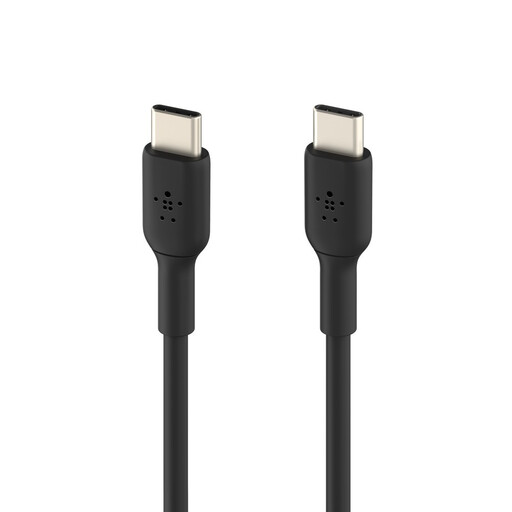
Why we chose it: This is the reliable, versatile, and dependable choice for quickly charging a smartphone, tablet, and even a low-power laptop. Its design is built to withstand intensive daily use.
Its USB-IF certification and its resistance tested to over 25,000 bends are proof that its durability is more than just for show. It doesn't just make a vague 'fast charging' promise; it guarantees a true 60 W.
USB-IF Certification: Maximum safety and compatibility guaranteed.
60 W Power: Perfect for fast charging smartphones (Samsung S24, iPhone 16) and tablets.
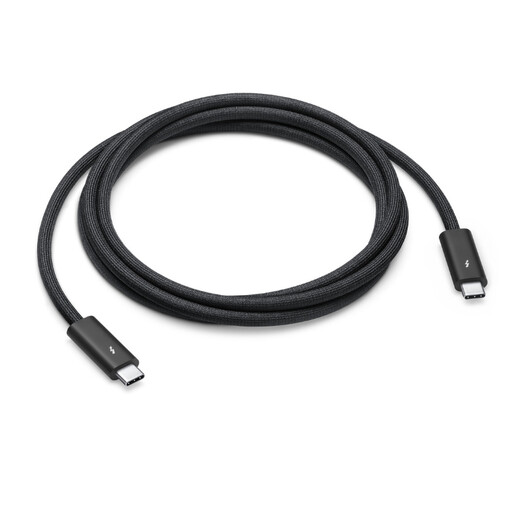
Why we chose it: For creatives and pros who juggle large files, 4K displays, or docking stations, speed is not an option. This cable is a powerhouse that combines fast charging with supersonic data transfers.
It doesn't mix its purpose: it's built for both ultra-high-speed data transfer (Thunderbolt 4) AND powerful charging (100 W). It solves the dilemma of 'do-it-all' cables that end up doing nothing well.
40 Gbit/s Throughput: For transferring massive files or driving video streams without any latency.
100 W Power: Powers and charges a MacBook Pro at full speed, without compromise.
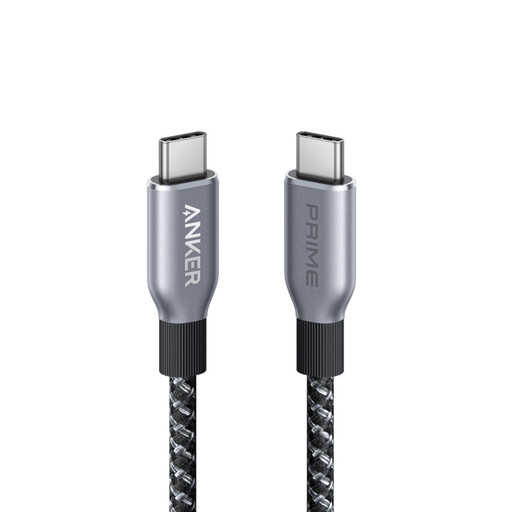
Why we chose it: For those who want the best of the best and already own power-hungry devices, this cable delivers the maximum charging power allowed by the USB-C standard. An investment for today and tomorrow.
No false promises here: it makes its intentions clear with 240 W, the pinnacle of the Power Delivery 3.1 standard. This is an expert's choice for raw power needs, not a one-size-fits-all cable.
240 W Power: Capable of charging the most demanding gaming laptops and workstations at their maximum speed.
Durable Design: Its sheath is made from bio-based materials and designed for ultimate longevity.
We have curated a complete selection of cables that meet our strict criteria and European safety standards.
No, there is absolutely no risk. Thanks to the Power Delivery (PD) protocol, the charger, cable, and your device are in constant communication. The device will only "draw" the power it needs, and never more. Using an oversized cable is therefore completely safe.
Even though they share the same connector, they are worlds apart. A standard USB-C cable is primarily designed for charging, with basic data transfer speeds (480 Mbit/s). A Thunderbolt cable is the "on steroids" version: it handles colossal data rates (up to 40 Gbit/s), 8K video, and powerful charging, all in a single cable. It's the tool for pros and power users.
It all depends on its build quality and how well you take care of it. A USB-IF certified cable with reinforced connectors, which you avoid bending at sharp angles or mistreating, can easily last for several years. Models from reputable brands, tested to withstand tens of thousands of bends, offer far greater longevity than budget options.