
Livraison le jour même ou le lendemain

Qualité garantie

Débloquez vos offres de bienvenue: Livraison GRATUITE | Jusqu'à -80 % | 30 jours d'essai gratuits à JoyPlus
Téléchargez l'application
USB-C has become ubiquitous, and for good reason: a single connector to charge your laptop, transfer photos from your smartphone, or connect an external display. But behind this apparent simplicity lies a veritable jungle. Not all USB-C cables are created equal, and a poor choice can not only throttle your devices' performance but also damage them. As the Head of Product Recommendations at Joybuy, my mission is to help you navigate this complexity.
Before you pull out your credit card, beware of these three common pitfalls:
To make the right choice, forget the marketing and focus on the technical specifications that truly matter.
The power a cable can deliver is the number one criterion for charging. It's expressed in watts (W).
USB-C refers to the connector's shape, but cables can have different plugs on each end.
If you frequently handle large files, this criterion is non-negotiable.
Rather than an endless list, here are targeted recommendations that meet our criteria for performance, durability, and safety.
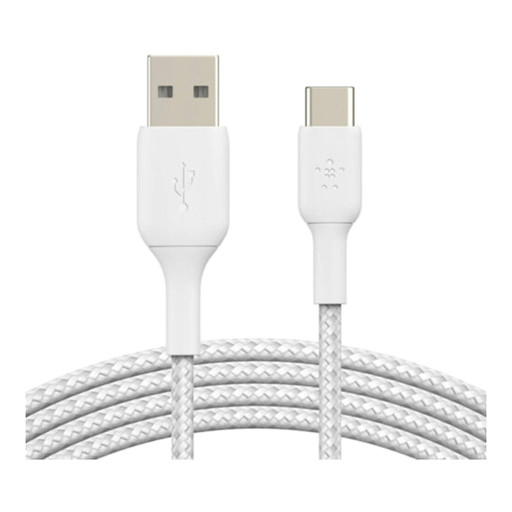
Why we chose it: This is the essential Swiss Army knife for connecting a modern smartphone (with USB-C) to the myriad of chargers, computers, or power banks still equipped with USB-A ports. Its versatility makes it a must-have.
It debunks the myth of false durability. Belkin doesn't just rely on the braided look; it advertises a resistance to over 30,000 bends—a concrete, verifiable figure. Its USB-IF certification is a seal of compliance and safety.
USB-IF certification for rock-solid reliability. Braided nylon jacket tested for durability well above the average.
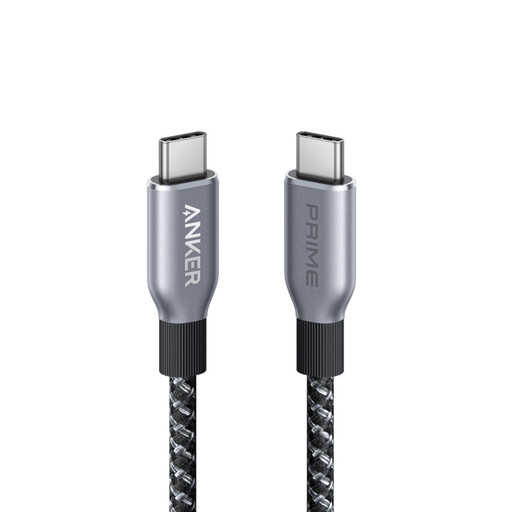
Why we chose it: For anyone juggling power-hungry devices: a MacBook Pro, a gaming laptop, or future high-end smartphones. This cable is built to deliver the maximum power allowed by the USB-PD 3.1 standard.
It cuts through the vague "fast charging" marketing. Here, the 240W power rating is clearly stated and guaranteed. You get what you pay for. It's ready for the most demanding devices of today and tomorrow.
240W power for future-proof compatibility. Sustainable design incorporating recycled materials and excellent resistance to bending.
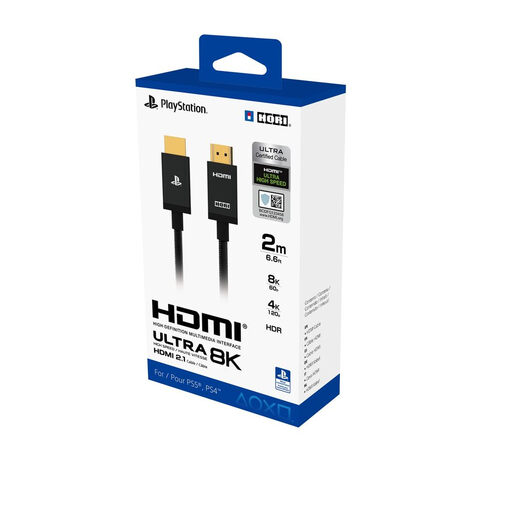
Why we chose it: To unleash the full graphical potential of the PlayStation 5, a standard HDMI cable isn't enough. This model is certified HDMI 2.1, the essential standard for gaming in 4K at 120Hz or even 8K.
It ends the confusion over standards. With its official Sony license for the PS5 and clearly stated HDMI 2.1 compatibility, you can't go wrong. It guarantees you won't be bottlenecking your console's performance, unlike an HDMI 2.0 cable.
Officially licensed by Sony for perfect PS5 compatibility. Supports 4K at 120Hz and 8K at 60Hz.
We have curated a complete selection of cables that meet our strict selection criteria and European safety standards.
Not necessarily. While a braided nylon jacket provides good protection against abrasion, true durability lies elsewhere: in the quality of the strain relief (the flexible part near the connector) and the robustness of the internal welds. A well-designed cable with a standard TPE (thermoplastic elastomer) jacket can be just as, if not more, durable. Trust the manufacturer's figures (like the certified number of bends) rather than just the appearance.
It's a matter of maximum supported power. A 100W cable (USB Power Delivery 3.0 standard) is sufficient for most current laptops. A 240W cable (USB PD 3.1 standard, known as Extended Power Range) is designed for very power-hungry devices, like mobile workstations or large 4K displays. Opting for a 240W cable is an investment in the future, but be aware: it won't charge a device any faster if the device itself isn't compatible with that wattage.
Yes, starting with the iPhone 15, Apple has switched to the USB-C port. You can use any standard USB-C to USB-C cable to charge and sync your iPhone. However, to get the fastest charging speeds, it's recommended to use a Power Delivery (PD) certified cable and pair it with a compatible charger of at least 20W. For fast file transfers, ensure the cable supports at least the USB 3 standard (5 Gbps or higher).