
Livraison le jour même ou le lendemain

Qualité garantie

Débloquez vos offres de bienvenue: Livraison GRATUITE | Jusqu'à -80 % | 30 jours d'essai gratuits à JoyPlus
Téléchargez l'application
USB-C is everywhere now: from the iPhone 15 to the Samsung S24, not to mention our laptops and gaming consoles. Yet, choosing a simple USB-C cable can often be a real headache. Between promises of "?ultra-fast charging?" and models that fray after just a few months, it's easy to make a mistake. As a product expert for Joybuy, I'm here to break down the facts from the fiction and give you the keys to never making the wrong choice again.
The market is flooded with options, but they are far from being created equal. Here are the most common mistakes that will cost you time and money.
Many packages promise "?fast charging,?" but this claim alone guarantees nothing. The actual charging speed depends on the entire chain: your device, your charger, and, of course, the cable. A powerful fast USB-C charger is useless if the cable can't handle the requested power. This is the classic bottleneck that throttles performance.
A cable that gives up the ghost after a few months? It's a common story. The culprit is often a fragile joint between the connector and the cable, or a low-quality plastic (PVC) sheath that cracks and frays. A braided nylon cable isn't just for looks; it's a true mark of durability.
Be careful: a cable can be excellent for charging but terrible for data transfer. Many entry-level models are limited to the USB 2.0 standard (around 480 Mbps), which is barely acceptable for a quick sync but a total nightmare for transferring 4K videos or large professional projects.
To avoid falling into these traps, here are the few technical specifications you absolutely must check.
For charging, the number one criterion is the maximum power the cable can handle, expressed in watts (W). The benchmark standard is Power Delivery (PD). For optimal charging, the rule is simple: the cable's power rating must be equal to or greater than that of your charger and your device.
If you frequently work with large files, transfer speed is a non-negotiable criterion. It's expressed in megabits (Mbps) or gigabits (Gbps) per second.
Remember to check both ends of the cable. The USB-C to USB-C cable is the new standard, but if your chargers or computers still have classic USB ports (the rectangular ones), a USB-C to USB-A cable remains essential. A good USB-C adapter can also come in handy.
Finally, opt for braided nylon sheaths and reinforced connectors. The presence of the USB-IF (USB Implementers Forum) logo is an excellent seal of quality and safety, guaranteeing that the cable meets the standards to the letter.
Instead of an endless list, here are our targeted recommendations for three user profiles.
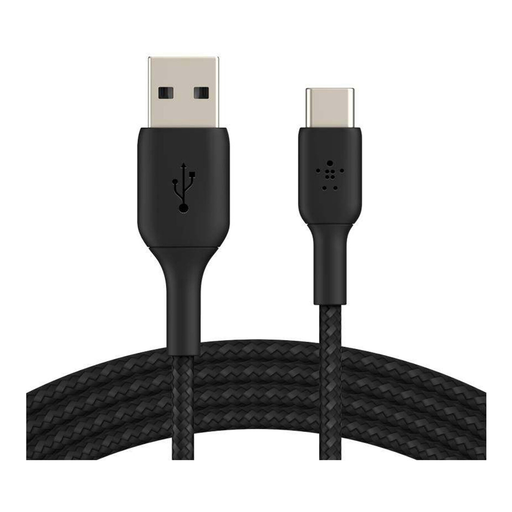
The right choice if: you're looking for a reliable cable to connect your new USB-C smartphone to your older USB-A chargers or laptops. Its 1-meter length is ideal for your desk or nightstand.
The braided nylon sheath and USB-IF certification sidestep the trap of premature wear and tear, guaranteeing maximum safety. Belkin states it can withstand over 30,000 bends.
Durability and reliability: The USB-IF certification and braided design provide complete peace of mind, even with heavy use.
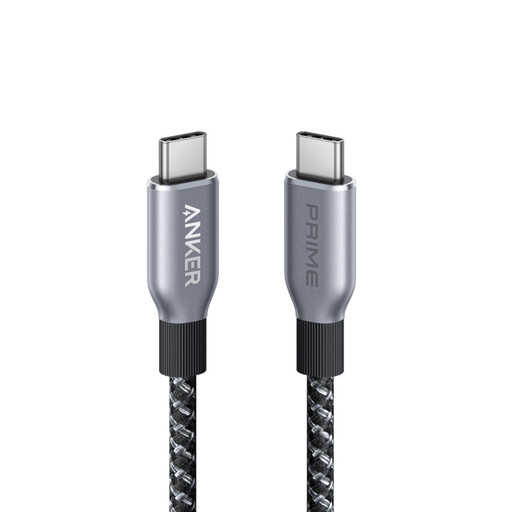
The right choice if: you own power-hungry devices like a MacBook Pro or a gaming laptop. It's built to unlock the full potential of the most powerful chargers on the market.
It sidesteps the "fake fast charging" trap by delivering up to 240 W, the maximum allowed by the USB-C Power Delivery standard. Its robust design is built to last.
Raw Power: Capable of powering the most demanding devices at their maximum speed. Eco-friendly bonus: its sheath is made from recycled materials.
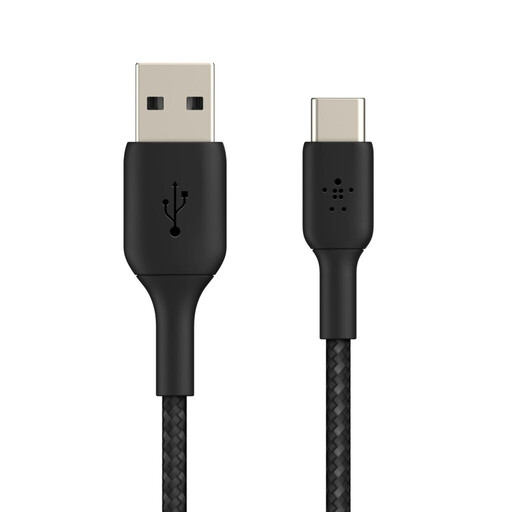
The right choice if: you need maximum flexibility. Its extra-long 3-meter length is perfect for using your device comfortably far from an outlet: on the couch, in bed, or even in the back seat of the car.
It avoids the fragility trap with its ultra-durable braided sheath and reinforced connectors, designed for on-the-go use without compromise.
Maximum Freedom: Its 3-meter length offers unparalleled convenience. Note that it's optimized for charging, not for ultra-fast file transfers (USB 2.0 speed).
Explore our full selection of USB-C cables, all verified to meet our quality and safety standards.
Not necessarily. A high price often reflects top-tier specs: extreme charging power (100?W and up), superior transfer speeds (Thunderbolt), or a very long length. A 60?W cable will be cheaper than a 240?W model, but if your device only needs 30?W, the former is more than enough. Rely on compatibility with your devices and the presence of certifications (like USB-IF), not just the price tag.
While all USB-C cables can charge, not all are created equal for data transfer. A basic cable is often limited to the USB 2.0 standard (480 Mbps), which is fine for syncing a few photos. To transfer 4K videos or large backups without waiting for hours, a cable that supports USB 3.2 (5 to 10 Gbps) or higher is essential. If this is your priority, make sure to check this specification.
Yes, but you might not get the best performance. To take advantage of true USB-C fast charging (Power Delivery), the winning combination is essential: your fast USB-C charger, your cable, and your device (for example, an iPhone 15 cable or Samsung S24) must all be compatible. Plugging a high-power charger into a low-quality cable is pointless: the charging speed will be throttled, and you won't save a single minute.