
Livraison le jour même ou le lendemain

Qualité garantie

Débloquez vos offres de bienvenue: Livraison GRATUITE | Jusqu'à -80 % | 30 jours d'essai gratuits à JoyPlus
Téléchargez l'application
By the Joybuy Editorial Team, Your Product Experts
The USB-C port has become the standard on virtually all our devices, from the iPhone 16 and Samsung S24 to tablets and laptops like the MacBook Pro. However, choosing a simple USB-C to USB-C cable can quickly become a headache. Power, length, durability, transfer speed... the technical specifications are numerous.
An unsuitable cable can not only slow down your device's charging but also wear out prematurely. This guide is here to help you make sense of it all and find the perfect cable for your needs, without getting bogged down in technical jargon.
To make the right choice, there are three technical features you need to examine closely; they are what determine your cable's performance and lifespan.
This is arguably the number one criterion for a fast-charging USB-C cable. The power, expressed in watts (W), must match your charger and your device to ensure optimal efficiency.
The ideal length depends on your use case. A short cable (15-30 cm) is convenient for a power bank, while a 2m USB-C cable offers more flexibility at home or in the office.
In terms of durability, a braided USB-C cable made of nylon or reinforced PVC will withstand daily twists and wear far better than a basic plastic model. The sturdiness of the connectors is also a point to watch.
If you plan to use your cable to sync files, data transfer speed is a criterion to consider. Most standard USB-C cables are limited to a speed of 480 Mbit/s (USB 2.0 standard). This is more than enough for transferring photos or music. For transferring large video files, specific cables (USB 3.1, 3.2, or Thunderbolt) are necessary, but for everyday use, a standard USB-C data cable gets the job done perfectly.
Here is our selection of models that stand out for their performance and suitability for specific uses.
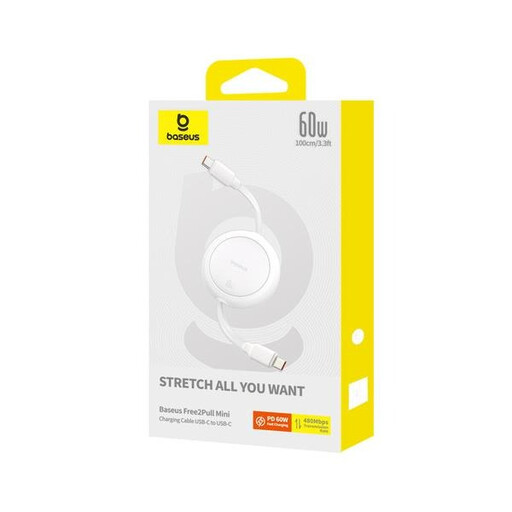
Why it stands out?: Its retractable design makes it the perfect companion for users on the go. No more tangled cables at the bottom of your bag. It extends and retracts in an instant, while providing ample charging power.
Highlights?:
Who is it for? Ideal for people on the move who want a cable that's easy to slip into a handbag, a satchel, or to use in the car.
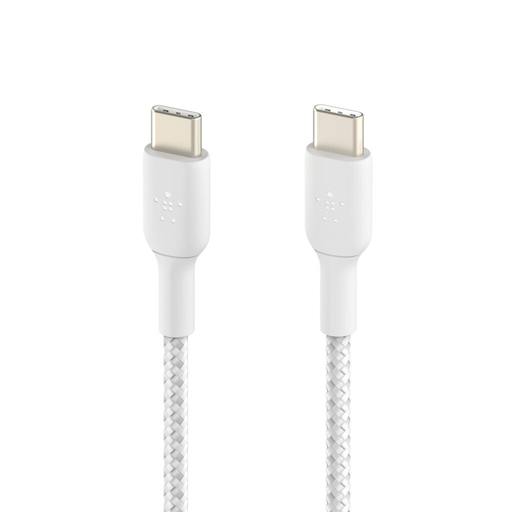
Why it stands out?: This cable is all about durability and an ultra-compact form factor. Its braided jacket is designed for enhanced longevity, and its USB-IF certification is a guarantee of full compliance with industry standards.
Highlights?:
Who is it for? Perfect for power bank users, drivers, or anyone who wants a short, clean connection on their desk between a device and a charger or hub.
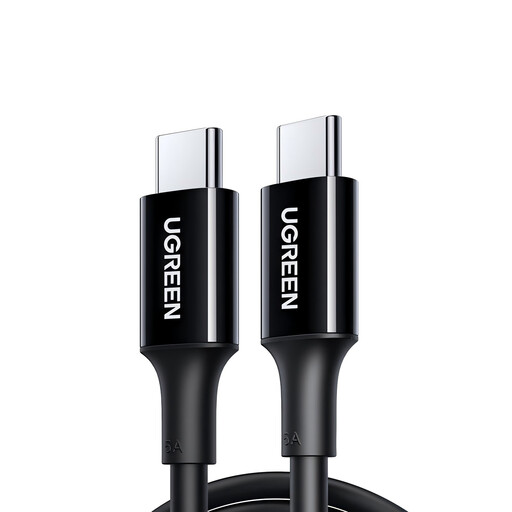
Why it stands out?: This is the ultimate power solution for laptop users. With its 100W capacity and a comfortable 2-metre length, it meets the needs of the most demanding devices while offering great freedom of movement.
Highlights?:
Who is it for? A must-have for owners of USB-C laptops who want to harness the full power of their charger, or for anyone looking for a long, high-performance cable for home use.
Our selection focuses on targeted use cases, but every user is unique. If you're looking for a different length, a specific colour, or different features, feel free to explore our full catalogue.
? Discover our entire range of USB-A and USB-C cables
The difference lies in the maximum power they can carry. A 60W cable is sufficient for smartphones, tablets, and small ultrabooks. A 100W cable is necessary to properly power more demanding laptops, which will not charge at full speed (or at all, if under heavy use) with a lower-capacity cable.
Yes, the USB-C connector is universal: it will physically plug into any USB-C port. However, performance (charging speed, data transfer) will depend on the match between the cable, the device (an iPhone 16 or Samsung S24, for example), and the power source (the charger). A 100W cable will work perfectly on a phone that only requires 25W, but the reverse isn't true: a 60W cable will not be sufficient for a laptop that needs 100W.
Just check the product's specifications. The mention of "Power Delivery" or "PD," along with a power rating (e.g., 60W or 100W), indicates a cable designed for fast charging. Without these indicators, it is most likely a standard, limited-power cable.