
Livraison le jour même ou le lendemain

Qualité garantie

Débloquez vos offres de bienvenue: Livraison GRATUITE | Jusqu'à -80 % | 30 jours d'essai gratuits à JoyPlus
Téléchargez l'application
From the iPhone 15 to the latest Samsung Galaxy, not to mention laptops and gaming consoles, USB-C has cemented its place as the universal connector. However, a worn-out, slow, or misplaced cable can quickly become a daily hassle. Faced with a jungle of options, it's tough to navigate the promises of ultra-fast charging and varying levels of durability.
This guide is here to help you make sense of it all, breaking down the key criteria for choosing the right USB-C to USB-C cable and showcasing our selection of the most reliable models of 2026.
By the Joybuy product team, July 28, 2026
Before diving into our top picks, here are the key points to check to ensure you make the right choice.
The killer feature of USB-C is its ability to charge your devices at lightning-fast speeds. But be warned: not all cables are created equal.
A cable is an accessory that often takes a beating in daily use. Its lifespan, therefore, depends directly on its build quality.
If you plan to use your cable for transferring large files (photos, videos, backups), then transfer speed becomes a crucial factor.
We've selected three tried-and-tested models for you that combine reliability with performance.
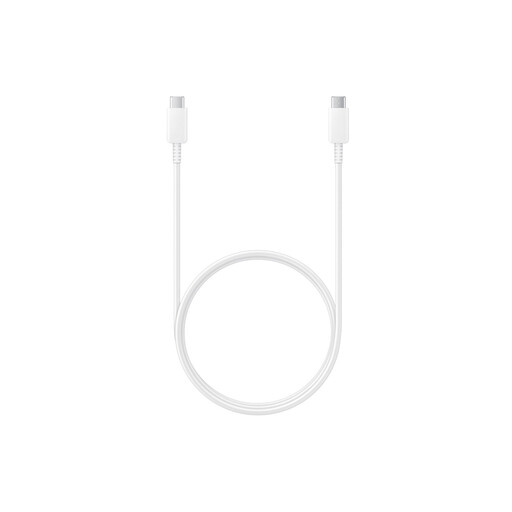
Why we love it?: This is the official Samsung cable, designed to integrate seamlessly into the brand's ecosystem and take full advantage of its "Super Fast Charging" technology.
Highlights?:
Who is it for?? For owners of Samsung devices (Galaxy S, Note, etc.) who want to replace their original cable or simply ensure they get the charging performance promised by the manufacturer. It's the reliable choice for a Samsung USB-C cable.
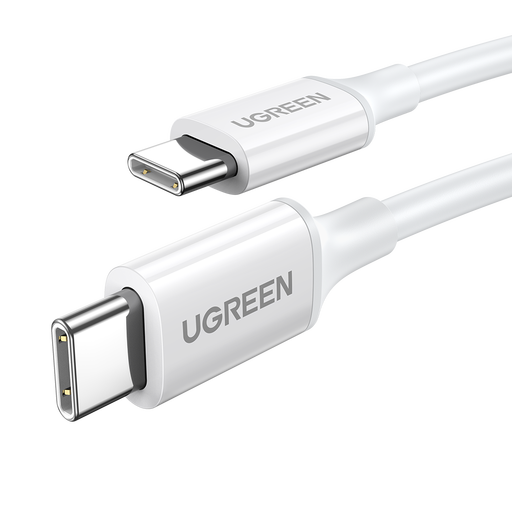
Why we love it?: This is the ultimate all-rounder. Its great versatility and support for multiple fast-charging protocols make it compatible with a myriad of devices from all brands.
Highlights?:
Who is it for?? For those who juggle devices from different brands (e.g., a Samsung smartphone, a Nintendo Switch, and a Lenovo laptop) and are looking for a single cable to charge everything efficiently.
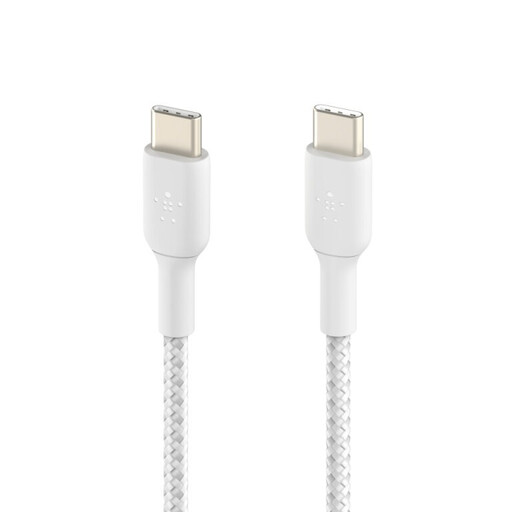
Why we love it?: This model is all about durability and safety. Its braided sheath and USB-IF certification make it a top choice for those who refuse to compromise on longevity.
Highlights?:
Who is it for?? For nomads, serial cable "destroyers," or anyone who wants the peace of mind that comes with an ultra-durable, certified product. It's the perfect braided USB-C cable for heavy use.
The standard 1?m length is a classic, but you might need a longer cable, or simply a design or colour that's out of the ordinary.
If these three models don't check all your boxes, take a look at our full catalogue.
? Explore our full range of cables
1. Are all USB-C cables the same?? No, far from it. They differ in their maximum charging power (e.g., 60?W vs. 100?W), data transfer speed (e.g., USB 2.0 vs. USB 3.2), and durability (plastic vs. braided sheath, connector quality). Choosing a cable that matches your device and charger is crucial for optimal performance and safety.
2. Can I use any USB-C cable for my iPhone 15?? Yes, any USB-C cable will charge an iPhone 15. However, to benefit from fast charging, you will need a USB-C Power Delivery cable and a compatible charger of at least 20?W. USB-IF certified cables, like the one from Belkin, offer an extra guarantee of safety and compatibility.
3. Can a 100?W cable damage a device that only needs 25?W?? No. The USB-C Power Delivery protocol is "smart." The charger, cable, and device constantly communicate to adjust the power output to the device's actual needs. Therefore, a 100?W cable will only supply the 25?W requested by your smartphone, without any risk whatsoever.