
Livraison le jour même ou le lendemain

Qualité garantie

Débloquez vos offres de bienvenue: Livraison GRATUITE | Jusqu'à -80 % | 30 jours d'essai gratuits à JoyPlus
Téléchargez l'application
By Joybuy, your tech expert
A cable that charges at a snail's pace, frays after a few months, or that your device refuses to recognise: it's an all-too-familiar scenario. Faced with a jungle of options, finding the right USB-C to USB-C cable can quickly become a headache. This guide is designed to break down the essential criteria for you, helping you make an informed choice that's perfectly suited to your needs and devices, whether you own an iPhone 15, a Samsung S24, or a MacBook.
Before diving into our top picks, here are the key points to keep in mind to ensure you make the right decision.
When it comes to charging speed, not all USB-C cables are created equal. The power they can deliver, expressed in watts (W), is the most critical element.
Remember to check the maximum power supported by your device and charger to choose a cable that won't bottleneck their performance. It's the Power Delivery (PD) technology that orchestrates this smart, fast charging; make sure your future cable is fully compatible.
The length and sturdiness of the cable directly impact your daily user experience.
If you regularly transfer large files (4K videos, full backups, etc.), data transfer speed becomes an essential criterion.
For usage primarily focused on charging, a USB 2.0 standard cable will do the job perfectly.
Here is a selection of USB-C cables that meet different needs, from daily charging to powering the most demanding devices.
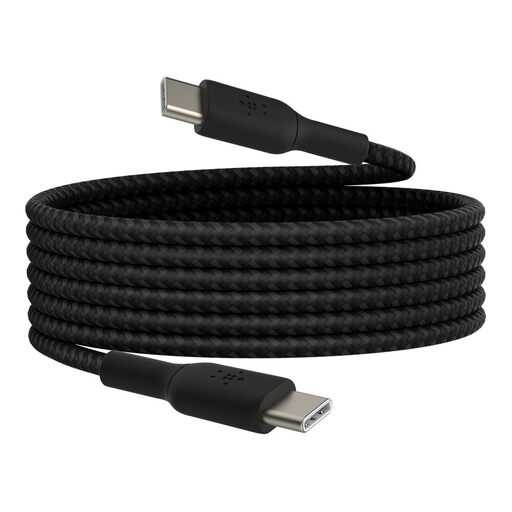
Why it stands out: This cable checks all the boxes: generous length, versatile power, and a robust design. It's the ultimate all-rounder for everyday use.
Advantages:
Who is it for? For anyone looking for a reliable and long primary cable for home or the office, capable of charging almost all their devices.
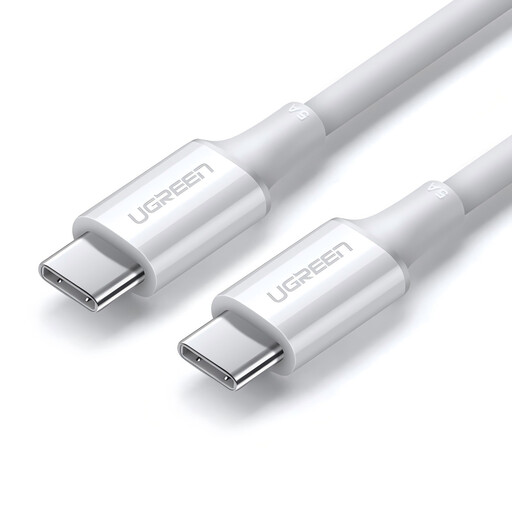
Why it stands out: Its ability to deliver up to 100?W of power makes it a must-have for users of laptops and other power-hungry devices.
Advantages:
Who is it for? For owners of USB-C laptops who want to ensure they get the maximum charging power.
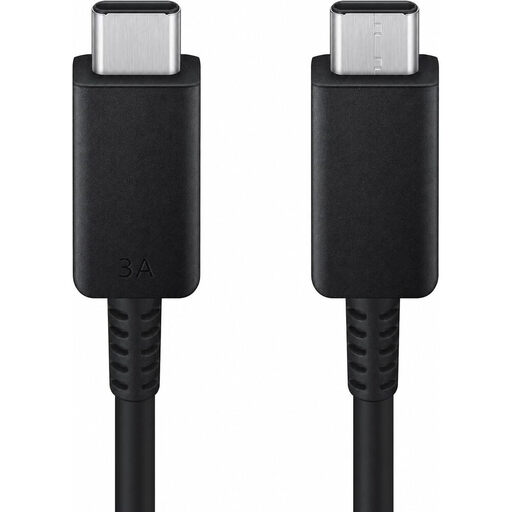
Why it stands out: The official option from Samsung, which guarantees optimal compatibility and reliability for the brand's devices, all with a convenient length.
Advantages:
Who is it for? For users of a Samsung smartphone or tablet who prioritise the peace of mind that comes with an official accessory.
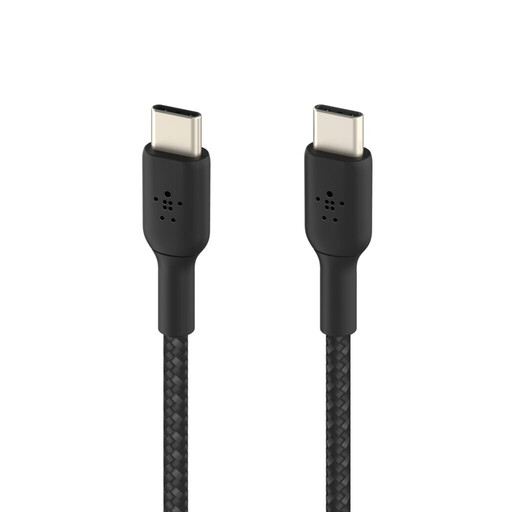
Why it stands out: Its ultra-compact size makes it the perfect companion for those on the go, whether for a power bank or a minimalist desk setup.
Advantages:
Who is it for? For frequent travellers and those always on the move who need a short, sturdy cable for their power bank, car, or laptop bag.
The USB-C connector has established itself as the new standard, but many devices still use other ports. If you need a cable with a different connector, like the classic USB-A, we have what you need.
? Discover our selection of USB Type-A Cables
1. What is the difference between a 60W and 100W USB-C cable? The main difference is the maximum power they can transmit. A 60W cable is sufficient for most smartphones, tablets, and some ultrabooks. A 100W cable, however, is necessary to charge more powerful laptops that require such power at full speed. Using a 100W cable on a 60W device poses no problem, but the reverse will bottleneck the charging speed.
2. Are all USB-C cables compatible with fast charging? No. To benefit from fast charging, the cable must be designed to handle high power levels (generally 20W and above) and be compatible with protocols like Power Delivery (PD). A budget-friendly Type-C cable will often be limited to slow charging and low-speed data transfers.