
Livraison le jour même ou le lendemain

Qualité garantie

Débloquez vos offres de bienvenue: Livraison GRATUITE | Jusqu'à -80 % | 30 jours d'essai gratuits à JoyPlus
Téléchargez l'application
By the Joybuy Editorial Team, 5 July 2026
Is your original cable fraying?? Does charging your smartphone seem to take forever?? You're not alone. Navigating the jungle of standards and connectors can quickly turn finding the right USB-C cable into a real headache. This seemingly trivial accessory is, however, the key to fast and safe charging for all your devices.
This guide is here to help you make sense of it all. We'll break down the key points for making the right choice, without the technical jargon, and present our selection of the best cables on the market, tested and approved for everyday use.
Before you buy, there are three key points that deserve your full attention to ensure you make the right choice.
The term "?USB-C?" refers to the connector—that small, oval, reversible plug found on most recent devices. But be careful, the other end of the cable is just as crucial.
Be aware, a fast-charging cable isn't a magic bullet: it only works if the entire chain (cable, charger, and device) is compatible. For fast charging, opt for cables compatible with the Power Delivery (PD) standard. This technology can deliver much higher power than a standard cable, significantly reducing charging time. The supported power (in watts, W) is always indicated on the packaging or product page.
The cables that come with your devices often wear out too quickly, especially near the connectors. A braided cable made of nylon (or a similar material) offers far superior resistance to everyday wear, twists, and bends. Many manufacturers specify the number of bend cycles their cables can withstand, which is an excellent indicator of their robustness.
To guide you, here are three models we've selected, each catering to a specific need.
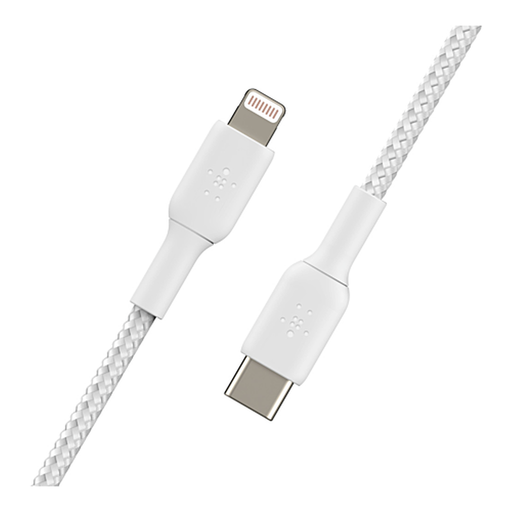
Why we chose it This is a staple for loyalists of the Apple ecosystem. Its MFi (Made for iPhone) certification guarantees perfect compatibility and safety with Apple devices. It's specifically designed for fast-charging compatible iPhones.
Pros
Who is it for?? For all owners of Apple devices (iPhone 8 to 14, iPad, AirPods) with a Lightning port who are looking for a fast, durable, and certified charging solution.
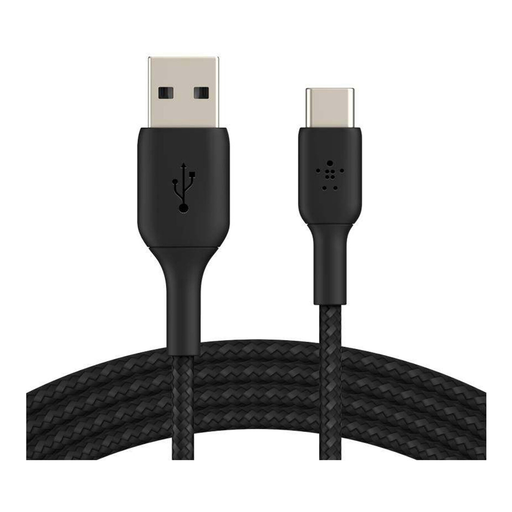
Why we chose it This cable is the missing link between new devices and older chargers. Its USB-IF (USB Implementers Forum) certification is a guarantee of quality, ensuring perfect compatibility and safe use. Its robustness is its other major asset.
Pros
Who is it for?? For those who need to connect a recent USB-C device to a charger, computer, or power bank with a USB-A port, and who don't want to make any compromises on durability.
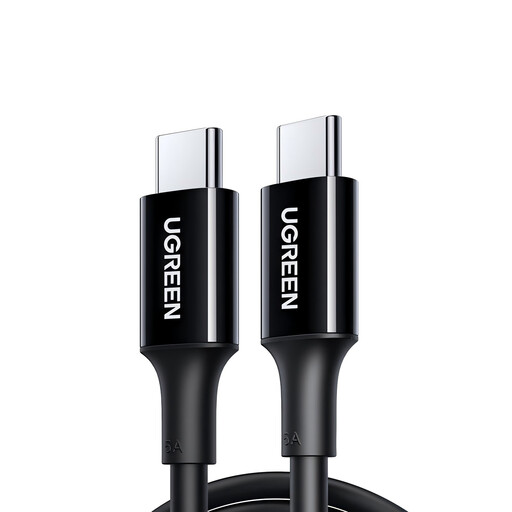
Why we chose it This USB-C to USB-C cable is built for performance. Capable of handling up to 100?W of power, it's perfect not only for smartphones but also for the most power-hungry tablets and laptops. Its 2-metre length offers real everyday convenience.
Pros
Who is it for?? For users of laptops, tablets, and recent all-USB-C smartphones who want an ultra-fast charging solution and greater freedom of movement.
Our selection covers the most common needs, but the world of cables is vast. Whether you're looking for a different length, another colour, or a specific connector, other options are available.
? Explore our full range of cables, such as our USB A to USB C models, to find the perfect match for your equipment.
USB-C is a universal standard, recognisable by its oval, reversible connector. It has been adopted by most manufacturers, including Apple for its latest devices (iPhone 15, MacBook, iPad Pro). Lightning, on the other hand, is a proprietary Apple connector, smaller and not reversible, found on iPhones from model 5 to 14. A USB-C to Lightning cable is therefore a hybrid cable, with a USB-C connector on one end and a Lightning connector on the other.
A high-quality, certified cable (MFi for Apple, USB-IF for the USB standard) poses no risk to your device when used with a suitable charger. The danger typically comes from low-quality cables or non-compliant chargers that do not regulate power correctly. Always opt for accessories from reputable brands to avoid any nasty surprises.
To take advantage of fast charging, the trio of device, charger, and cable must all be compatible. Check that your cable clearly states its compatibility with standards like Power Delivery (PD) or Quick Charge (QC), and that it can handle the power (in watts) delivered by your charger. This information can always be found on the product's technical sheet or packaging.