
Livraison le jour même ou le lendemain

Qualité garantie

Débloquez vos offres de bienvenue: Livraison GRATUITE | Jusqu'à -80 % | 30 jours d'essai gratuits à JoyPlus
Téléchargez l'application
USB-C has established itself as the universal connector for nearly all our electronic devices, from the iPhone 15 and MacBook to Samsung Galaxy smartphones and the Nintendo Switch console. Yet, finding a reliable USB-C cable can sometimes be a real challenge. Between models that fray after a few months, those that charge at a snail's pace, or ones that turn out to be incompatible, the choice can quickly become a headache.
This guide is here to help you demystify the process. As Joybuy's Product Recommendation Lead, my mission is simple: to give you the keys to choosing the perfect cable for your needs, without drowning you in technical jargon.
Before diving into specific models, it's crucial to master the three characteristics that make all the difference in performance and durability.
First step: identify the ports on your charger and computer.
Not all USB-C cables are created equal when it comes to charging speed. To enjoy true fast charging, make sure the cable is compatible with the Power Delivery (PD) standard and check the maximum power it can handle, expressed in watts (W).
A cable is an everyday accessory that's often subject to wear and tear. To prevent it from wearing out prematurely, opt for a nylon braided cable. Its resistance to twists and repeated bends is far superior to that of standard plastic cables.
Length is also a key comfort factor:
Based on these criteria, here are three models that meet distinct and very common needs.
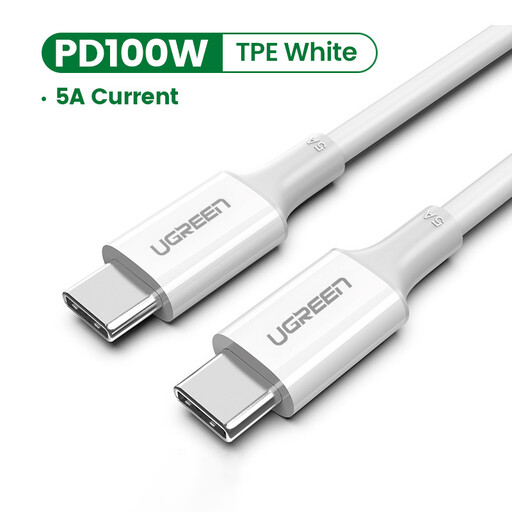
Why It Stands Out
This USB-C to USB-C cable is the ultimate all-rounder for all your modern devices. Capable of delivering up to 100W, it's compatible with a vast range of devices, from smartphones to the most power-hungry laptops. Its integrated E-Marker chip ensures secure communication between the charger and the device to optimally adjust the power output.
Pros
Who Is It For? For those who juggle multiple modern devices (smartphone, tablet, laptop) and are looking for a single, high-performance cable to fast-charge everything.
See the UGREEN Cable on Joybuy.fr
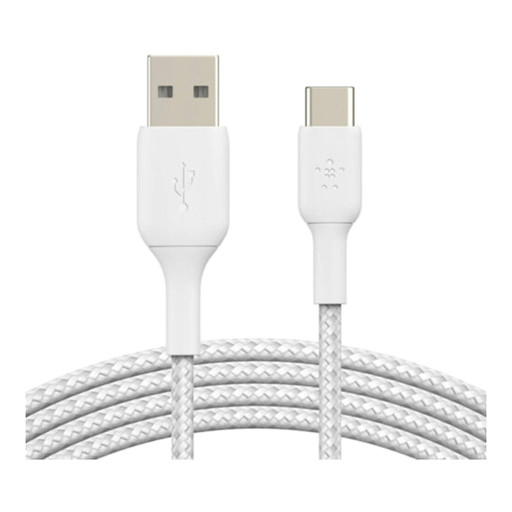
Why It Stands Out
This Belkin cable is the perfect solution to bridge the gap between device generations. It lets you connect a modern USB-C smartphone (like for an iPhone 15 cable or Samsung Galaxy) to a charger or computer with a classic USB-A port. Its braided nylon jacket is a true guarantee of durability, while its USB-IF certification ensures impeccable compliance and safety.
Pros
Who Is It For? For anyone who needs to connect their new USB-C devices to existing USB-A chargers or ports, without compromising on robustness and safety.
See the Belkin Cable on Joybuy.fr
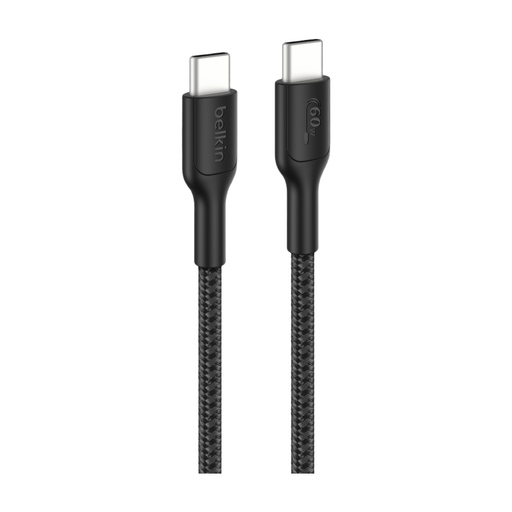
Why It Stands Out
Designed for intensive use, this cable combines length, power, and exceptional durability. At 2 meters, it offers highly convenient freedom of movement, whether you're gaming on a Nintendo Switch while charging or working on your laptop without being tethered to the outlet. Its 60W power output is more than sufficient for most laptops and consoles. The icing on the cake: its braided jacket is made from recycled materials.
Pros
Who Is It For? For gamers, pros, or anyone looking for a long, ultra-robust cable to power energy-hungry devices like a gaming console or a laptop.
See the Belkin Gaming Cable on Joybuy.fr
Our selection covers the most common use cases, but your needs might be different. If you're looking for a different length, a specific colour, or other features, feel free to explore our full catalogue.
Explore our complete range of USB Power Cables on Joybuy.fr
Visually, the USB-C connector is smaller, oval-shaped, and, most importantly, reversible: no more fumbling to plug it in the right way! Beyond its convenience, it surpasses the older USB-A connector (larger, rectangular, and not reversible) by enabling much higher data transfer speeds and charging power.
To be sure, check that the cable clearly states its compatibility with a standard like Power Delivery (PD) or Quick Charge (QC). Also, verify the maximum supported power (e.g., 60W, 100W). Note: for the magic to happen, your charger and device must also be compatible with the same standard!
In theory, a very slight power loss can occur over long distances. But rest assured: with a quality, certified cable, like a 2m cable, this loss is so minimal that it's completely unnoticeable in practice. Ultimately, the quality of the cable's internal components has a much greater impact than its length.