
Livraison le jour même ou le lendemain

Qualité garantie

Débloquez vos offres de bienvenue: Livraison GRATUITE | Jusqu'à -80 % | 30 jours d'essai gratuits à JoyPlus
Téléchargez l'application
That drawer full of cables that never quite work right? We've all been there. One is too short, another charges at a snail's pace... USB-C was supposed to make our lives simpler. But between the different standards, power ratings, and lengths, choosing a simple USB-C to USB-C cable has become a real headache.
This guide is here to clear things up. As a product selection expert at Joybuy, my mission is simple: to give you the keys to finding the perfect cable for your devices and your needs, whether you're on a smartphone, MacBook, or laptop.
Before diving into our selection, let's review the key points that make all the difference.
This is the number one criterion. Expressed in watts (W), the power rating determines how fast your device will charge.
Note: For fast charging to work, your charger and device must also be compatible with the advertised wattage. A good cable isn't everything!
Don't underestimate these two aspects; they determine your daily comfort and the lifespan of your purchase.
In terms of robustness, cables with a TPE (thermoplastic elastomer) sheath are known for their flexibility, while a braided nylon USB-C cable will offer superior resistance to wear, tear, and pesky knots.
Most USB-C cables designed for charging offer a transfer speed of 480?Mbps, the equivalent of USB 2.0. This is more than enough to sync your photos, documents, and music. If you need to transfer multi-gigabyte video files in seconds, you'll need to look for specific cables (Thunderbolt 3/4). But for mixed charge/sync use, 480?Mbps is the de facto standard.
Enough theory, let's get practical! Here are the models that caught our eye, each meeting a specific need.
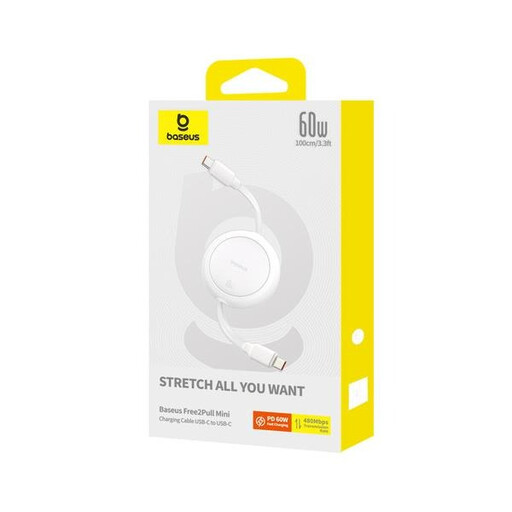
Why it stands out The king of portability. This Baseus cable is designed for those on the move. Compact and lightweight, it slips into any bag without sacrificing charging performance for your everyday devices.
Pros
Who is it for? Travellers and anyone looking for a reliable, discreet cable to charge a smartphone, tablet, or ultra-portable laptop on the go.
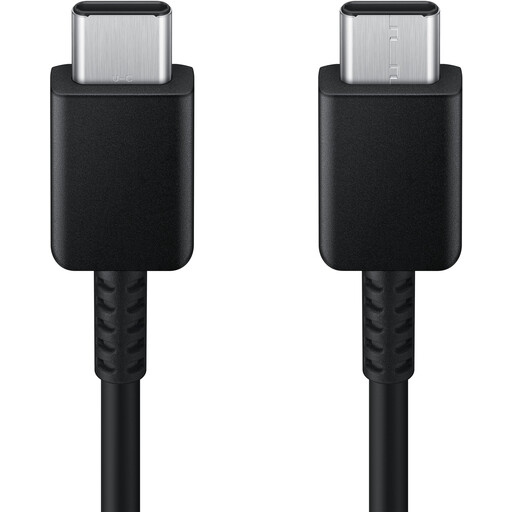
Why it stands out This is peace of mind personified. As an official Samsung product, it guarantees optimal compatibility and safety, not only with the brand's devices but with others as well. Its comfortable 1.8m length is a real bonus.
Pros
Who is it for? Samsung device users who want to take no chances, but also anyone looking for a slightly longer, high-quality cable for home or the office.
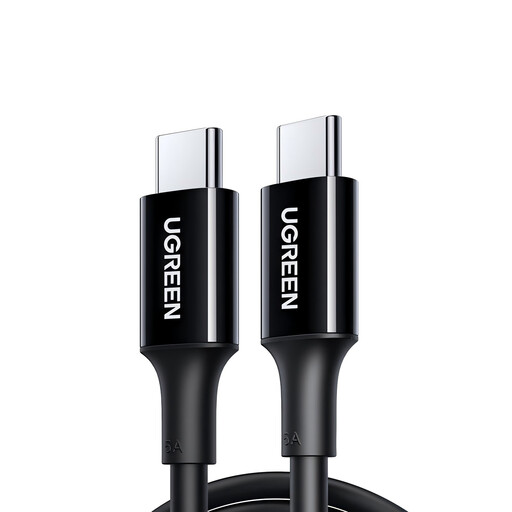
Why it stands out Time for some power! This UGREEN model is aimed at the most demanding users. With its 100W capacity and generous 2-metre length, it's built for the most power-hungry laptops.
Pros
Who is it for? Professionals and students with a cable for MacBook Pro, a powerful PC laptop, or any device requiring 100W. Its long length makes it the king of the desk setup.
USB-C is king, but USB-A hasn't had its last word. Many chargers, computers, and peripherals still use it. If that's your situation, you'll need a suitable cable.
? If you need to connect a USB-C device to a USB-A charger or port, check out our selection of USB-A to USB-C cables.
1. What's the difference between a 60W and a 100W USB-C cable? It's a matter of maximum power output. A 100W cable can deliver more energy. The principle is simple: a more powerful cable can handle less demanding tasks. You can safely use a 100W cable to charge a device that only requires 60W (the power will adjust automatically). The reverse, however, will throttle the charging speed: a 100W device will charge much more slowly with a 60W cable. For a powerful laptop, 100W is therefore almost mandatory.
2. Does a longer USB-C cable charge more slowly? That's an excellent question! In theory, yes, a longer length causes a very slight power loss. But in practice, with quality cables between 1 and 3 metres, this loss is so minimal that it's completely unnoticeable in daily use. No need to worry on this point.
3. Can I use any USB-C cable for my MacBook? Yes, but pay attention to the power rating! It's crucial to use a cable with a wattage at least equal to that recommended by Apple. A MacBook Air will be fine with a 60W cable, but a 16-inch MacBook Pro will require a 100W cable to charge quickly. Using an underpowered cable risks very slow charging, or even seeing the battery drain if you're using the computer intensively.