
Livraison le jour même ou le lendemain

Qualité garantie

Débloquez vos offres de bienvenue: Livraison GRATUITE | Jusqu'à -80 % | 30 jours d'essai gratuits à JoyPlus
Téléchargez l'application
By the Joybuy Team, Your Product Experts | Published July 19, 2026
A cable that charges at a snail's pace, frays after a few months, or is always just a little too short—it's an all-too-familiar scenario. With the universal adoption of USB-C across our smartphones, laptops, and even our gaming consoles, choosing a new cable has become a daunting task. Power, length, durability, compatibility... navigating the jungle of technical specifications can be overwhelming.
This guide is here to bring clarity. Our mission at Joybuy is to give you everything you need to choose the perfect USB-C cable for your devices and your lifestyle, without drowning you in marketing jargon.
Before comparing models, it's essential to understand the three key factors that make all the difference.
A cable's primary job is to charge our devices—as quickly as possible! This speed directly depends on the maximum power, expressed in Watts (W), that it can handle.
Also, remember to check for compatibility with fast-charging protocols like Power Delivery (PD). Pairing a fast-charging USB-C cable with a compatible PD wall adapter is the key to minimizing charge times.
Your daily use case will determine the necessary length and level of durability.
While the reversible and convenient USB-C connector is now the standard, the plug at the other end of the wire is just as crucial.
We've handpicked a few gems for you, chosen for their performance and suitability for different use cases.
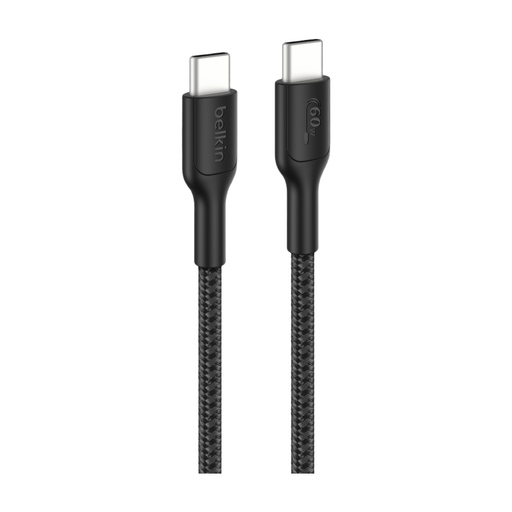
Why it stands out: This cable ticks all the boxes: great length, ample power, and a design built to last. Its braided sheath is made from recycled materials, a real plus for eco-conscious consumers.
Key features:
Who is it for? Ideal for Nintendo Switch 2 or mobile gamers, as well as anyone looking for a long, robust cable for their MacBook or tablet, whether at home or in the office.
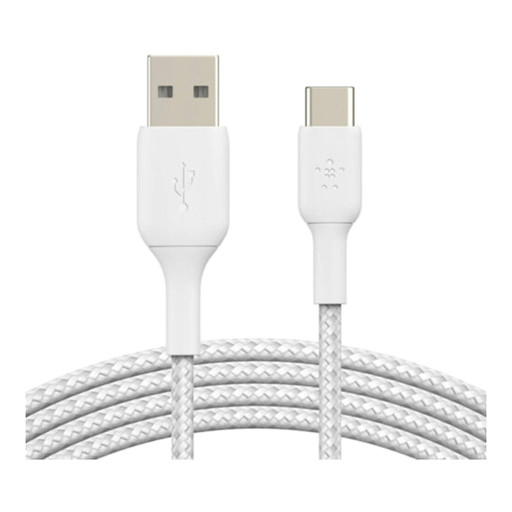
Why it stands out: The perfect solution to bridge the gap between old and new devices. It lets you connect a modern smartphone to a myriad of chargers and computers still equipped with classic USB-A ports.
Key features:
Who is it for? For anyone who wants to charge their iPhone 16 or Samsung S25 with their existing USB-A chargers, or sync data with an older laptop.
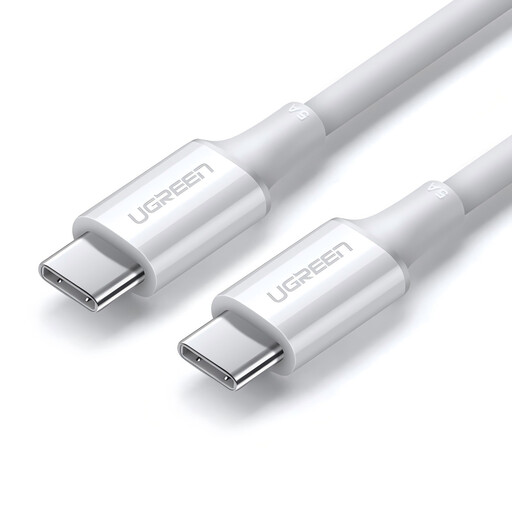
Why it stands out: Its ability to deliver 100W makes it the champion for power-hungry devices, especially professional-grade laptops.
Key features:
Who is it for? For professionals and creatives using a MacBook Pro or any other laptop that requires 100W of power to operate and charge at full capacity.
Our selection covers the most common needs, but your situation might be unique. Whether you need a different length, a specific color, or special features, many other models are available.
Explore our complete collection of cables and cords to find the model that perfectly meets your needs.
It all depends on the device you're charging. For a smartphone like the Samsung S25, a 30W cable is a good baseline for fast charging. For a tablet or an ultrabook, aim for 45W to 60W. For a powerful laptop like a MacBook Pro, a 100W USB-C cable is often essential. Remember, while the cable must support the wattage, it's the charger that actually provides the power!
While the connector is universal, performance varies dramatically. A cable designed for a smartphone won't necessarily be able to charge a laptop at its maximum speed. Always check the supported power (W) and data transfer speed (Gbps). The USB-IF (USB Implementers Forum) certification logo is your best guarantee of compliance and safety.
A durable braided cable has an outer sheath made of textile fibers (like nylon or PET). This acts as a protective shield, guarding the internal wires against daily wear and tear: repeated bends, friction, and twists. Some manufacturers list the number of bend cycles their cables can endure, which is a great indicator of their durability for heavy use.