
Livraison le jour même ou le lendemain

Qualité garantie

Débloquez vos offres de bienvenue: Livraison GRATUITE | Jusqu'à -80 % | 30 jours d'essai gratuits à JoyPlus
Téléchargez l'application
A frayed cable, frustratingly slow charging, a cord too short to be practical… Choosing a simple USB-C to USB-C cable can quickly become a headache. Faced with a jungle of standards, power ratings, and materials, it's easy to get lost. This guide is here to give you the keys to making an informed choice, whether you're looking to power your smartphone, tablet, or laptop.
As a product expert at Joybuy, my mission is to decode the technical jargon for you so you can make the right choice with complete confidence.
Before diving into our selection, let's review the key points for finding the perfect cable for your devices and daily routine.
This is the number one criterion: the maximum power, expressed in watts (W), that your cable can handle.
The key technology to look for is Power Delivery (PD). This standard enables intelligent communication between the charger, cable, and device to deliver optimal power safely. Make sure your charger and device are also PD-compatible to enjoy all its benefits.
Cable length is, above all, a matter of daily convenience.
A braided USB-C cable made of nylon or composite materials offers far superior resistance to repeated twists and bends than a standard plastic cable. It's a smart investment for nomads and anyone tired of replacing their cables too often.
If you regularly transfer large files (4K videos, RAW photos), transfer speed becomes an important criterion. Most standard charging cables are limited to the USB 2.0 standard, with speeds capping out at 480 Mbps. This is sufficient for basic syncing, but for lightning-fast transfers, you'll need to look for cables compatible with USB 3.1, 3.2, or even Thunderbolt. In this guide, we are focusing on cables optimized for charging, which cover the vast majority of needs.
We have selected three models that stand out for their reliability, performance, and suitability for specific uses.
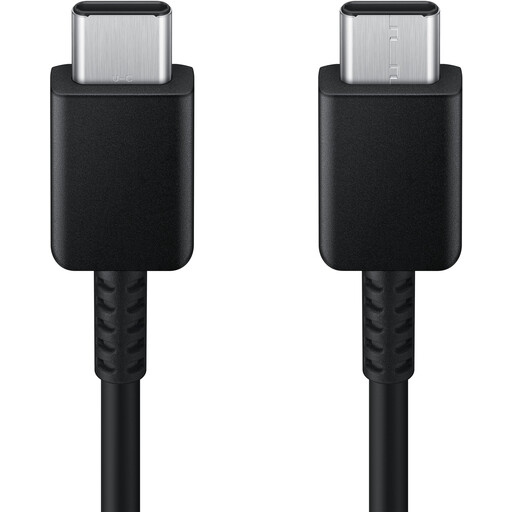
Why it stands out: This official Samsung cable is a guarantee of quality and compatibility. By choosing an accessory from the same brand as your device, you are assured of optimal performance and safety, compliant with the manufacturer's standards.
Key features:
Who is it for? This is the peace-of-mind choice for Samsung device owners and for anyone looking for a reliable and convenient cable for daily use with a smartphone or tablet.
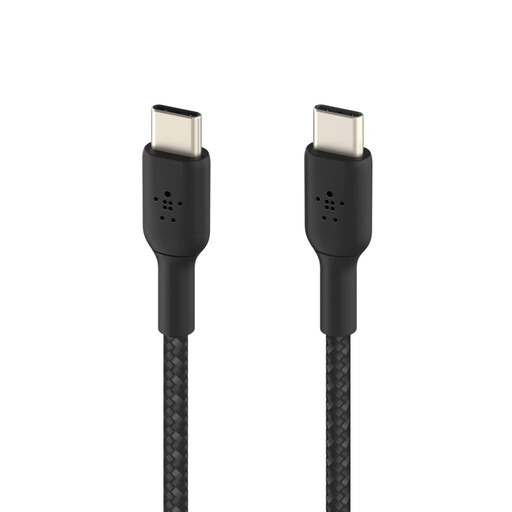
Why it stands out: Belkin focuses on durability. This braided cable is designed to withstand the rigors of daily use and has been tested, according to the manufacturer, to endure over 30,000 bends. Eco-friendly bonus: its design incorporates recycled plastics.
Key features:
Who is it for? For nomads, frequent travellers, and anyone tired of buying fragile cables. It's the ultimate choice for longevity.
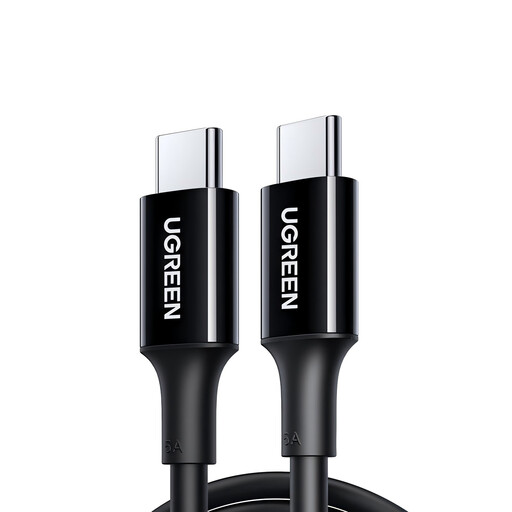
Why it stands out: Its ability to deliver up to 100W of power makes it a versatile and future-proof solution. It can charge everything from a smartphone to a powerful laptop, all with a convenient 2-meter length.
Key features:
Who is it for? This is the do-it-all cable, essential for owners of USB-C charging laptops. It's also the ideal solution for using just one cable to quickly charge all your devices, from the smallest to the most powerful.
If your charger or one of your older devices has a USB-A port (the classic rectangular port), a USB-C to USB-C cable won't be compatible. Don't worry, there are solutions for connecting your modern devices to more traditional power sources.
? Discover our selection of USB-A to USB-C cables to find the right model for you.
1. What is the difference between a 60W and a 100W USB-C cable?
The difference is the maximum power the cable can safely carry. A 60W cable is sufficient for smartphones, tablets, and some small laptops. A 100W cable, however, is necessary to power more powerful laptops that require more energy to operate and recharge. Rest assured, using a 100W cable on a device that only requires 30W is not a problem: the Power Delivery technology automatically adjusts the power output.
2. Are all USB-C cables the same for fast charging?
No. To benefit from fast charging, a holy trinity of compatibility must be met: the device (smartphone, etc.), the wall charger, and the cable must all be compatible. A cable certified for fast charging (like those supporting Power Delivery) is essential, but it will never deliver its full power if the charger is a standard 5W model.
3. Does a longer USB-C cable charge more slowly?
In theory, a very long cable can cause a negligible loss of power, but over common lengths (1, 2, or even 3 meters), the difference is completely unnoticeable in practice. Quality cable manufacturers compensate for this loss to ensure a stable charge. Therefore, the choice of length should primarily be a matter of convenience.