
Livraison le jour même ou le lendemain

Qualité garantie

Débloquez vos offres de bienvenue: Livraison GRATUITE | Jusqu'à -80 % | 30 jours d'essai gratuits à JoyPlus
Téléchargez l'application
A USB-C 65W charger can power a laptop, tablet and smartphone with just one adapter. But the number on the box doesn’t tell the whole story. Power shared between ports, a missing or unsuitable cable, an incompatible charging protocol – a few small details can turn a great deal into a disappointing purchase.
This guide will help you compare the essential features of a fast 65W charger, avoid the most common pitfalls, and find the model that truly matches how you use your devices.
A charger advertised at 65W doesn’t necessarily deliver 65W to every device you plug in. On a multi-port model, the available power is usually shared between the outputs. The Baseus Small Cube Pro, for example, splits 45W + 20W between its two USB-C ports, while some USB-A ports may be limited to a lower output.
If you plan to charge a laptop while also powering a smartphone, check the actual power available when two or three ports are in use at the same time.
A standard USB-C cable isn’t automatically capable of handling a 65W charge. To get the most out of a mains adapter designed for a laptop, choose a USB-C 100W cable or one that clearly states its maximum current and power rating.
Some chargers are sold without a cable, like the Bluestork white model. Others, such as the Bluestork versions with a cable or the Greenworks kits, include a compatible one. This difference can affect the total cost of your setup.
GaN (gallium nitride) technology generally allows chargers to be smaller than traditional models. That doesn’t stop them from heating up when running at full power. Always place the charger in an open space, on a stable surface, away from fabrics, water and heat sources.
To power a laptop via USB-C, look for an output that supports Power Delivery, often listed as PD 3.0. This protocol lets the charger and device automatically negotiate the right voltage and current. The actual power received depends on the capabilities of the laptop, the cable and the charger.
A 65W PD 3.0 charger works well with many compatible ultraportables, tablets and smartphones. It won’t necessarily replace the charger supplied with a more powerful computer or one that requires higher wattage.
USB-A ports remain handy for older cables, headphones, cameras and various accessories. A multi-port USB-C and USB-A charger can save you from carrying several adapters.
Also check whether the secondary ports support PD, QC or just standard charging. Terms like QC 3.0, PPS and PD 3.0 are not interchangeable – compatibility depends on the device you connect.
An input of 100–240V, 50/60Hz means you can use the charger in many countries, provided you have the right plug adapter. When you’re on the move, weight, size and whether it has a built-in cable can matter just as much as the advertised power.
A universal 65W adapter with EU, UK, US and Australian plugs can be especially handy for travellers. Bear in mind, though, that a travel adapter doesn’t necessarily convert voltage. Check separately that your devices can handle the voltage in the country you’re visiting.
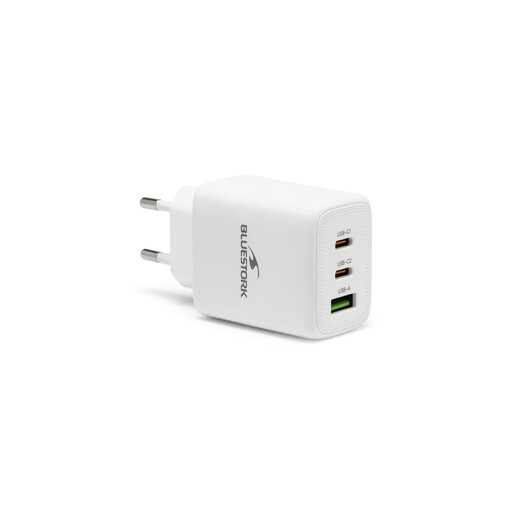
Why it suits this profile: this USB-C mains charger delivers 65W and includes a USB-C PD 3.0 port plus a USB-A QC 3.0 port. The supplied cable means you can use it straight away.
The product page details the ports and protocols, and clearly states that the cable is included. You can assess the full setup before ordering.
65W advertised, 100–240V input and two wired ports. A size that works with a phone, tablet or compatible USB-C laptop.
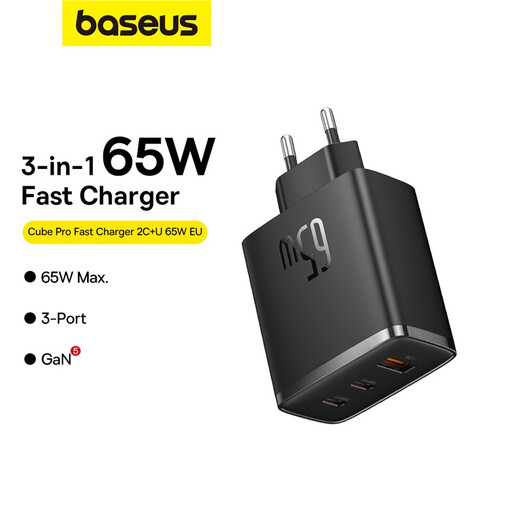
Why it suits this profile: this GaN 65W charger offers two USB-C ports and one USB-A port. Between the two USB-C ports, the advertised power is split as 45W + 20W.
The different power-sharing scenarios are explained on the product page. So there’s no risk of assuming each port always delivers 65W.
GaN5 technology, three outputs and up to 65W on the main USB-C port, depending on the configuration used.
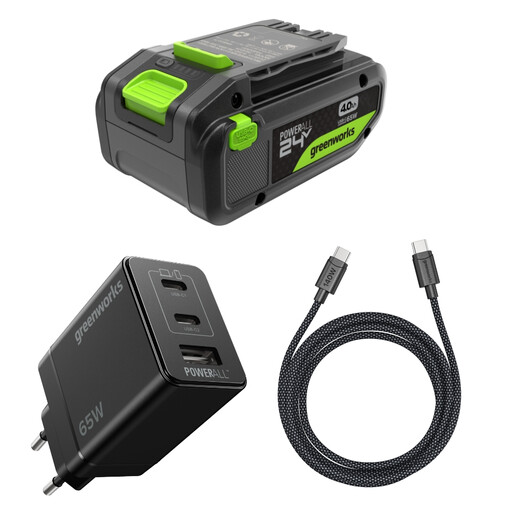
Why it suits this profile: this kit combines a GaN II 65W charger, a USB-C 100W cable and a 24V battery with a bidirectional USB-C port. It’s designed for Greenworks tool users who also want to power their mobile devices away from a mains socket.
The right cable is included, and the product page clearly distinguishes between charging the battery and powering other devices via USB-C.
4Ah lithium-ion battery, advertised compatibility with the Greenworks 24V range and a 1-metre USB-C 100W cable.
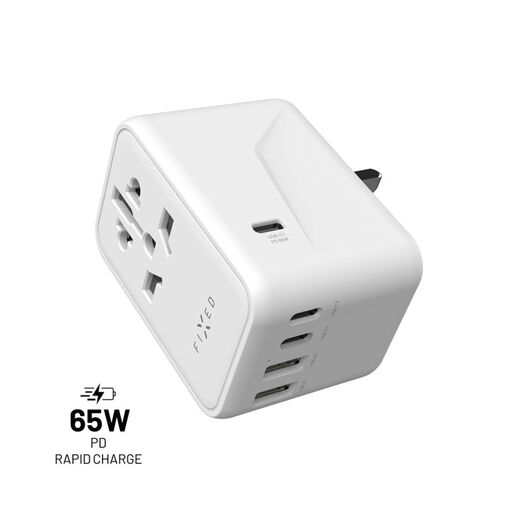
Why it suits this profile: its built-in plugs for the EU, UK, US and Australia, plus five USB ports, mean you can travel with fewer accessories.
The product page states that the 65W is shared between the different ports and reminds you that the device does not convert voltage.
100–240V input, three USB-C ports, two USB-A ports and a built-in plug selector.
We’ve put together a full selection, updated in real time, of products that meet these demanding criteria and European safety standards.
It can work with many USB-C laptops that support the PD protocol. However, check the power recommended by the manufacturer. A laptop that requires 90W or more may charge slowly, only maintain its battery level, or not work properly with a 65W charger.
Yes, as long as the charger has multiple ports and its power is distributed correctly. When several outputs are in use, each device may receive less power. Check the model’s power-sharing table before plugging in your devices.
It depends on build quality, how often you use it, ventilation and storage conditions. Avoid moisture, high temperatures and damaged cables. If the charger develops a crack, an unusual smell, loose prongs or abnormal overheating, stop using it and replace it.