
Livraison le jour même ou le lendemain

Qualité garantie

Débloquez vos offres de bienvenue: Livraison GRATUITE | Jusqu'à -80 % | 30 jours d'essai gratuits à JoyPlus
Téléchargez l'application
By the Joybuy editorial team, your high-tech guide.
Navigating your tablet, taking lecture notes, or jotting down an idea on the fly? For all these tasks, our fingers sorely lack precision. The touchscreen stylus has become an essential accessory. But between the overwhelming number of available models and the sometimes prohibitive prices of brand-name styluses like the Apple Pencil, it's hard to know where to start. How do you make the right choice?
This guide is here to help. We've vetted several models to help you find the perfect universal tablet stylus: one that's compatible with all your devices (iPad, Android, etc.), fits your budget, and makes no compromises on essential features.
Before diving into our selection, here are the key points to check to ensure you make the right choice.
This is the number-one criterion that everything else depends on. There are two main families of styluses:
It all depends on what you plan to do with it.
For an active stylus, battery life is obviously a crucial factor. A good rechargeable stylus should last for several hours of intensive use. Most recent models charge via a USB Type-C port, which is very convenient for using a single cable for all your devices. Some models also feature an auto-sleep function to conserve battery.
We've selected a few gems that stand out for their versatility and excellent value for money.
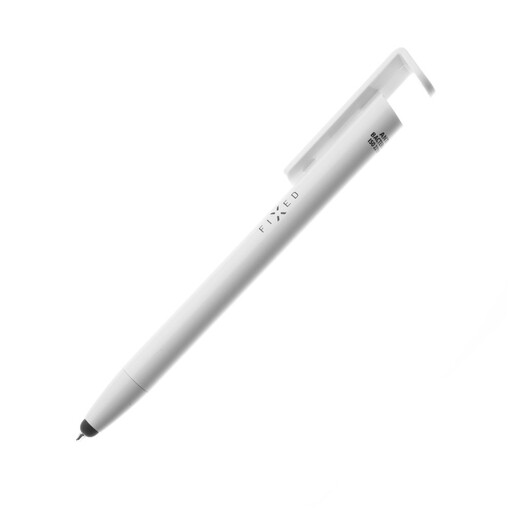
Why it stands out: More than just a stylus, the FIXED Pen is a true digital Swiss Army knife. It combines a passive rubber-tipped stylus, a traditional ballpoint pen, and a stand for your smartphone or tablet. The bonus? It has an antibacterial surface, perfect for hygienic daily use.
Key features:
Who is it for? Ideal for those looking for a simple, reliable, and all-purpose tool for navigation, basic note-taking, and daily tasks. It's an excellent travel or office companion.
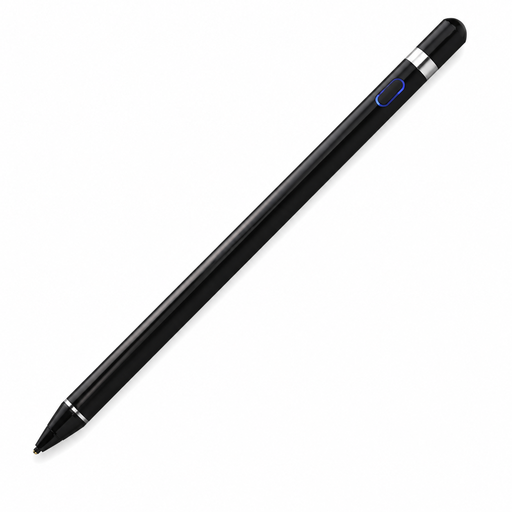
Why it stands out: The VoxorAI HL-U05 is an active stylus that promises a high-precision writing and drawing experience across a wide range of devices (iOS, Android, Microsoft). With its fine tip and excellent responsiveness, it establishes itself as a true precision stylus. According to the manufacturer, it can convert handwriting to text via a dedicated app.
Key features:
Who is it for? Perfect for students and professionals who juggle digital notes and will appreciate its text conversion feature. It's also suitable for amateur creatives looking for a precise drawing stylus.
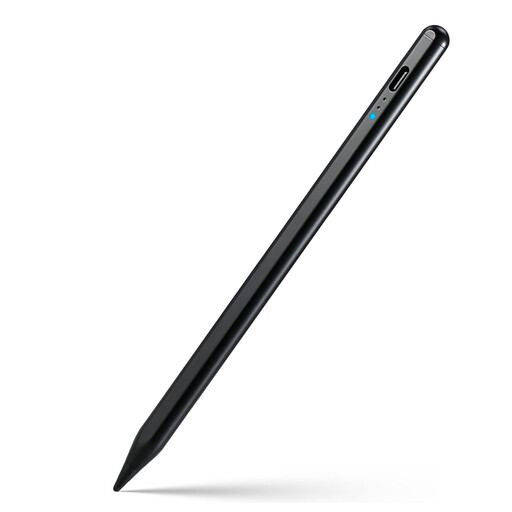
Why it stands out: The Rexsun KD503A stylus packs advanced features usually found on much more expensive models. With palm rejection and tilt sensitivity, it offers a very natural writing and drawing experience. Its magnetic attachment is a practical bonus for carrying it around.
Key features:
Who is it for? For creatives, designers, and all demanding users looking for a truly high-performance alternative to the Apple Pencil without breaking the bank. Its features make it an excellent choice for drawing, annotating documents, and intensive note-taking.
Our selection focuses on versatile models, but your needs might be more specific, especially if you're an artist. Artists, illustrators, designers: if you're looking for more specialized tools, feel free to explore our full catalogue.
Discover our complete collection of sketching pens for drawing to find the tool that will bring your creative projects to life.
Yes, most so-called "universal" styluses are actually passive (capacitive) styluses. They therefore work with any iPad, as the screen reacts to contact in the same way it does with a finger. For universal active styluses, however, it's crucial to carefully check the compatibility list provided by the manufacturer, but many recent models support iPads alongside Android devices.
A passive stylus has no electronics. It simply simulates the touch of a finger on the screen. It is therefore universal but limited in functionality. An active stylus, on the other hand, integrates a battery and components that communicate with the tablet. This allows it to offer advanced features like pressure sensitivity, tilt sensitivity, or palm rejection for a much more precise and natural experience.
Not at all! Of course, brand-name styluses (like the Apple Pencil or Samsung's S Pen) are perfectly optimised for their ecosystem and guarantee seamless integration. However, many third-party styluses, like the ones in our selection, now offer very similar performance and features for a much friendlier price. They represent excellent alternatives for the majority of users.