
Livraison le jour même ou le lendemain

Qualité garantie

Débloquez vos offres de bienvenue: Livraison GRATUITE | Jusqu'à -80 % | 30 jours d'essai gratuits à JoyPlus
Téléchargez l'application
By the Joybuy Team, your high-tech and lifestyle experts
Spending hours glued to an office chair has become the norm for many professionals, especially with the widespread adoption of remote work. In this context, fitting physical activity into a packed schedule can be a real challenge. This is where the under-desk treadmill comes in: the ideal solution for combating a sedentary lifestyle without leaving your workstation.
In this guide, we break down the essential criteria to help you find the perfect model for your space and your pace.
Before you dive in, it's crucial to understand the features that will make all the difference in your daily routine. Let's focus on three key points.
The main advantage of an under-desk treadmill is its ability to blend in seamlessly. Before buying, take the time to measure the available space under your desk (height, width, depth).
Whether you're in an apartment or an open-plan office, silence is golden. A quiet walking pad is essential to avoid disturbing your neighbours, colleagues, or your own concentration during a video conference.
For those who love to quantify their efforts, a connected walking pad is a real bonus. Bluetooth connectivity allows you to sync the treadmill with smartphone apps to track duration, distance, speed, calories burned, and for some models, even access virtual courses.
To help you decide, we've reviewed three models that cater to very different needs.
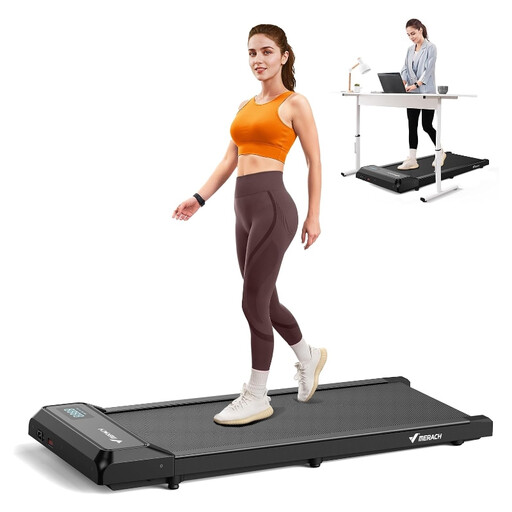
Why it stands out: This model impresses with its unibody design made from aerospace-grade alloy and its ABS+PC shell. This unique structure effectively reduces vibrations and noise, making it an excellent choice for quiet environments.
Pros:
Who is it for? For users who prioritise silence and a sleek design, and who want a simple, effective device to integrate walking into their workday without any hassle.
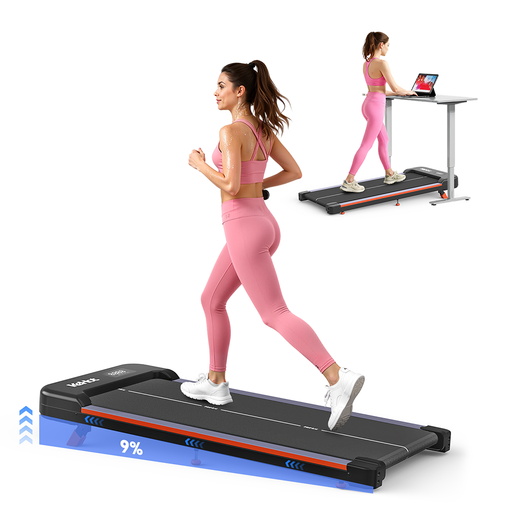
Why it stands out: The standout feature of this walking pad is its fixed 9% incline. This slope simulates walking uphill, which is ideal for further engaging leg muscles and intensifying your exercise without having to run.
Pros:
Who is it for? For those who want to get the most out of their walking sessions and enjoy the challenge of an incline. It's also an excellent choice for fans of virtual fitness apps.
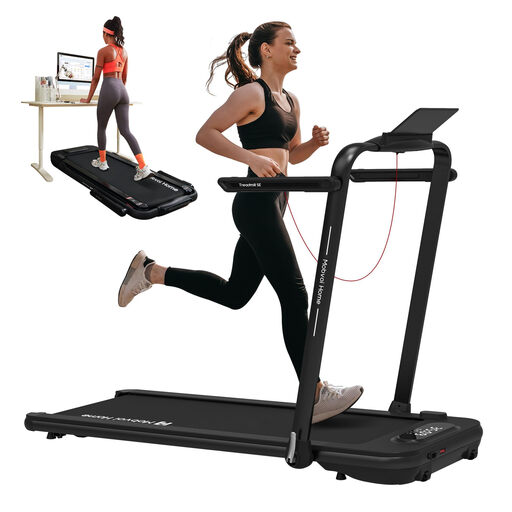
Why it stands out: This model is a truly versatile machine. It functions as an under-desk walking pad (up to 6 km/h) but transforms into a high-performance treadmill (up to 12 km/h) thanks to its foldable handrail.
Pros:
Who is it for? For users looking for an all-in-one device that can handle gentle activity at the office as well as dynamic running workouts at home.
Our selection is just a preview. If you have specific needs or are simply curious, many other solutions are available.
? Discover our full range of office fitness equipment
For working comfortably, a speed between 1 and 3 km/h is generally recommended. This allows you to stay active without hindering your concentration, whether you're typing or using your mouse. Higher speeds, up to 6 km/h, are perfect for a brisk walk during a break or while listening to a podcast.
Yes, models designed for this purpose are much quieter than traditional treadmills. They incorporate motors and cushioning systems that reduce noise, often keeping it below the 60 dB mark. The sound can vary depending on the speed, user weight, and flooring. Using a suitable floor mat is a good tip to dampen vibrations even further.
Absolutely, although a short adjustment period is sometimes necessary. Tasks that don't require high manual precision (reading documents, managing emails, participating in video conferences) are perfectly compatible with walking. For more detailed activities like graphic design or coding, it's better to take a break from walking. Alternating between walking and sitting remains the best approach.