
Livraison le jour même ou le lendemain

Qualité garantie

Débloquez vos offres de bienvenue: Livraison GRATUITE | Jusqu'à -80 % | 30 jours d'essai gratuits à JoyPlus
Téléchargez l'application
Switching from a standard monitor to an ultrawide gaming monitor revolutionises the gaming experience. No more feeling cramped on a 16:9 aspect ratio! The 21:9 (or even 32:9) format expands your field of view to immerse you in the heart of the action, whether in RPGs, strategy games, or racing sims. It's also a major asset for productivity, offering a much more comfortable workspace for multitasking.
The only problem? The market is saturated with options, and spec sheets are often complex. Between resolution, refresh rate, and synchronisation technologies, it's easy to get lost. This guide is here to break down the essential criteria and present our selection of the best current models, helping you make an informed choice without unnecessary jargon.
Before diving into our selection, let's review the key criteria to check to ensure your choice perfectly matches your needs and your PC setup.
The ultrawide format comes in several sizes and resolutions. A 34-inch UWQHD (Ultra-Wide Quad HD, 3440?x?1440 pixels) monitor is currently the perfect compromise for most gamers. It offers excellent pixel density for a sharp, detailed image without requiring a top-of-the-line graphics card to run smoothly. For more modest setups, the WFHD (2560?x?1080) format remains an accessible entry point. At the other end of the spectrum, "Super Ultrawide" monitors in Dual QHD (5120?x?1440) provide spectacular immersion, ideal for a wide screen for simulation, but they demand a very powerful PC build in return.
For a truly smooth gaming experience, two specs are crucial:
Also, check for compatibility with adaptive sync technologies. An AMD FreeSync monitor or a G-Sync compatible PC monitor synchronises the monitor's refresh rate with your graphics card's frame rate to eliminate screen tearing.
A curved gaming monitor enhances immersion by wrapping around your field of view, which helps reduce eye strain during long sessions. Also, consider the connectivity. A monitor with a USB-C hub is a game-changer for laptop users: a single cable handles the display, data, and charging for your machine. It's ideal for keeping a clean and tidy desk.
Here are a few models that stand out from the crowd, designed for different types of gamers and professionals.
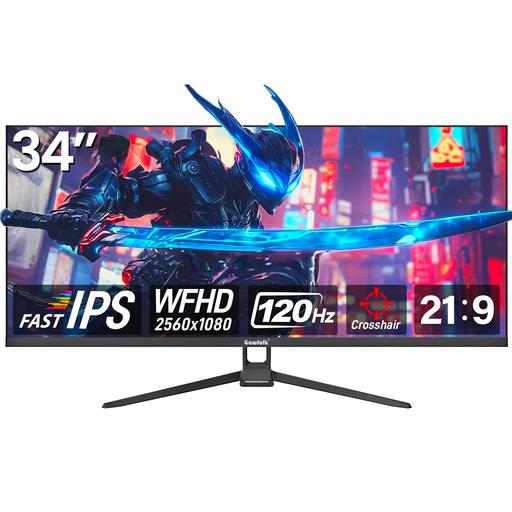
Why it stands out: This Gawfolk monitor is an interesting option for entering the ultrawide world without breaking the bank. Its WFHD (2560x1080) resolution is less demanding on the graphics card than UWQHD, while still offering 30% more screen real estate than a standard 16:9 monitor. Its Fast-IPS panel ensures good viewing angles and accurate colours.
Pros:
Who is it for? Ideal for gamers looking to get started with the ultrawide format on a mid-range PC build. It's also perfect for remote workers and content creators who want more screen space for multitasking, all at an affordable price point.
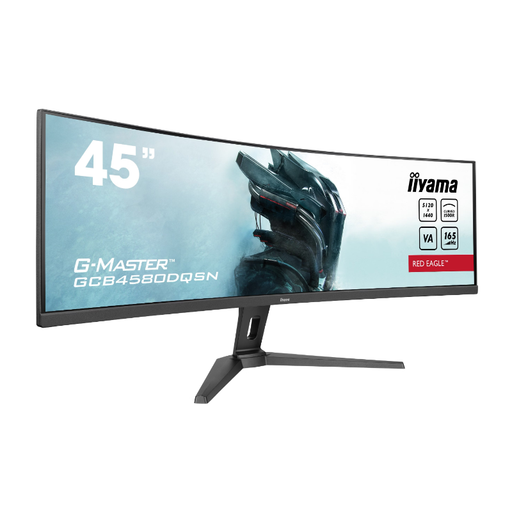
Why it stands out: This iiyama model is a true command station. With its massive 44.5-inch diagonal and Dual QHD (5120?x?1440) resolution, it's an excellent replacement for a dual-monitor setup. Its pronounced 1500R curve and 32:9 aspect ratio deliver panoramic immersion. It's a monster of versatility, thanks to its KVM switch and USB-C docking station that provides up to 95W of power.
Pros:
Who is it for? For simulation enthusiasts (racing, flight) and professionals (developers, video editors) who demand a colossal workspace and flawless connectivity, without sacrificing in-game performance.
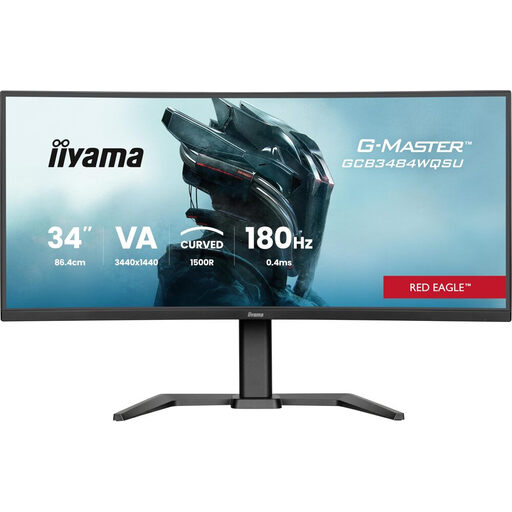
Why it stands out: This monitor strikes an excellent balance between immersion, performance, and resolution. Its 34-inch UWQHD (3440?x?1440) format is the de facto standard for ultrawide gaming. It takes smoothness to the next level with a 180?Hz refresh rate, making it a top-tier choice for competitive games and the most fast-paced titles.
Pros:
Who is it for? For the versatile gamer who wants both total immersion in adventure games and a decisive advantage in FPS titles, thanks to top-tier smoothness and responsiveness on an ultra-detailed resolution.
Our selection highlights models for very specific uses. If you don't see what you're looking for or need a different format, many alternatives exist. For a complete overview of what's available, feel free to explore our dedicated category.
? Explore our collection of QHD gaming monitors
Ultrawide monitors shine in most modern genres: RPGs, MMOs, strategy, racing, and simulation games, where the expanded field of view is a real asset for immersion. However, be aware that some older games or highly competitive esports titles (like Valorant or CS:GO) do not natively support 21:9 and will display black bars on the sides.
The UWQHD resolution (3440?x?1440) is about 34% more resource-intensive than standard QHD (2560?x?1440). To enjoy it at 144?Hz or higher with graphics settings maxed out, a powerful graphics card is recommended. Models like an NVIDIA GeForce RTX 4070 or an AMD Radeon RX 7800 XT (or their future equivalents) are an excellent starting point.
These two technologies (from AMD and NVIDIA) are crucial for gaming. They synchronise the monitor's refresh rate with the number of frames per second generated by the graphics card. The result? A perfectly smooth gaming experience, free from stuttering and tearing that occur when the monitor and graphics card are out of sync. The good news is that many FreeSync monitors are now certified as "G-Sync Compatible," giving you complete freedom in your choice of graphics card.