
Livraison le jour même ou le lendemain

Qualité garantie

Débloquez vos offres de bienvenue: Livraison GRATUITE | Jusqu'à -80 % | 30 jours d'essai gratuits à JoyPlus
Téléchargez l'application
For competitive gamers, every gram and every millisecond counts. Finding the perfect ultra-lightweight wireless gaming mouse isn't just a whim—it's a quest for the ultimate weapon to boost responsiveness, improve precision, and gain the upper hand. But in a market saturated with lengthy spec sheets, it's tough to separate genuine innovation from marketing fluff. This guide is here to decode the criteria that truly matter and present a selection of models that stand out from the crowd. Our goal: to help you make the right choice, fully informed.
Before diving into our top picks, let's review the key technical points to guide your decision.
Weight is, of course, the name of the game. A lightweight FPS mouse, ideally under 60 grams, allows for swifter movements and reduces fatigue during long gaming sessions. This lightness is the key to the lightning-fast micro-adjustments so crucial in FPS titles. But be warned, lightness alone isn't enough. An ergonomic gaming mouse must first and foremost fit your grip style (palm, claw, or fingertip) to ensure optimal comfort and control. Materials like magnesium alloy or honeycombed shells are instrumental in achieving this feather-light weight without sacrificing durability.
The core of a high-performance mouse is its sensor and connectivity duo. The specs to keep an eye on are:
Here are three models that tick all the boxes for the most demanding gamers, each with its own unique strengths.
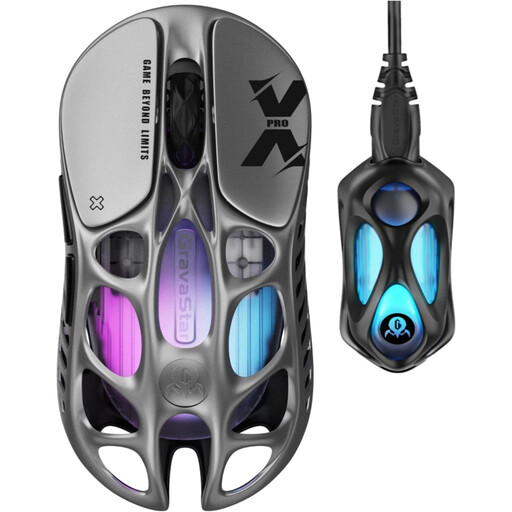
Why it stands out: The Mercury X Pro is the fusion of a feather-light weight and a cutting-edge spec sheet. Its honeycombed magnesium alloy shell provides stunning lightness and rigidity, while its 8K dongle pushes responsiveness to its absolute limits.
Highlights:
Who is it for?: For FPS enthusiasts and gearheads who hunt down every last millisecond of latency and want a bold design that makes no compromises on durability.
See details for the GravaStar Mercury X Pro
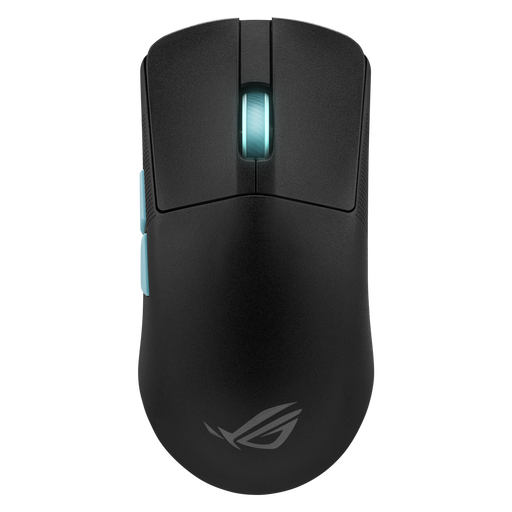
Why it stands out: Born from a collaboration with esports pros and the creators of Aim Lab, this mouse is engineered entirely for pure performance. Its Armoury Crate software even goes as far as analysing your playstyle to suggest the perfect settings.
Highlights:
Who is it for?: For competitors who rely on data to fine-tune their settings and prefer a clean design with proven ergonomics.
See details for the Asus ROG Harpe Ace
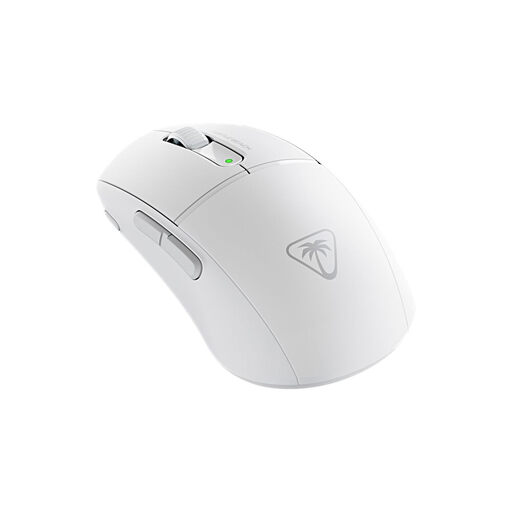
Why it stands out: Weighing in at just 47 grams, the Burst II Air is one of the most formidable featherweights on the market. It features Titan Optical Switches for near-instant actuation and rock-solid durability, all packed into a comfortable ergonomic shape for right-handed users.
Highlights:
Who is it for?: For gamers who prioritise lightness above all else, but without compromising on click responsiveness or battery life.
See details for the Turtle Beach Burst II Air
Ultra-lightweight mice often stick to the essentials with a minimal button count, which is ideal for FPS games. If you're more of an MMO or MOBA fan and need more macros and shortcuts under your thumb, other models will be a better fit.
? Explore our selection of 9-side-button gaming mice for more versatility.
A feather-light weight reduces inertia. In practical terms, the mouse starts, stops, and changes direction faster, with less effort. For players who use arm aiming (large arm movements at low sensitivity), this translates to less muscle fatigue and therefore greater endurance during gaming marathons.
An 8000?Hz polling rate means the mouse reports its position to the computer every 0.125?ms, compared to 1?ms for a 1000?Hz model. While the difference is technically real, its in-game perception will depend on your own sensitivity and your monitor (a 240?Hz or higher display is almost mandatory to benefit from it). For a pro player, this tiny reduction in latency can represent a marginal, yet decisive, advantage.
Definitely not, at least for modern gaming models that use a 2.4?GHz connection. Proprietary technologies (like ROG SpeedNova) and low-latency dongles have reached such a high level of performance that it's impossible to tell them apart from a wired connection in a blind test. Bluetooth remains a convenient option for office work or on the go, but its higher latency disqualifies it for competitive play.
By the Joybuy Product Recommendation Officer