
Livraison le jour même ou le lendemain

Qualité garantie

Débloquez vos offres de bienvenue: Livraison GRATUITE | Jusqu'à -80 % | 30 jours d'essai gratuits à JoyPlus
Téléchargez l'application
Mounting your television on the wall is the ideal solution to save space and give your living room a modern upgrade. But with the sheer number of models available, choosing the right TV wall mount can quickly become a daunting task. Between the safety of the installation, compatibility with your screen, and the type of wall you have, there's no room for error.
Follow our guide: we'll give you everything you need to choose a TV wall bracket that is robust and perfectly suited to your needs, with complete peace of mind.
Before you break out the drill, three checks are essential for a safe and long-lasting installation.
The VESA (Video Electronics Standards Association) standard refers to the distance in millimetres between the four mounting holes on the back of your television. It's THE number one compatibility factor.
Warning: not all walls are created equal! The strength of your wall is crucial for the safety of your installation.
The choice depends on how much flexibility you need.
For this guide, we are focusing on fixed and tilting models, which combine durability, a discreet profile, and simple installation.
We have selected tried-and-tested models for you, renowned for their robust design and excellent value for money.
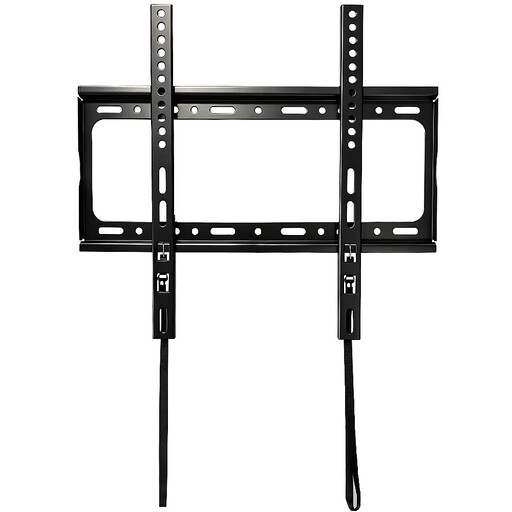
Why we love it: This model stands out for its solid steel construction (2.9 mm) and great versatility. Its one-piece structure and safety lock system make it a particularly reassuring choice.
Key features:
Who is it for?: Those looking for a fixed, discreet, and ultra-safe solution for a standard to large-sized television, whether in the living room or bedroom.
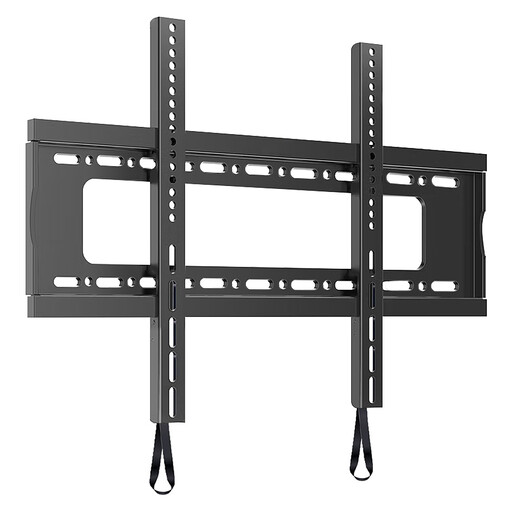
Why we love it: Built for XXL screens, this mount is a beast of durability. Its extra-wide (660 mm) mounting plate distributes the load perfectly, while its 85 kg capacity and VESA 600x600 compatibility make it ideal for the largest home cinema setups.
Key features:
Who is it for?: Owners of very large televisions (60 inches and up) who want to make no compromises on safety. Installation on a load-bearing concrete wall is mandatory.
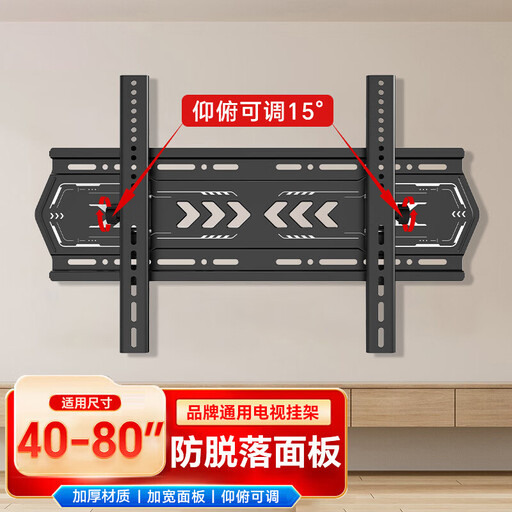
Why we love it: It adds that little touch of flexibility that makes all the difference. Its vertical tilt function is perfect for eliminating glare or optimising the viewing angle if the TV is placed up high.
Key features:
Who is it for?: Those who want a bit more flexibility than a fixed mount without sacrificing the discreet profile and security of an installation on a solid wall.
Doesn't our selection meet your needs? If you're looking for a different size or a specific design, take a look at our complete category of fixed wall mounts. You'll find a much wider selection there for all types of screens.
1. How do I know if my wall is strong enough for a TV mount? Try the knock test: tap on the wall. Does it sound hollow? It's likely a light partition wall (like drywall), which should be avoided for a heavy mount. Does it sound solid and dull? Bingo, it's a load-bearing wall made of concrete or brick, perfect for mounting. If you have any doubts, drill a small test hole in a discreet spot or, better yet, consult a professional.
2. What exactly is the VESA standard? It's simply your TV's mounting "ID card." This international standard defines the distance in millimetres between the 4 screw holes on the back of the screen (e.g., 400 x 400 mm means 40 cm apart horizontally and vertically). Your TV wall mount must be compatible with your television's VESA standard—it's non-negotiable.
3. Can I install my TV wall mount myself? If you're reasonably handy with tools (hammer drill, spirit level, etc.), installation is definitely possible. Read the instructions carefully, choose the right wall plugs for your wall, and most importantly, don't try to be a hero: get a second person to help you handle and hang the TV, especially if it's large. Safety first