
Livraison le jour même ou le lendemain

Qualité garantie

Débloquez vos offres de bienvenue: Livraison GRATUITE | Jusqu'à -80 % | 30 jours d'essai gratuits à JoyPlus
Téléchargez l'application
Mounting your TV on the wall promises an uncluttered living room and instant space-saving benefits. But be warned: choosing the right TV wall mount can quickly become a headache. Between the jungle of standards, the variety of models, and marketing jargon, it's easy to make a mistake. And a poor choice doesn't just ruin your movie nights: it poses a real danger to your precious television, and to your family.
As a product expert at Joybuy, my mission is to help you see things more clearly. Let's cut through the technical jargon and get straight to the point so you can make the right choice with complete peace of mind.
Before you start, keep these beginner mistakes in mind, as they can be costly in both time and money.
To avoid these setbacks, a checklist is essential. Here are the three points to validate before you check out.
The VESA (Video Electronics Standards Association) standard defines the distance in millimetres between the four mounting holes on the back of your television (e.g., 200x200?mm, 400x400?mm). This is the number one, non-negotiable compatibility criterion.
This is THE crucial point for your safety. Never overlook it.
To put theory into practice, here are a few models that meet specific needs, while adhering to our safety and compatibility criteria.
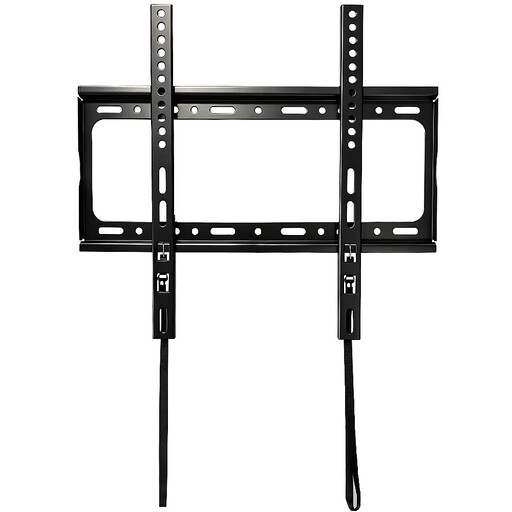
Why this profile? For those who want a simple, solid, and discreet solution. The goal: to place a medium-sized TV flush against the wall in a bedroom or living room for a minimalist look and maximum space saving.
This fixed TV mount eliminates any risk of error with crystal-clear specifications: VESA compatibility up to 400 x 400 mm, a maximum load of 45 kg, and mandatory installation on a solid wall (concrete, brick).
Its ultra-slim design allows the TV to sit as close to the wall as possible for maximum space saving and a flawless aesthetic.
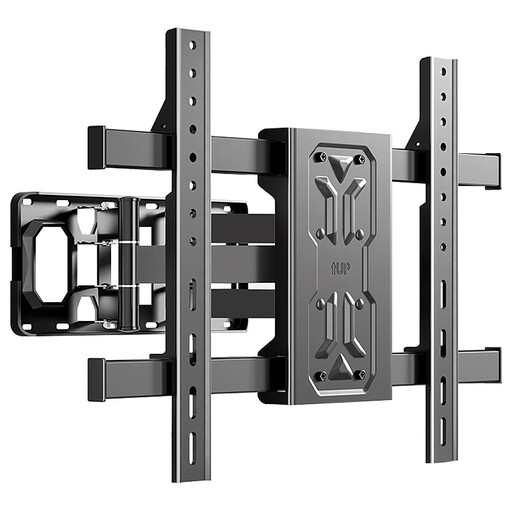
Why this profile? For owners of large-screen TVs who demand a perfect viewing experience, no matter where they are in the room. Perfect for large living rooms or corner installations.
Here, flexibility isn't a gimmick. This mount meets a real need for versatility. Its reinforced structure supports up to 75 kg, and its articulating arm is designed to secure large screens, on the absolute condition that it is fixed to a concrete wall.
The TV arm mount, extendable up to 67 cm, combined with the tilt (+5°/-15°) and level adjustment (±3°), offers complete freedom to find the perfect viewing angle and eliminate glare.
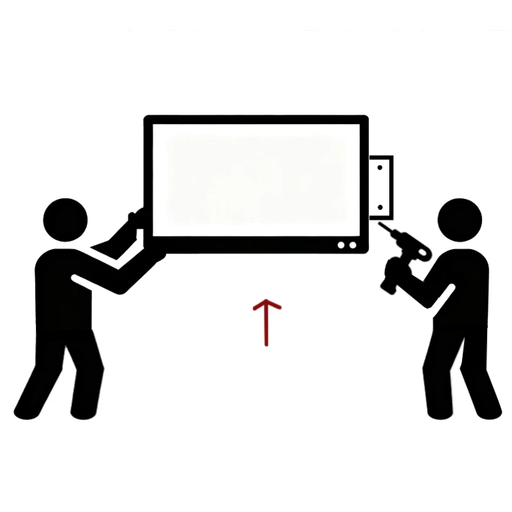
Why this profile? For anyone who isn't comfortable with a drill, lacks the time, or simply wants an absolute guarantee of safety. Peace of mind is priceless.
This TV installation service eliminates the number one risk: mounting error. It ensures that the correct mount is used and that it is installed professionally, perfectly suited to the type of your wall.
A turnkey, worry-free installation. The mount is supplied and fitted by a professional, guaranteeing a perfect and durable fixture.
We have selected a full range of mounts that meet our safety criteria and current European standards.
The simplest test: knock on the wall. A solid, dull sound? It's likely a solid wall (concrete, solid brick). A hollow, resonant sound? It's probably a plasterboard partition (drywall). If in doubt, drilling a small exploratory hole will give you the answer: fine grey/white dust indicates concrete or plaster, while a whiter, more "chalky" dust reveals plasterboard. For heavy TVs, take no risks: only a solid wall is suitable.
The VESA standard is simply the distance in millimetres between the four screw holes on the back of your TV. To find it, you have two options: measure the horizontal and then the vertical spacing, or check your TV's technical specifications. Your wall mount must be compatible with your TV's VESA standard (e.g., a VESA 400x400 mount for a VESA 400x400 TV).
Absolutely, if you are reasonably handy with tools, have the right equipment (drill, spirit level, etc.), and follow the installation guide to the letter. However, for a heavy and expensive television, or if you have any doubt about the strength of your wall, hiring a professional TV installation service is not a luxury. It's your guarantee of optimal safety and complete peace of mind.