
Livraison le jour même ou le lendemain

Qualité garantie

Débloquez vos offres de bienvenue: Livraison GRATUITE | Jusqu'à -80 % | 30 jours d'essai gratuits à JoyPlus
Téléchargez l'application
The gaming peripheral market is vast, and choosing the right mouse can quickly become a daunting task. Amidst all the marketing claims, it's essential to focus on the objective features that truly meet your gaming needs. The Turtle Beach Kone gaming mouse range is renowned for its ergonomics and performance, but each model caters to a different type of gamer.
This guide is designed to help you make sense of it all, focusing on technical specifications and real-world use cases to ensure you make the most informed decision possible.
Before comparing models, it's helpful to define your own criteria. Here are three key points to consider to guide your decision.
The choice between a wired gaming mouse and a wireless gaming mouse depends on your setup and personal preferences.
The shape and weight of a mouse directly influence your comfort and playstyle.
The number of buttons is a decisive factor, especially for MMO (Massively Multiplayer Online) or MOBA (Multiplayer Online Battle Arena) players. A programmable mouse allows you to assign macros, skills, or shortcuts to extra buttons, thereby optimising your in-game responsiveness. Turtle Beach's Easy-Shift[+] technology, for example, doubles the number of functions that can be assigned to each button.
Here is a breakdown of three models from the Kone range, each with its own special features to meet a variety of needs.
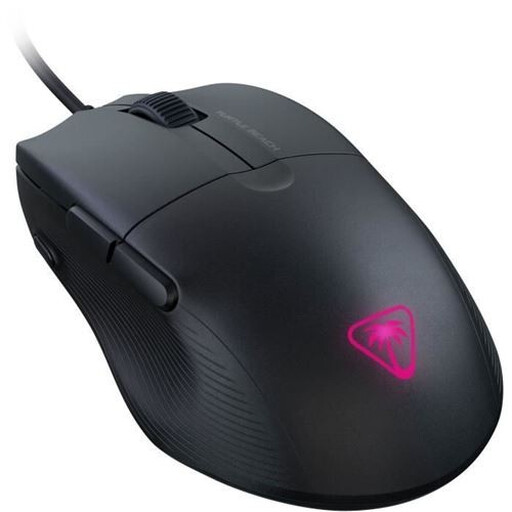
Why we recommend it
The Pure SEL is an excellent option for gamers who prioritise raw performance and lightness above all else. Its feather-light 49g weight makes it an incredibly agile tool, designed for speed and precision.
Pros
Who is this product for?
This model is particularly suited for competitive FPS players who favour a lightweight gaming mouse for maximum responsiveness. Its clean design and focus on essential performance make it a smart choice for those who get straight to the point.
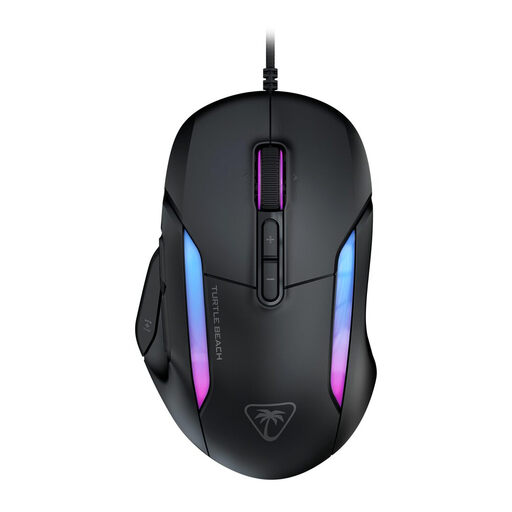
Why we recommend it
The Kone II stands out for its great versatility and advanced customisation options. Thanks to Easy-Shift[+] technology, it transforms its 7 buttons into 23 programmable functions, offering extensive control without cluttering the mouse.
Pros
Who is this product for?
This programmable mouse is an excellent candidate for versatile gamers who switch between different game genres. It's equally suitable for MMO/MOBA players who need numerous macros and FPS players who will appreciate its precise sensor and responsive optical clicks.
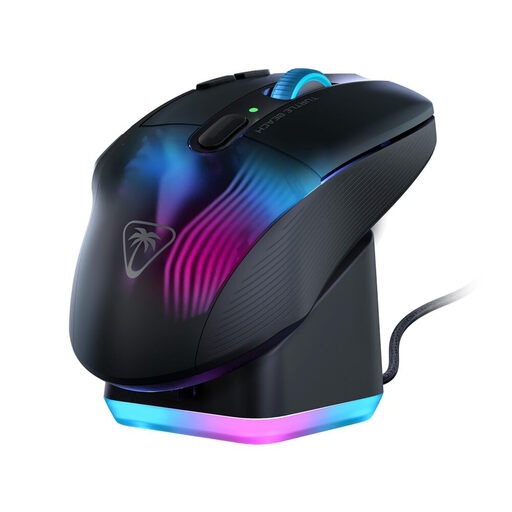
Why we recommend it
The Turtle Beach Kone XP Air combines wireless freedom with an arsenal of features. With its dual connectivity, rapid charging dock, and 29 programmable functions, it represents a complete solution for demanding gamers who refuse to compromise.
Pros
Who is this product for?
This model is designed for gamers seeking a highly customisable wireless gaming mouse. It is ideal for fans of MMOs, MOBAs, or strategy games who utilise a large number of shortcuts, while also appreciating freedom of movement and a polished aesthetic.
If the specific features of the Kone range don't fully meet your expectations, many other options are available. Every gamer has unique needs when it comes to shape, weight, or features. Feel free to browse our Optical Accessories category to discover other models suited for all playstyles.
1. Is the Swarm II software required to use a Turtle Beach Kone mouse? No, the mice are functional right out of the box (Plug-and-Play). Basic functions like clicking, movement, and the preset DPI buttons work without any software. However, installing Swarm II is necessary to customise the RGB lighting, reassign buttons, create macros, and fine-tune the DPI levels.
2. How does Easy-Shift[+] technology work? Easy-Shift[+] is a feature that allows you to assign a second function to most of the mouse's buttons. By holding down the designated "Easy-Shift[+]" button (customisable via the software), the other buttons activate their secondary function. This nearly doubles the number of instantly accessible commands, which is a major advantage for a programmable mouse.
3. What is the difference between the optical sensors in Kone mice? The different models use various optical sensors to meet different needs and budgets. For example, the Pure SEL uses an 8,000 DPI PixArt sensor, which is reliable and precise for most uses. Models like the Kone XP Air or the Kone II are equipped with Turtle Beach's Owl-Eye sensor, which offers a much higher resolution (DPI) and superior tracking speeds, catering to gamers seeking the highest level of precision.