
Livraison le jour même ou le lendemain

Qualité garantie

Débloquez vos offres de bienvenue: Livraison GRATUITE | Jusqu'à -80 % | 30 jours d'essai gratuits à JoyPlus
Téléchargez l'application
In gaming, quality sound isn't a luxury—it's the key to immersion and performance. Hearing an opponent's approaching footsteps, communicating clearly with your team—a quality headset is a game-changer. But with a jungle of options out there, choosing the right Turtle Beach gaming headset can quickly become a headache.
This guide is here to help you make sense of it all. As a Joybuy Product Advisor, I'll break down the manufacturer's lineup to help you find the model that perfectly matches your gaming habits, platform, and budget.
Before diving into our selection, let's review a few essential criteria to ensure you make the right choice.
This is the starting point. Do you play on a single machine, or do you switch between PC, console, and mobile?
The choice between a wired gaming headset and a wireless gaming headset depends entirely on your priorities.
To coordinate with your team, clear communication without background noise is non-negotiable. The flip-to-mute feature (flipping up the boom to mute the mic), integrated into most Turtle Beach models, is an incredibly practical detail for daily use. Comfort is just as crucial: memory foam ear cushions, an adjustable headband, and a lightweight design are the secrets to playing for hours without ending up with sore ears.
We've selected three headsets from the Turtle Beach Recon and Turtle Beach Stealth series that perfectly illustrate these different needs.
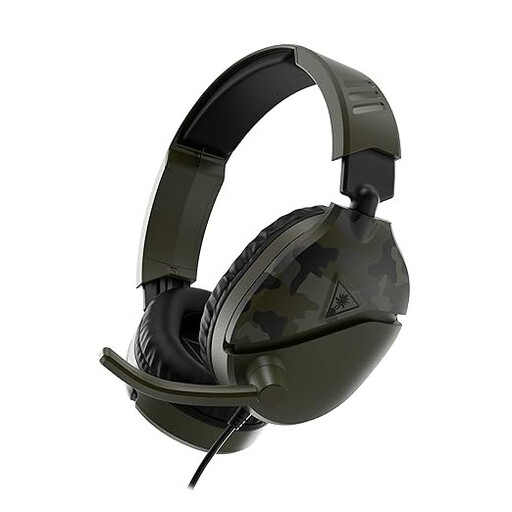
Why It Stands Out
The Recon 70 is an excellent entry point into the world of gaming headsets. Its key strengths? Simplicity and versatility. Thanks to its 3.5mm jack, it's compatible with nearly all platforms: PS5, Xbox, Nintendo Switch, PC, and more.
Advantages
Who Is It For??
This is the ideal choice for casual gamers, for a first gaming headset, or as a reliable and budget-friendly secondary option.
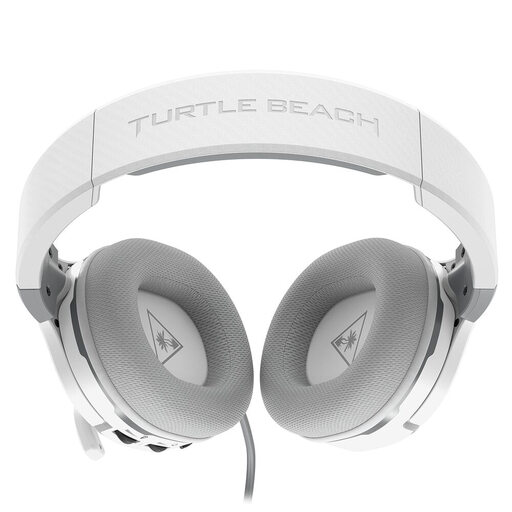
Why It Stands Out
The Recon 200 Gen 2 is a special case: a wired model that hides a rechargeable battery. Its purpose? To power an internal amplifier to boost the sound. The result: punchier audio, more present bass, and adjustable mic monitoring—features rarely found in this price range.
Advantages
Who Is It For??
It's aimed at PS5 or Xbox players who want more audio impact than a standard passive headset can offer, without switching to wireless. An excellent compromise between performance and budget.
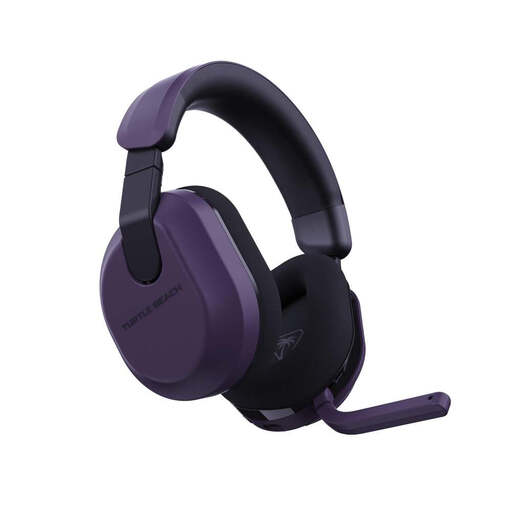
Why It Stands Out
With the Stealth 600 Gen 3, we're kicking things up a notch. This wireless gaming headset focuses on versatility and record-breaking endurance. It offers dual connectivity (low-latency 2.4GHz wireless and Bluetooth 5.2) to switch from your console to your phone in an instant. Its monstrous 80-hour battery life is its killer feature.
Advantages
Who Is It For??
A model built for demanding gamers who want the freedom of wireless, massive battery life, and fine-tuned controls to sculpt their audio experience. Its ability to mix game audio with a call via Bluetooth is a real daily bonus.
Do none of these three models check all your boxes? Are you looking for specific features like active noise cancellation or a particular design? The Turtle Beach catalog is vast.
Explore our complete collection of Headsets with Microphone to find the hidden gem that will suit your gaming style.
For a wired model (Recon 70, 200), it's very simple: plug the 3.5mm jack cable directly into the port on your DualSense or Xbox controller. For a wireless model (Stealth 600), connect the USB dongle to a port on the console, turn on the headset, and pairing should happen automatically.
Yes, nearly all models are PC compatible. Wired headsets connect via the 3.5mm jack. On some PCs, a Y-splitter adapter may be necessary to separate the mic input and audio output if you don't have a unified port. Wireless models connect via their USB dongle, which is easily recognized by Windows.
These two series target different types of gamers.