
Livraison le jour même ou le lendemain

Qualité garantie

Débloquez vos offres de bienvenue: Livraison GRATUITE | Jusqu'à -80 % | 30 jours d'essai gratuits à JoyPlus
Téléchargez l'application
A Turtle Beach gaming headset can significantly enhance immersion and make online conversations more enjoyable. The key is choosing the right connection and checking compatibility with your equipment. Between wired models, wireless versions and headsets designed for a specific console, technical specifications are not always as clear as they first appear.
Before placing your order, three common pitfalls are worth avoiding:
If you plan to use your headset with a PS5, Xbox, Nintendo Switch, PC or mobile phone, start by checking the full list of compatible devices. A wired multi-platform gaming headset with a 3.5 mm jack is often the simplest solution: just connect it to the controller, console or any device with a suitable output.
On PC, check the connector format carefully. Some models use a combined plug, while older computers may have separate headset and microphone sockets. In this case, a splitter adapter will be required.
Wireless compatibility deserves particular attention on Xbox. The receiver supplied, connection mode and supported console may vary from one model to another. On Nintendo Switch, using a USB receiver also depends on the setup: whether the console is being used in handheld mode or placed in its dock.
A wired gaming headset does not have a battery. It works as soon as it is plugged in and will not leave you without power halfway through a game. On the other hand, the cable can restrict movement and needs a little care to prevent it from twisting.
A wireless gaming headset offers much greater freedom of movement. Before choosing one, check three practical details:
The Turtle Beach Stealth 500 offers up to 40 hours of battery life, while the Stealth 600 Gen 3 promises up to 80 hours according to its product listing. In both cases, actual battery life varies depending on the volume, connection mode and settings used.
A gaming headset with microphone should let you chat without having to search for the controls every time you speak. The flip-to-mute microphone automatically mutes the microphone when you raise the boom, making it particularly useful during voice chats or multiplayer sessions.
To assess comfort, consider the material used for the ear cushions, the headset’s weight, the headband adjustment and the pressure around your ears. Faux leather generally helps block out more external noise, while mesh fabric is often more breathable. If you wear glasses, look for cushions designed to reduce pressure on the arms of your glasses.
When it comes to safety, always start with a moderate volume. Prolonged listening at a high volume can damage your hearing. Also avoid sharply bending the cable, do not take the headset apart and keep its small parts out of reach of young children.
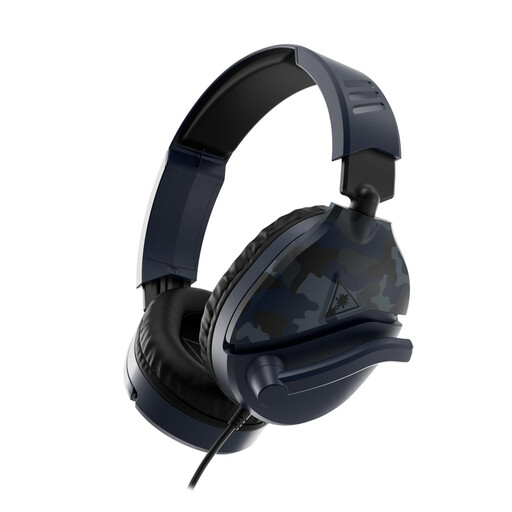
Why this choice suits this profile : Its 3.5 mm jack lets you connect it directly to a console, compatible PC or mobile phone, without having to keep an eye on the battery level.
The wired connection avoids pairing and battery issues. Simply check which type of port is available on your PC.
40 mm speakers, a flip-up microphone for muting and faux-leather ear cushions providing passive isolation.
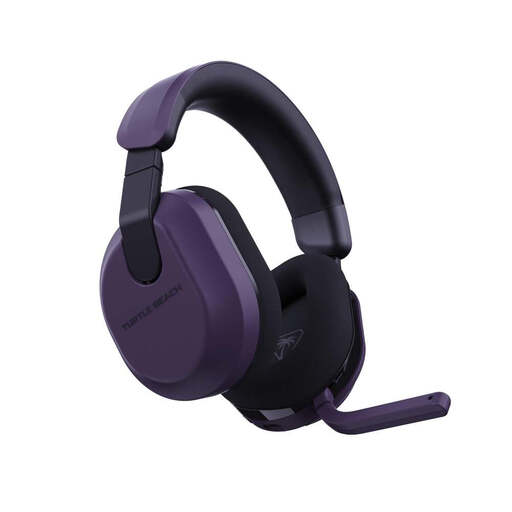
Why this choice suits this profile : It combines a 2.4 GHz connection, Bluetooth 5.2 and customisable settings through the Swarm II app.
The product listing clearly distinguishes between wireless and Bluetooth modes. However, you should confirm that the receiver is compatible with your setup.
Up to 80 hours of advertised battery life, 50 mm speakers and a flip-up microphone with voice isolation according to the manufacturer.
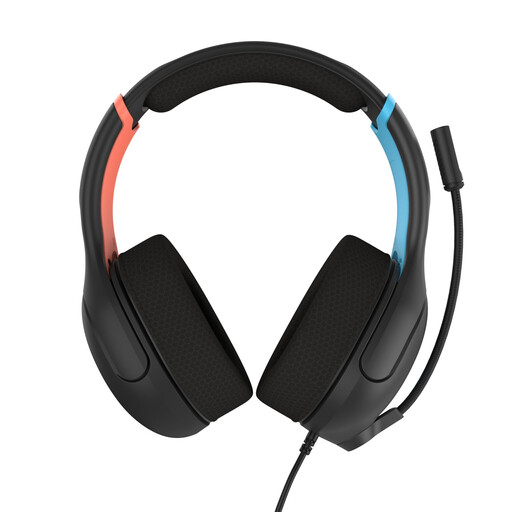
Why this choice suits this profile : Officially licensed by Nintendo, it connects via a 3.5 mm jack to Switch consoles, as well as to a compatible PC or mobile phone.
The product listing states its compatibility with several Switch generations. The wired connection avoids any additional setup.
40 mm speakers, breathable mesh ear cushions, a flip-up bidirectional microphone and an integrated volume control.
We have put together a complete, real-time updated selection of products that meet these demanding criteria, while complying with European safety regulations.
The wired models featured are listed as compatible with PS5, Xbox Series X|S, PC, Nintendo Switch and mobile phones. Simply connect the plug to the controller or the appropriate audio port. On PC, however, check whether a splitter adapter is required.
This depends on how often it is used, how well it is maintained and how it is stored. Avoid pulling on the cable, clean the ear cushions with a soft, dry cloth and store the headset away from moisture. Wireless models contain a battery whose capacity gradually decreases over successive charging cycles.
Bluetooth is convenient with a mobile phone or for versatile listening. For gaming, look instead for a 2.4 GHz connection and a receiver compatible with your platform. This distinction helps minimise audio delay and unpleasant surprises during setup.