
Livraison le jour même ou le lendemain

Qualité garantie

Débloquez vos offres de bienvenue: Livraison GRATUITE | Jusqu'à -80 % | 30 jours d'essai gratuits à JoyPlus
Téléchargez l'application
A Thunderobot RTX 5060 gaming laptop can be an excellent choice for a PC gamer, student, or professional who switches between video games, editing, 3D creation, and streaming. But a spec sheet full of numbers isn't enough to tell you whether a configuration truly meets your needs.
Before buying a gaming laptop equipped with an RTX 5060, three common pitfalls keep cropping up: confusing the graphics card with overall performance, choosing a fast screen without checking its resolution, or overlooking the size and connectivity. Here are the criteria to examine, followed by a selection of three Thunderobot configurations to compare.
The GeForce RTX 5060 Laptop GPU plays a central role, but its performance also depends on the processor, cooling, memory, and power configured by the manufacturer. Two laptops equipped with a GPU from the same family can therefore offer a noticeably different experience.
The target resolution also deserves your attention. At QHD, the graphics card has to handle more pixels than at Full HD. To maintain good smoothness, check the graphics settings used in your games as well as the display technologies supported by the model.
A QHD 240 Hz screen is certainly eye-catching for competitive gamers, but a high refresh rate doesn't change the game for every use case. Fast-paced games and e-sports titles can genuinely benefit from it, whereas a QHD 165 Hz screen already offers smooth navigation and a very enjoyable experience in most games.
Resolution, brightness, stated response time, and screen size should all be evaluated together. Spec sheets don't always provide all the necessary information, so don't judge the overall quality of a panel based solely on the number of hertz.
A 17-inch gaming laptop offers a comfortable display area, but it also takes up more space in a bag and on a desk. A 16-inch model can prove easier to carry while still providing a good working surface.
Finally, 16 GB of memory and a 1 TB SSD form a solid foundation for gaming and everyday tasks. For intensive video editing, 3D creation, or running many applications simultaneously, check whether the memory and storage can be replaced or expanded.
The processor affects loading times, multitasking, and performance in creative software. The configurations presented here feature the Intel Core i7-13620H, Intel Core i7-13650HX, and AMD Ryzen 7 7745HX.
An HX-series processor is generally designed for laptops that handle sustained heavy loads. However, this designation doesn't mean you can skip checking the cooling system, power supply, and overall weight of the machine.
All three models come with 16 GB DDR5 and a 1 TB PCIe NVMe SSD. DDR5 effectively supports multitasking, while the SSD reduces access times compared to a traditional mechanical hard drive.
A terabyte can still fill up quickly with several modern games, video footage, or large file libraries. Remember to check the number of available slots before planning an upgrade.
If you plan to use an external monitor, television, or wired peripherals, examine the available ports carefully. Wi-Fi 6 can improve the connection to a compatible router, but speeds also depend on coverage, your home network setup, and distance.
The models shown below also include an RGB backlit keyboard, an HDMI output, and an RJ-45 network port. The number of USB ports and the presence of a Mini DisplayPort vary depending on the version.
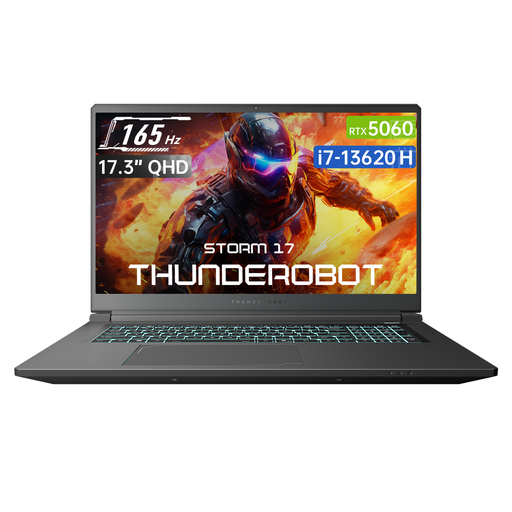
Why this choice suits this profile: its large format is ideal for gamers who mainly play at home and want to avoid relying on an external monitor.
The spec sheet clearly states a 17.3-inch QHD panel at 165 Hz, allowing you to compare display size and refresh rate without confusion.
Intel Core i7-13620H, RTX 5060, 16 GB DDR5, 1 TB SSD, Wi-Fi 6, and three USB Type-A ports.
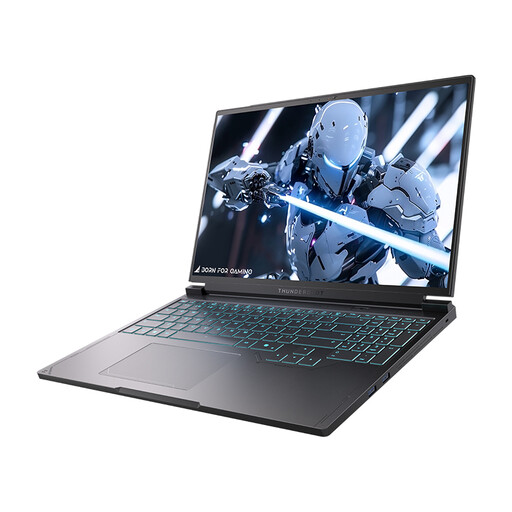
Why this choice suits this profile: its QHD+ 240 Hz panel and Intel Core i7-13650HX processor cater to users who demand excellent responsiveness and solid multitasking performance.
The 240 Hz refresh rate is paired with a stated QHD+ resolution, allowing you to evaluate the screen as a whole.
Intel Core i7-13650HX, RTX 5060, 16-inch QHD+ 240 Hz display, two USB Type-C ports, and Mini DisplayPort.
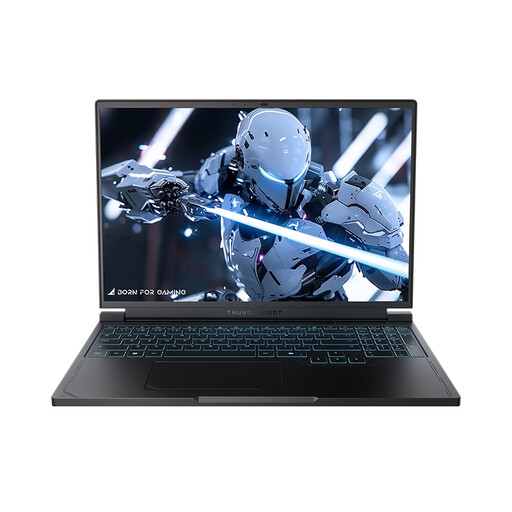
Why this choice suits this profile: this variant keeps the 16-inch format and QHD+ 240 Hz display, while being powered by an AMD Ryzen 7 7745HX processor.
Comparison with the Intel version is made easier by memory, storage, GPU, and screen that are stated in comparable configurations.
AMD Ryzen 7 7745HX, RTX 5060, 16 GB DDR5, 1 TB SSD, RGB keyboard, Wi-Fi 6, and Mini DisplayPort.
We've put together a comprehensive, real-time updated list of products that fully meet these strict selection criteria and European safety regulations.
No. It can suit fast-paced games and users who are particularly sensitive to smoothness, but a QHD 165 Hz screen remains a consistent choice for many games. It all depends on the titles you play, your settings, and the system's ability to maintain a high frame rate.
16 GB DDR5 is suitable for many games and everyday tasks. For heavy video projects, 3D work, or running several applications simultaneously, check whether you can add more memory and what the maximum supported amount is.
Use the appropriate power profile, lower the brightness when possible, and plug into the mains for long gaming sessions. Performance, temperature, and battery life vary depending on the settings, software, and games you use.