
Livraison le jour même ou le lendemain

Qualité garantie

Débloquez vos offres de bienvenue: Livraison GRATUITE | Jusqu'à -80 % | 30 jours d'essai gratuits à JoyPlus
Téléchargez l'application
Creative professionals and tech enthusiasts know it well: not all USB-C cables are created equal. Faced with a sea of seemingly identical connectors, it's easy to make a mistake and choose a cable that bottlenecks the performance of your cutting-edge hardware. Endless file transfers, a flickering external display, slow charging… these are just a few of the frustrations that can sabotage your productivity.
This article is here to cut through the noise in the world of high-performance cables. We'll break down the key features of a Thunderbolt 4 cable and present our top picks to equip your MacBook Pro, Mac Studio, or Pro Display XDR monitor. The goal: to help you finally unlock the full potential of your setup.
Before diving into our selection, let's review the essential criteria for making the right choice, especially in a professional context.
What primarily sets a Thunderbolt 4 cable apart is its throughput. It guarantees a bandwidth of 40?Gbps, a prerequisite for transferring large files (4K/8K videos, graphic design projects, photo libraries) at lightning speed. A 40?Gbps USB-C cable is, by definition, a certified Thunderbolt or USB4 cable. Be careful not to confuse it with standard USB-C cables, which are often limited to 480?Mbps (that's 80 times slower!) and are typically only good for charging.
Thunderbolt's other strength is its versatility. A good Thunderbolt 4 cable must include Power Delivery (PD) technology to power your devices. A 100W charging cable is the standard for efficiently charging a laptop like a MacBook Pro, even while you're using it. Its ability to carry a DisplayPort video signal is just as crucial. It allows you to connect one or more high-resolution displays, such as with a cable for a Pro Display XDR, without any loss of quality or latency.
For mobile or intensive use, robustness is a non-negotiable criterion. A braided USB-C cable holds up much better to wear, twists, and tangles than a model with a standard plastic sheath. It's a detail that makes all the difference in the long run, especially for pros who handle their cables daily, both in the studio and on the go.
Let's get to the specifics with models that meet a variety of needs, from current standards to the technologies of tomorrow.
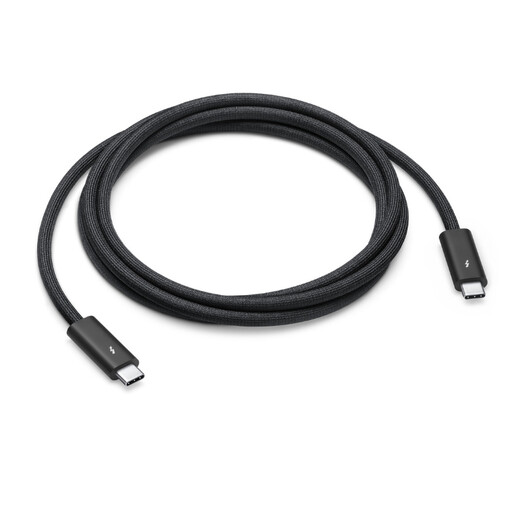
Why It Stands Out
This Apple Pro cable is simply the gold standard for fans of the Apple ecosystem. It was designed to ensure optimal compatibility and performance with Macs, iPads, and Apple's displays. Its black braided design prevents tangling while ensuring excellent durability.
Pros
Who is it for? This is the peace-of-mind choice for professionals equipped with a Mac Studio, MacBook Pro, or displays like the Studio Display and Pro Display XDR. If you demand rock-solid reliability and seamless integration, look no further.
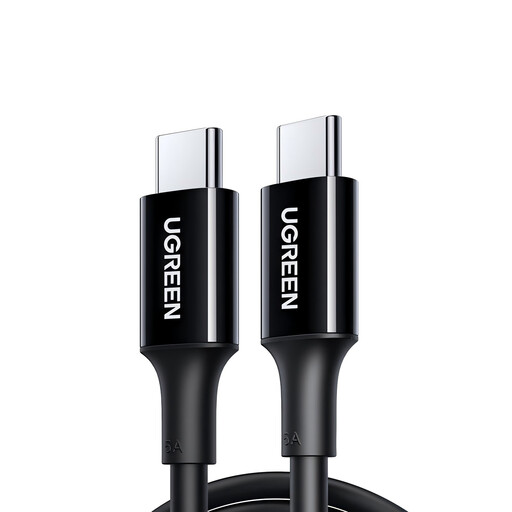
Why It Stands Out
This cable focuses on one mission, and it accomplishes it perfectly: fast and efficient charging. It's not a Thunderbolt cable, but its ability to deliver up to 100W of power makes it an excellent secondary cable or a model dedicated solely to charging.
Pros
Warning: This cable does not support video output, and its transfer speeds are far too slow for demanding professional use.
Who is it for? Ideal for those looking for a reliable and powerful extra charging cable for a laptop, tablet, or smartphone, without needing the supersonic speeds of Thunderbolt. It's a budget-friendly and high-performance option for anyone primarily looking to recharge their devices.
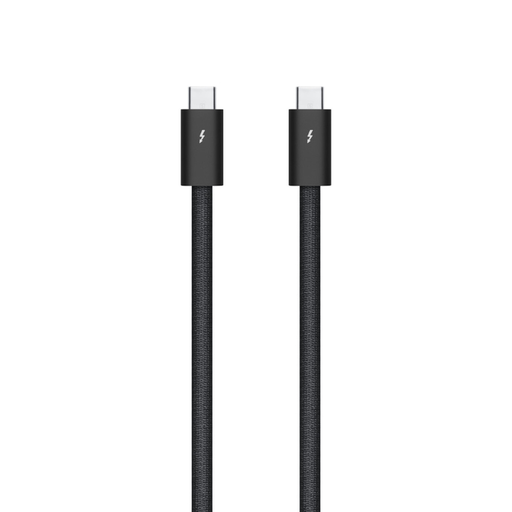
Why It Stands Out
The Thunderbolt 5 cable represents the next generation of connectivity. It's a taste of the future. It's designed for pros and enthusiasts who want future-proof equipment. With data rates and charging power that shatter current standards, it's already prepared for the devices of tomorrow.
Pros
Who is it for? For forward-thinking creators, those already working with 8K (and beyond) workflows, and users investing in the most advanced hardware in 2026. It's an investment in the future that also ensures perfect compatibility with your current equipment.
Our selection covers the main needs, but the range of high-performance cables is much broader. Need a different length, another color, or just want to compare other models?
Explore our full category to discover a wider range of high-performance cables: Black USB-C Cable.
1. What's the difference between a Thunderbolt 4 cable and a standard USB-C cable? There's a world of difference, and it all comes down to performance. A Thunderbolt 4 cable guarantees a 40?Gbps data rate, support for dual 4K displays, and power delivery up to 100W. In contrast, the performance of a standard USB-C cable is highly variable, often limited to 480?Mbps (USB 2.0) speeds and with no video transmission capability.
2. Can I use a Thunderbolt 4 cable to charge my device? Yes, absolutely. Thunderbolt 4 cables are designed to deliver up to 100W of power, which is more than enough to charge most laptops, including the most powerful models. The Thunderbolt 5 cable even pushes this capability up to 240W.
3. Is a Thunderbolt 5 cable compatible with my Thunderbolt 4 devices? Yes, the Thunderbolt 5 standard is fully backward compatible. If you connect a Thunderbolt 5 cable to a Thunderbolt 4 device or port, it will perform like a Thunderbolt 4 cable, with the corresponding data rates (i.e., 40?Gbps). This allows you to get the maximum performance from your current hardware while being ready for the future.