
Livraison le jour même ou le lendemain

Qualité garantie

Débloquez vos offres de bienvenue: Livraison GRATUITE | Jusqu'à -80 % | 30 jours d'essai gratuits à JoyPlus
Téléchargez l'application
The tablet market is a minefield. Between jargon-filled spec sheets and enticing marketing promises, it's easy to get lost. Yet the goal is simple: find the device that truly fits your needs, without paying for superfluous features. The Teclast T65 Plus, with its large screen and attractive features, certainly catches the eye. But is it really the right one for you?
Our mission at Joybuy is to decode this information and guide you with clear, concrete advice. Let's analyse the essential points to check and the traps to avoid before you make your choice.
Marketing loves big numbers, but they sometimes hide weaknesses. Here are three points to watch out for to avoid buyer's remorse.
To make the right choice, focus on the features that really make a difference in your daily use.
For both entertainment and productivity, a large screen is a major asset. A 13-inch 120?Hz tablet like the Teclast T65 Plus promises an immersive visual experience. Make sure the resolution (Full HD at a minimum) is up to the task so that the image remains sharp and detailed on such a large diagonal. Also, check for Widevine L1 certification if HD streaming is a priority for you.
A large-screen 4G tablet frees you from Wi-Fi dependency. This is a major advantage for students moving between lecture halls and the library, or for professionals on the go. Choosing a device running a recent version like Android 15 also ensures better security update support and long-term compatibility with future applications.
The processor is the engine of the tablet. The MediaTek Helio G99, which powers the T65 Plus, is a good mid-range processor. It is perfectly suited for web browsing, video streaming, office tasks, and casual gaming. In practical terms, this type of chip ensures a smooth experience for 90% of uses, but it won't pretend to compete with high-end processors on heavy tasks like 4K video editing or the latest 3D games with graphics maxed out.
To help you see more clearly, here's how these criteria translate into concrete choices based on your profile.
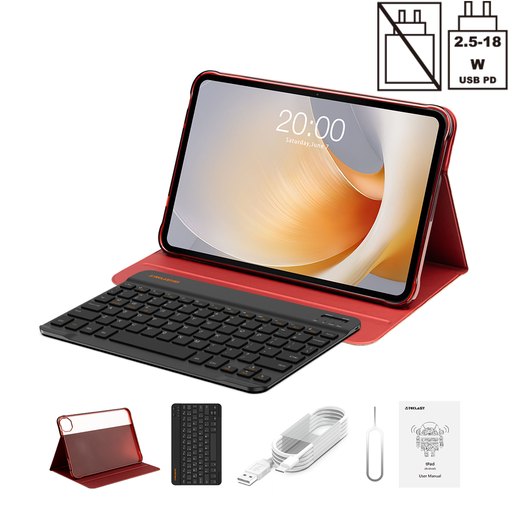
Why this choice? This bundle is an ideal all-in-one solution for taking notes in class, writing assignments, and relaxing. The 4G LTE connectivity lets you stay productive anywhere, from the library to the local café, without being at the mercy of Wi-Fi.
This bundle saves you the hidden cost of buying accessories separately. A word of caution, however: the included keyboard is QWERTY (English layout), which is a crucial point if you do a lot of typing in a language that uses a different layout.
A complete on-the-go package with an excellent screen-size-to-price ratio.
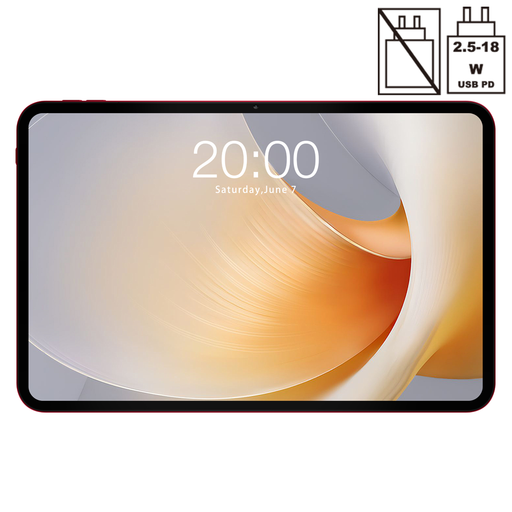
Why this choice? Here, screen size and quality are the number one criteria. The 13.4-inch panel offers an immersive experience worthy of a small TV, while the 120 Hz refresh rate ensures perfect fluidity in action scenes and navigation alike.
This model bets everything on its strong suit: a very large, ultra-smooth screen. Just remember to check for Widevine L1 certification, which is essential for enjoying Netflix, Prime Video, and others in high definition.
An extra-large, ultra-smooth visual experience thanks to its 13.4-inch diagonal and 120 Hz rate.
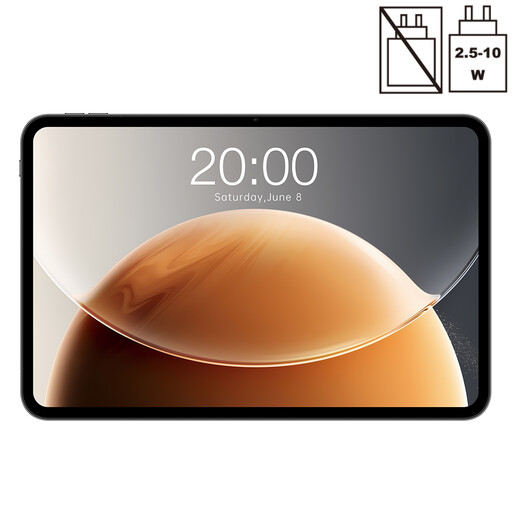
Why this choice? This version keeps the essentials—the large 13.4-inch, 120 Hz screen—but with 128 GB of storage. It's a smart choice for those who primarily stream content and don't need 256 GB of local space.
It avoids making you pay for unnecessary extra storage. Properly assessing your needs is the key to optimising your budget without sacrificing the features that truly matter.
The large-format, 120 Hz experience at an even more competitive price.
Discover our complete, up-to-date selection of tablets that meet our quality criteria and current standards.
This is a crucial point to check. The bundle we mention includes a Bluetooth keyboard with an English (QWERTY) layout. If you do a lot of typing in a language that uses a different layout (like AZERTY or QWERTZ), you'll either have to get used to it or invest in an external keyboard with your preferred layout.
With its Helio G99 processor and 8?GB of physical RAM, the T65 Plus can run most games from the Play Store under good conditions. Less demanding or moderately intensive titles will be perfectly smooth. For 3D blockbusters like Genshin Impact or Call of Duty: Mobile, you'll likely need to make some concessions on the graphics settings (switching to a medium level) to maintain good fluidity.
Physical RAM (8?GB) is the ultra-fast memory that the processor uses to run your applications. Virtual RAM (12?GB) is a software trick: it uses a portion of the internal storage (which is much slower) to temporarily "park" data from idle apps. This allows you to keep more apps open in the background, but it does nothing to boost the performance of the app you're actively using, unlike real physical RAM. Think of it as a helping hand, not a turbo boost.